Customers
The Customers page displays all store customers who have placed orders or created accounts. View customer contact information, order history, and total spending.
Requirements
- PHP 8.3.0+
- Joomla 6.x
- J2Commerce 6.x
Locating Customers
Customers are managed from the J2Commerce Dashboard.
There are two ways you can access the customers.
Option A: Go to the J2Commerce icon at the top right corner -> Sales -> Customers
Option B: Go to Components on the left sidebar -> J2Commerce -> Dashboard -> Sales -> Customers
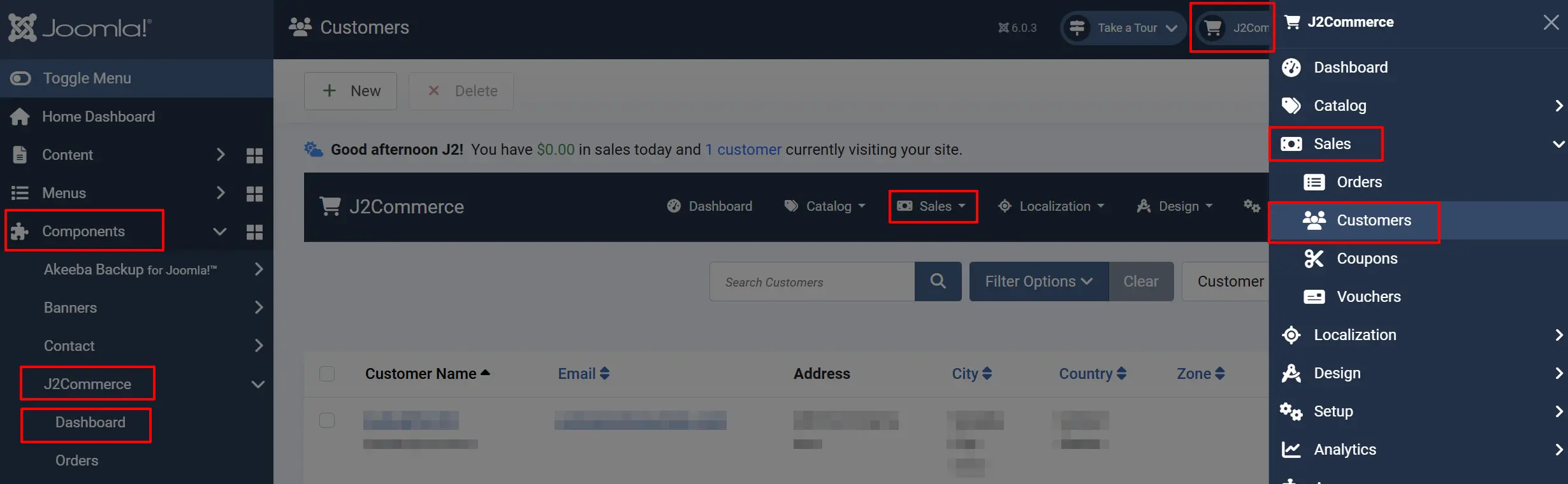
Customers List View
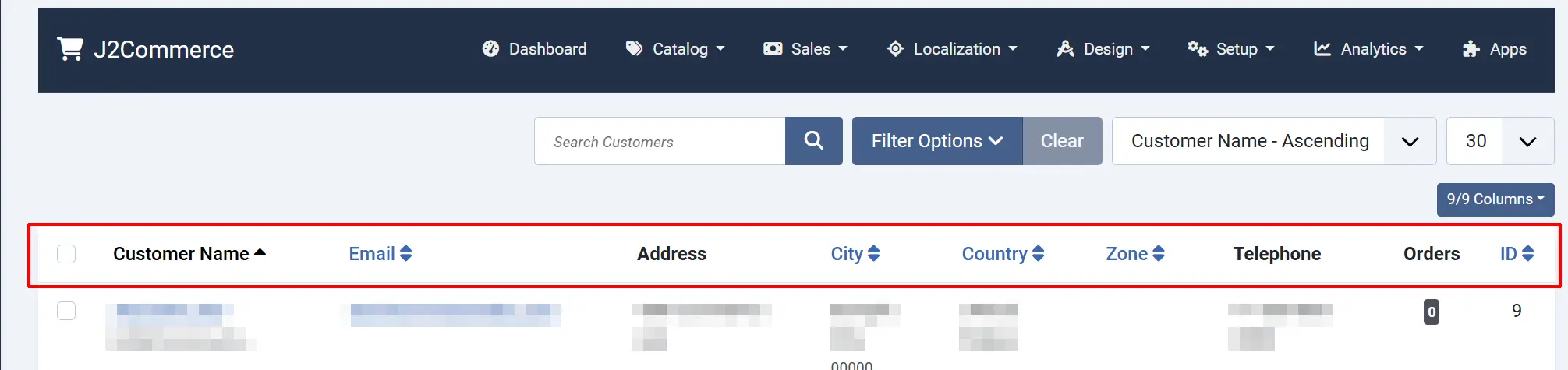
The customers list displays customer information aggregated from orders and addresses:
Name: Customer full name (first name + last name)
Email: Customer email address
Address: Customer address
City: Customer city
Country: Customer country
Zone: Customer Zone
Telephone: Primary phone number
Orders: The number of orders the customer has had
Customer Information Source
J2Commerce builds the customer list from:
- Order billing addresses
- Order shipping addresses
- Registered Joomla user accounts
Customers are grouped by email address — if the same email appears in multiple orders, they are shown as a single customer entry.
Filter Options
Search: Search by name, email, company, or city
Country: Filter customers by country
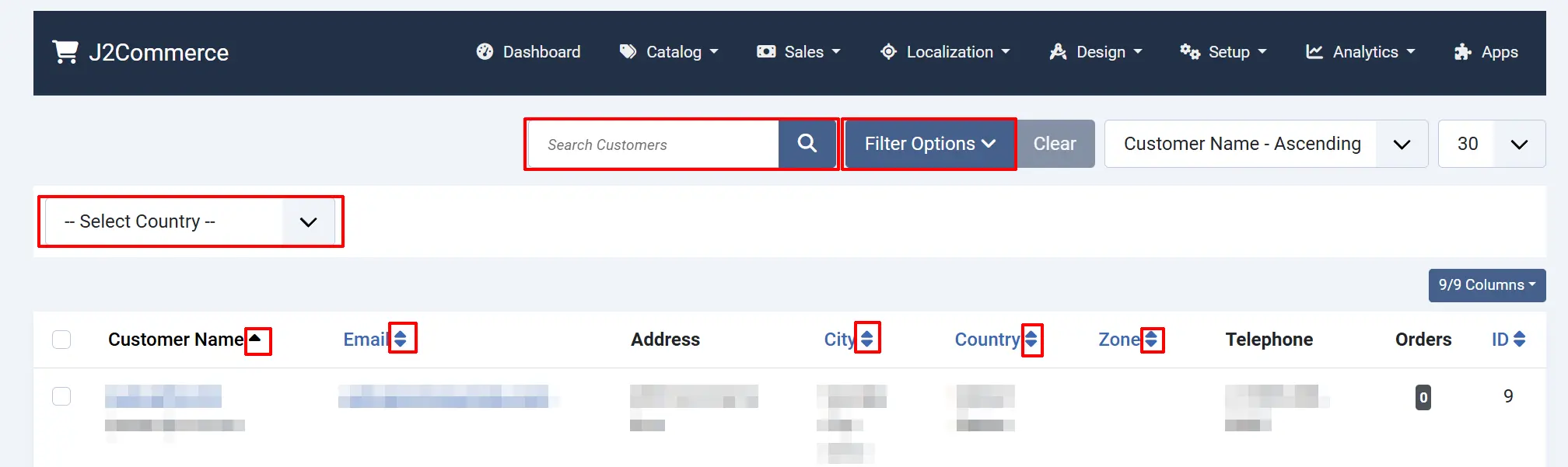
Customer Detail View
Click on a customer's name to view their details:
Customer Details Tab
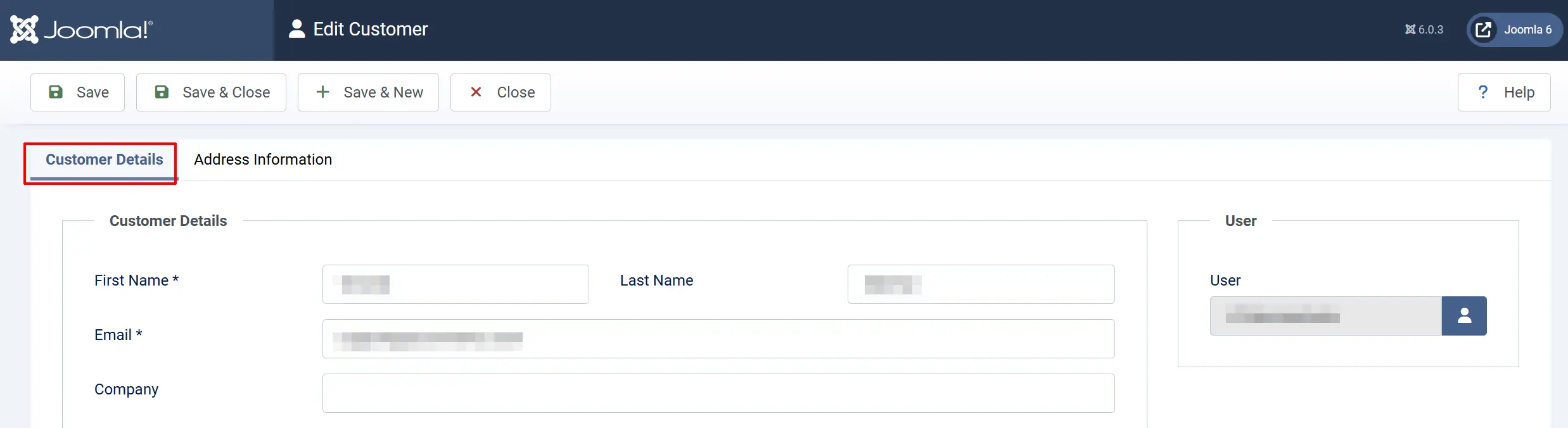
First Name: Customer first name
Last Name: Customer last name
Email: Customer email address
Company: Company name (if applicable)
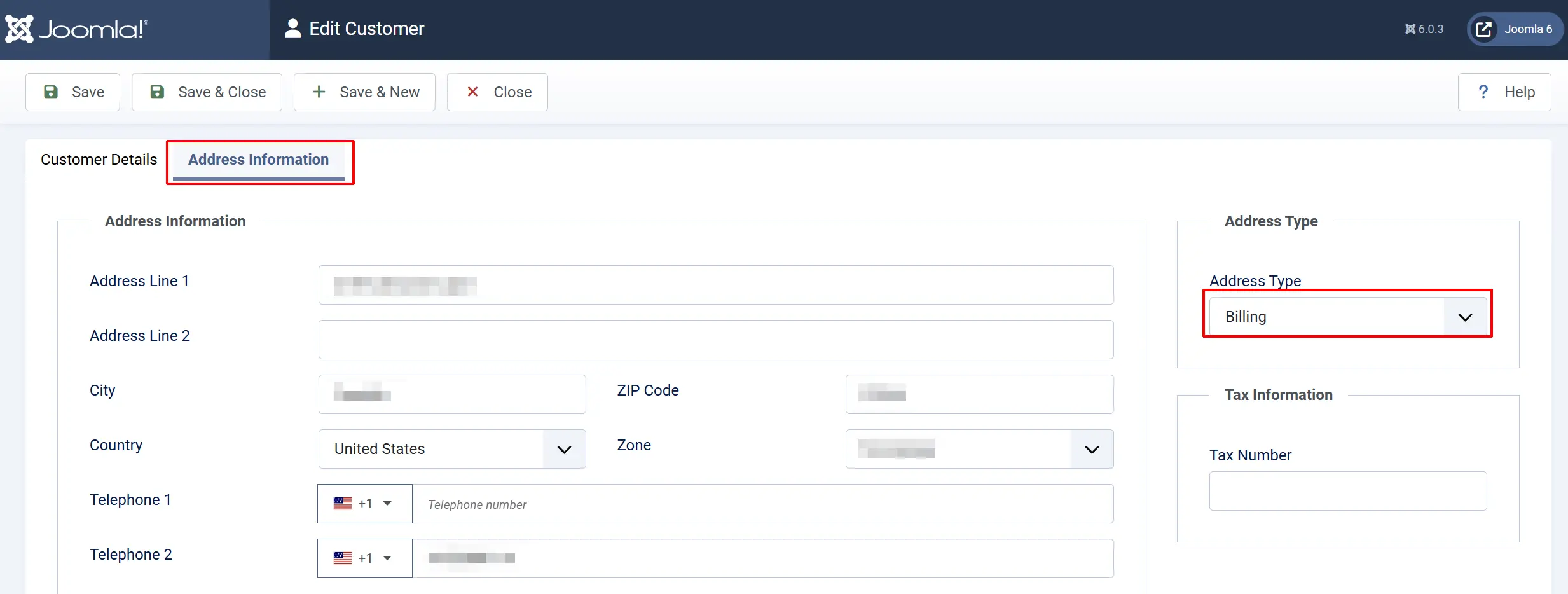
Address Information Tab
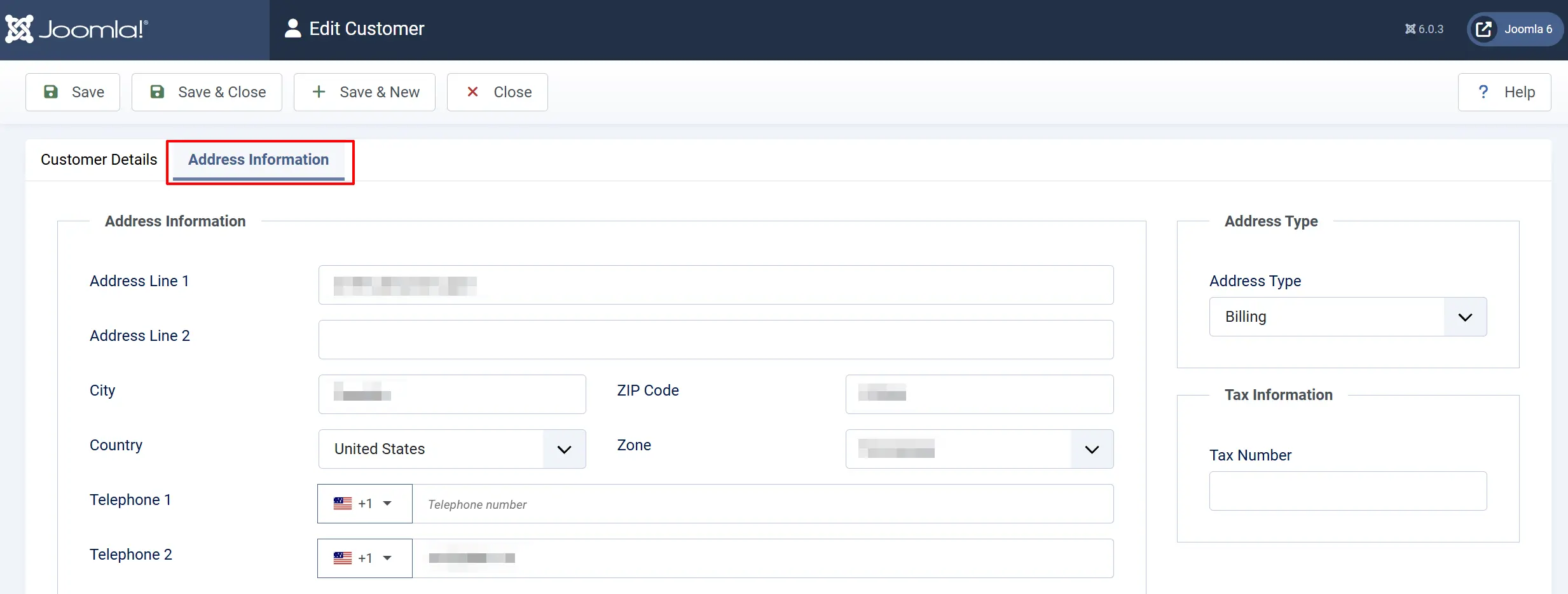
Phone 1: Primary phone number
Phone 2: Secondary phone number
Address Line 1: Street address
Address Line 2: Additional address info
City: City/town
Postcode: Postal/ZIP code
Country: Country
Zone/State: State/province
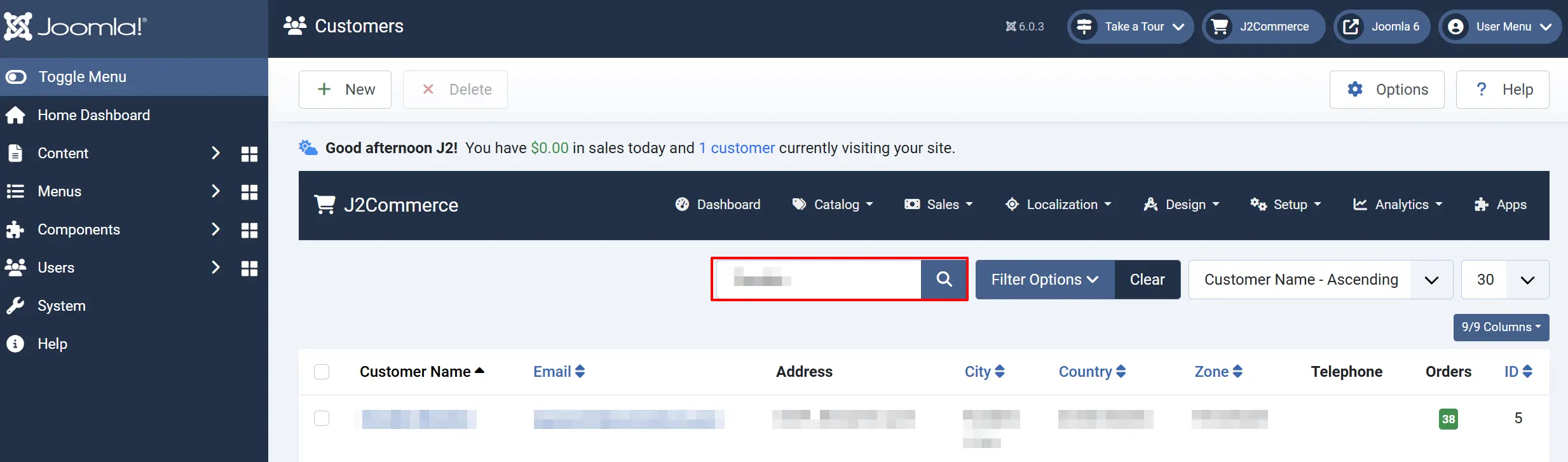
Search for a Customer
- Use the Search field in the filter bar.
- Enter a name, email, company name, or city.
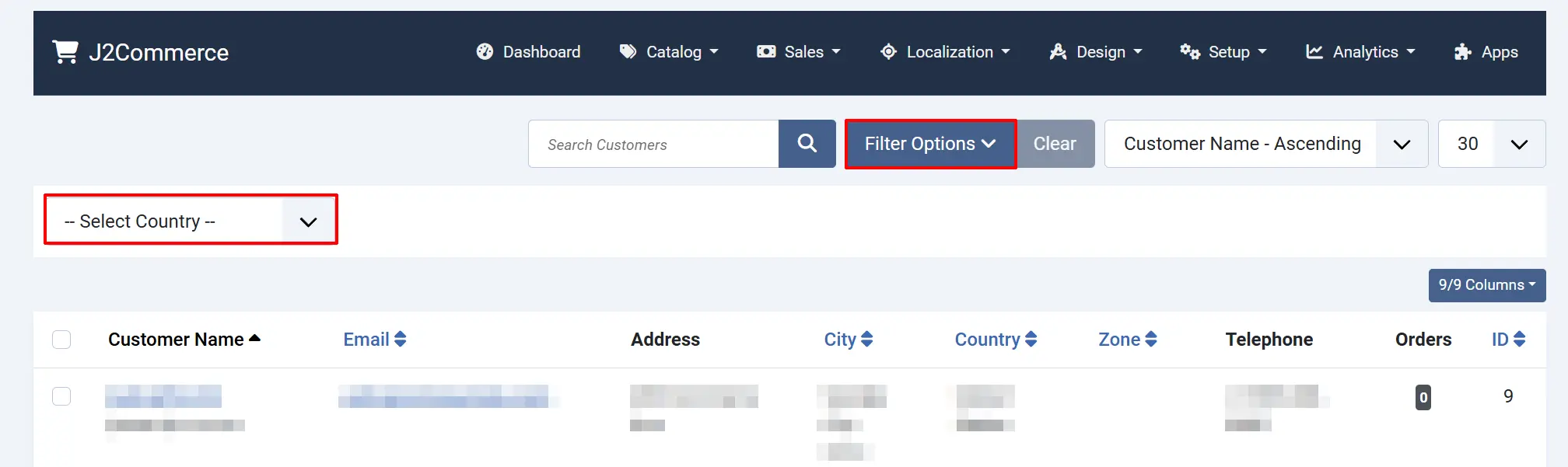
Filter by Country
-
Click the Country dropdown.
-
Select one or more countries.
-
The list updates automatically.
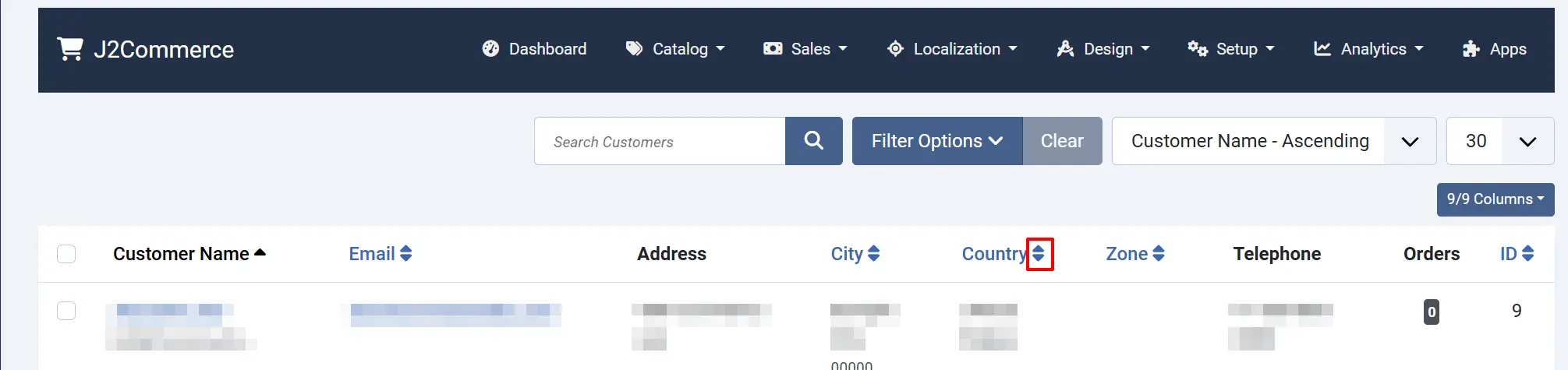
- Or you can organize them in alphabetical order
Understanding Customer Data
Guest vs Registered Customers
| Type | Data Source | Features |
|---|---|---|
| Guest | Order billing address | Limited to order information |
| Registered | Joomla user + orders | Full profile, order history, address book |
Customer Addresses
Customers can have multiple addresses:
- Billing address — Where invoices are sent
- Shipping address — Where orders are delivered
These may differ for each order. The customer list shows the most recent address.
Tips
- Search by email for the most accurate customer matching
- Filter by country to find regional customer bases for targeted marketing
Troubleshooting
Customer Appears Multiple Times
Cause: Different email addresses used for different orders.
Solution:
- This is expected behaviour — each unique email creates a separate customer entry.
- Customers may check out with different email addresses.
- If you need to merge customer records, use a third-party CRM extension.
Customer Not Found in List
Cause: No orders placed yet, or search filters are too restrictive.
Solution:
- Clear all filters using the Reset button.
- Remember that the Customers list only shows customers who have placed orders.
- For customers who registered but haven't ordered, check Users in Joomla's admin.
Wrong Customer Information Shown
Cause: Multiple addresses exist for the customer.
Solution:
- Open the customer's order history.
- The customer list shows the most recently used address.
- Check individual orders to see addresses used for each purchase.
Cannot Edit Customer Details
Cause: Customer data is derived from orders, not a standalone customer record.
Solution:
- For registered customers: Edit the Joomla user in Users → Manage.
- For guest customers: Information is stored per-order and cannot be changed centrally.
- Address changes should be made during checkout or in the customer's account area on the frontend.