Lengths
The Lengths feature allows you to configure measurement units for product dimensions (width, height, depth). These units are essential for shipping carriers that calculate rates based on package dimensions, and for displaying product specifications to customers. J2Commerce supports automatic conversion between units, ensuring accurate calculations regardless of the unit used for data entry.
Requirements
- PHP 8.3.0+
- Joomla 6.x
- J2Commerce 6.x
Locating Length
Lengths are managed from the J2Commerce Dashboard.
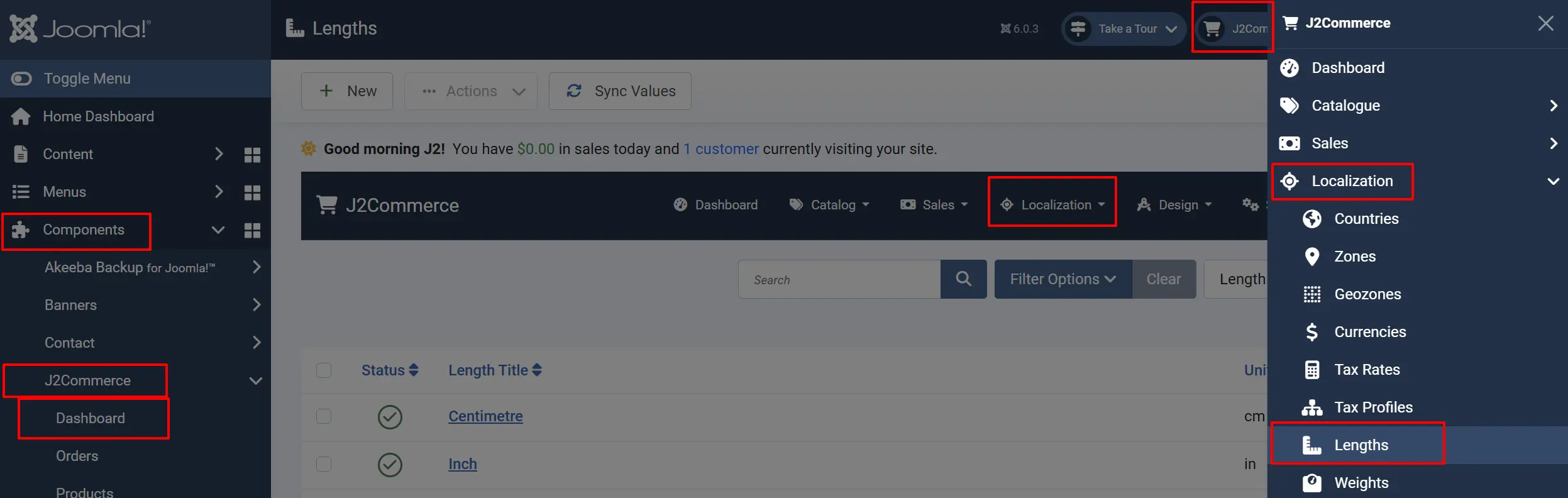
There are two ways you can access the Lengths .
Option A: Go to the J2Commerce icon at the top right corner -> Localization -> Length
Option B: Go to Components on the left sidebar -> J2Commerce -> Dashboard -> Localization -> Length
Length List
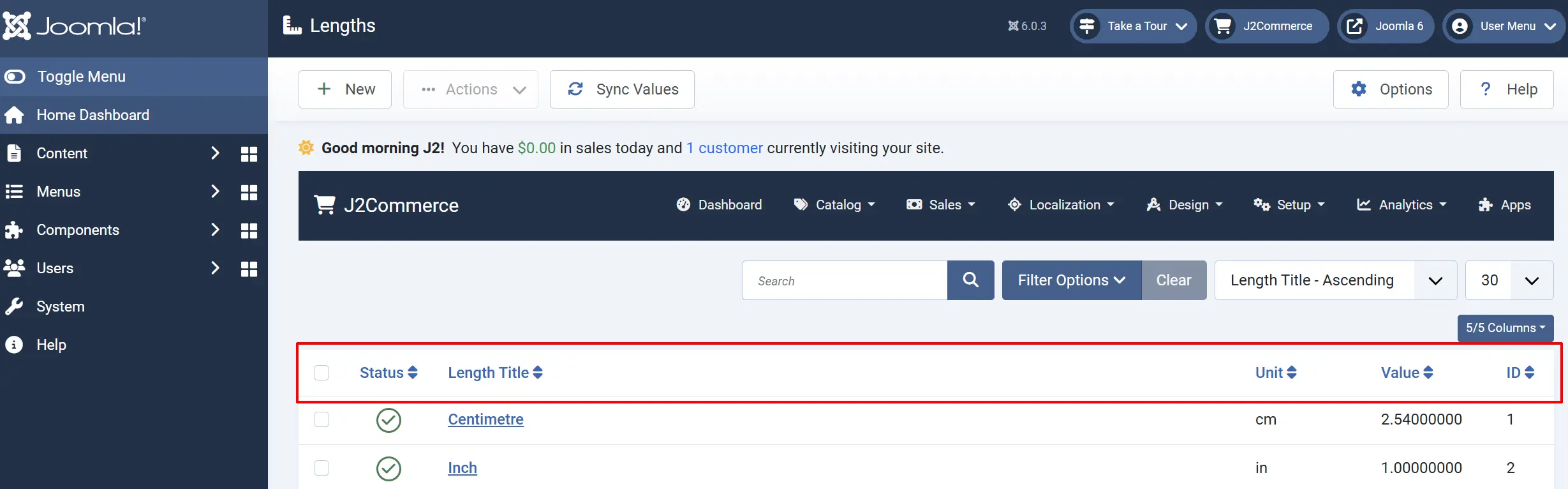
The Lengths list displays all length units configured in your store. Each unit shows:
Checkbox: Select units for batch actions.
Status: Set to Published to make the unit available.
Length Title: The display name of the unit. Example: Inch
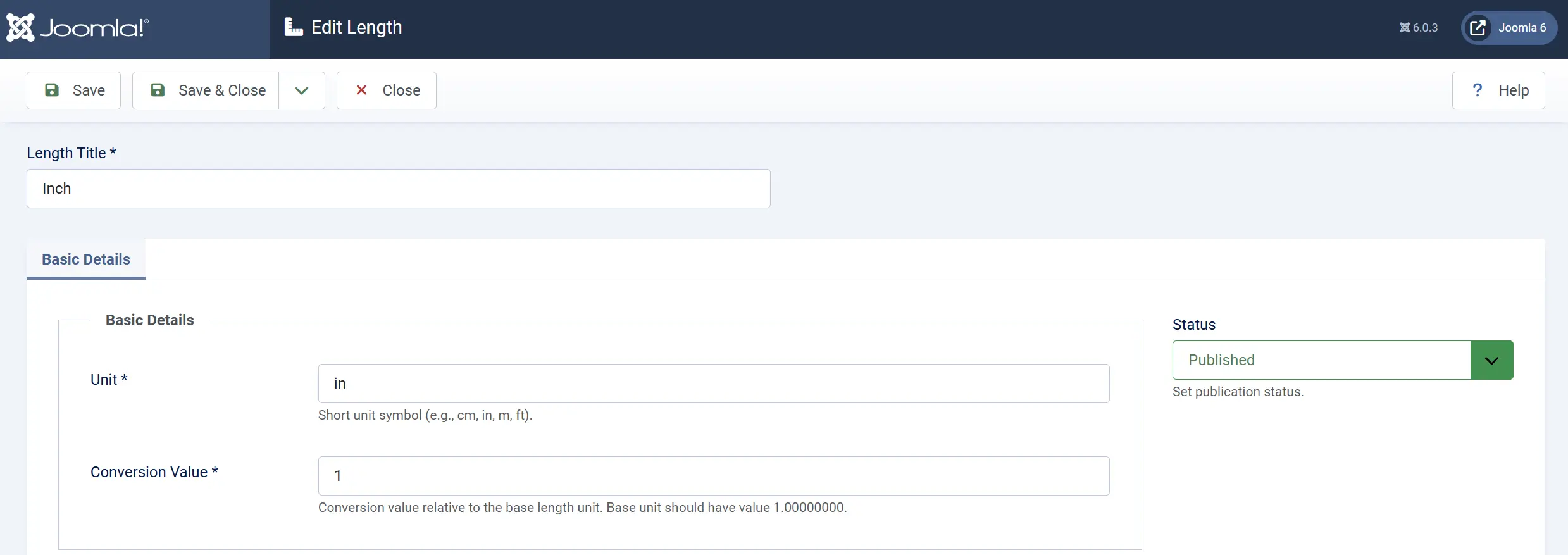
Unit: The short symbol for the unit (1-4 characters). Example: in
Conversion Value: The multiplier to convert to the base unit. Base unit has value 1.00000000. Example: 2.54 for inch
- Base Unit: Value = 1.00000000 (e.g., if centimetre is your base unit)
- Inch: Value = 2.54 (1 inch = 2.54 centimetres)
- Millimetre: Value = 0.1 (1 mm = 0.1 cm)
- Metre: Value = 100 (1 m = 100 cm)
- Foot: Value = 30.48 (1 ft = 30.48 cm)
To calculate the conversion value:
conversion_value = number_of_base_units_in_this_unit
Decimal Places: Number of decimal places to display for this unit. Example: 2
| Unit | Decimal Places | Example Display |
|---|---|---|
| Millimetre | 0 | 150 mm |
| Centimetre | 2 | 15.25 cm |
| Metre | 2 | 1.52 m |
| Inch | 2 | 6.00 in |
ID: The individual ID numbers assigned to each length
Adding a New Length Unit
- Click the New button in the toolbar.
- Fill in the unit details (see Configuration below).
- Click Save or Save & Close.
Base Unit
Your unit is the unit with a conversion value of 1.00000000. This is the unit in which:
- Product dimensions are stored in the database
- Shipping calculations are performed
- Internal calculations happen
All other units are defined relative to this base unit.
Choosing a Unit
Select your base unit based on your primary market:
Europe, Australia, Canada: Centimetre (cm)
United States: Inch (in)
Scientific/International: Millimetre (mm)
Common Length Units
| Length Title | Unit | Conversion Value (base: cm) | Decimal Places |
|---|---|---|---|
| Millimetre | mm | 0.1 | 0 |
| Centimetre | cm | 1.00000000 | 2 |
| Metre | m | 100 | 2 |
| Kilometre | km | 100000 | 2 |
| Inch | in | 2.54 | 2 |
| Foot | ft | 30.48 | 2 |
| Yard | yd | 91.44 | 2 |
| Mile | mi | 160934.4 | 2 |
How Length Units Are Used
Length units are referenced throughout J2Commerce:
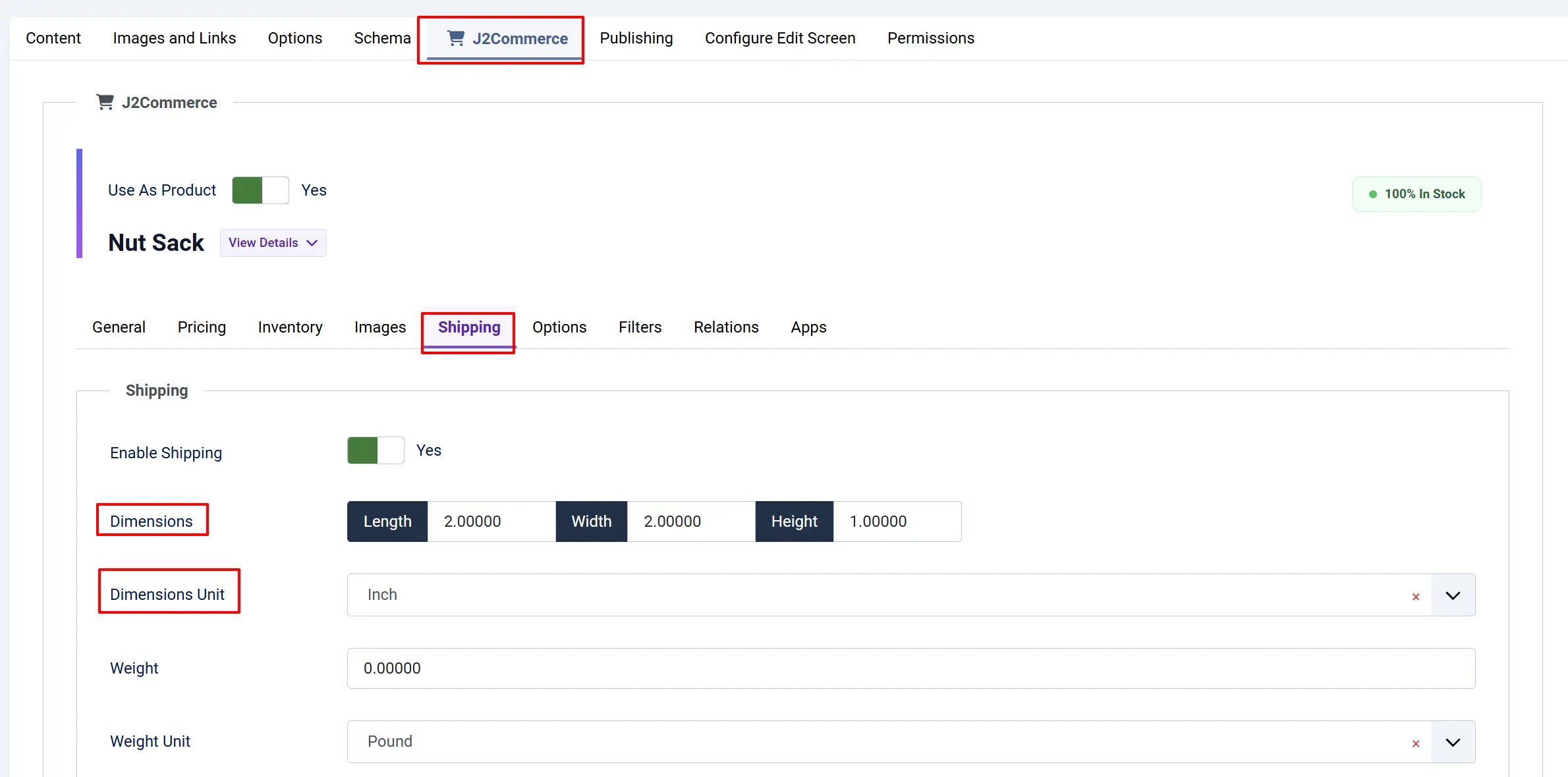
Product Dimensions
- Products have length, width, and height dimensions.
- Dimensions are entered in the product's selected unit.
- The system converts to the base unit for storage and calculation.
The image below shows how the length is configured on a product
Shipping Calculations
- Shipping carriers may use dimensional weight for rate calculations.
- J2Commerce converts product dimensions to the carrier's required unit.
- Dimensional weight = (Length × Width × Height) / carrier divisor.
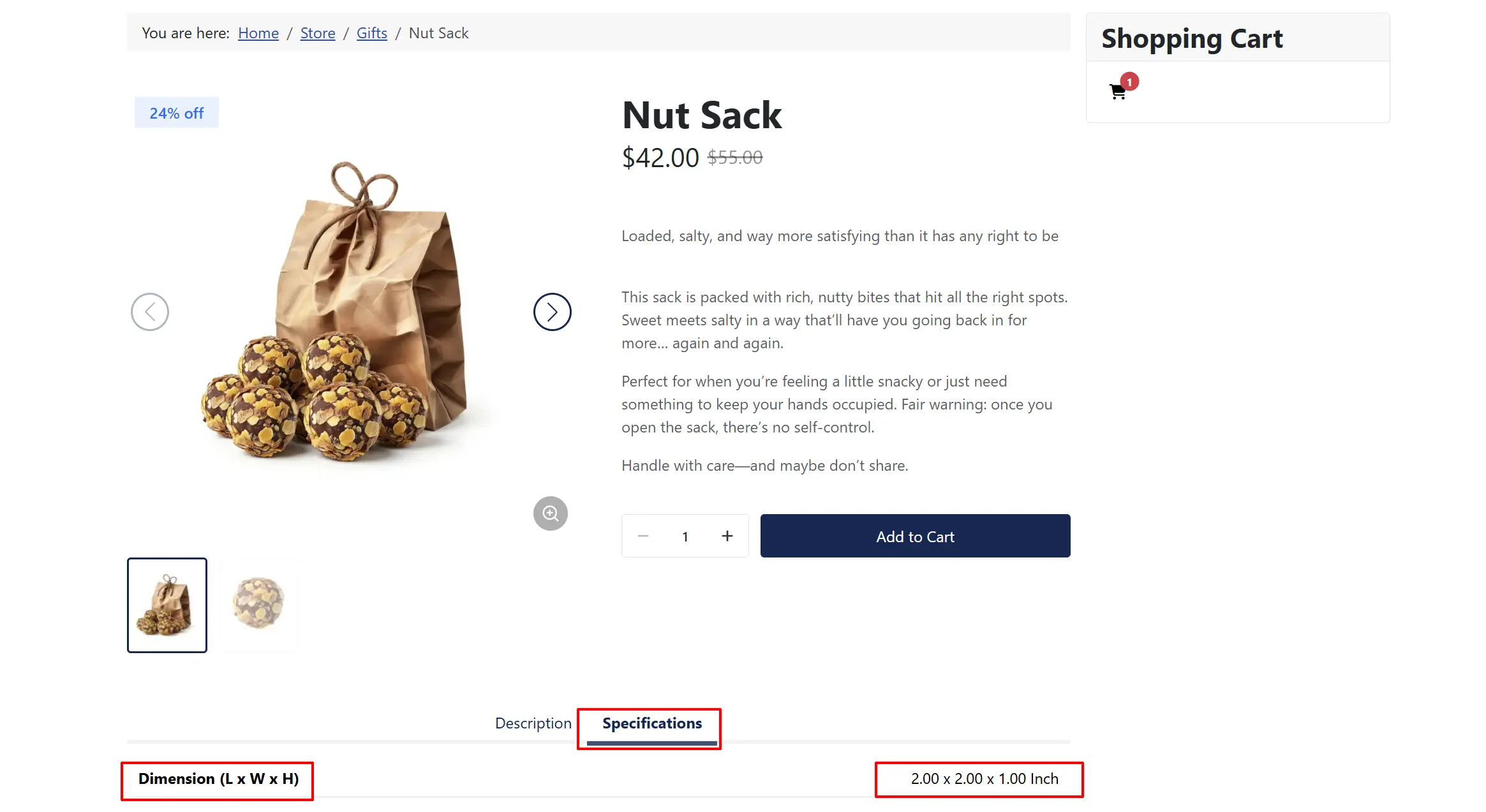
Product Display
- Customers see dimensions in their preferred unit.
- The store can display dimensions in any published unit.
Frontend View
Syncing Conversion Values
J2Commerce can automatically sync conversion values based on your base unit:
- Set your base unit (value = 1.00000000).
- Ensure all other units have accurate conversion values.
- Use the sync function to recalculate all values relative to the base.
Tips
- Set one base unit — Only one unit should have a value of 1.00000000.
- Use standard abbreviations — Use ISO or common abbreviations for units (cm, in, m, ft).
- Match your market — Choose units familiar to your primary customer base.
- Verify conversions — Double-check conversion values against known conversions.
- Consider precision — Set appropriate decimal places for each unit (mm=0, cm=2, m=2).
Troubleshooting
Dimensions Showing Wrong Values
Cause: Incorrect conversion value for the unit.
Solution:
- Go to J2Commerce -> Localisation -> Lengths.
- Find the problematic unit and edit it.
- Verify the Conversion Value is correct.
- Compare against known conversions (e.g., 1 inch = 2.54 cm).
Shipping Rates Incorrect
Cause: Dimensional weight calculation using wrong unit conversions.
Solution:
- Verify your base unit conversion value is 1.00000000.
- Check that all units have correct conversion values.
- Test with products of known dimensions.
- Verify the shipping carrier expects dimensions in a specific unit.
Product Dimensions Not Saving
Cause: Length unit not published or invalid value.
Solution:
- Verify that at least one length unit is published.
- Check that the unit's conversion value is greater than 0.
- Clear Joomla cache after changing units.
Unit Not Appearing in Dropdown
Cause: The unit is unpublished.
Solution:
- Go to J2Commerce -> Localisation -> Lengths.
- Find the unit and check that Status shows Published (green check).
- If unpublished, click the status icon to publish it.
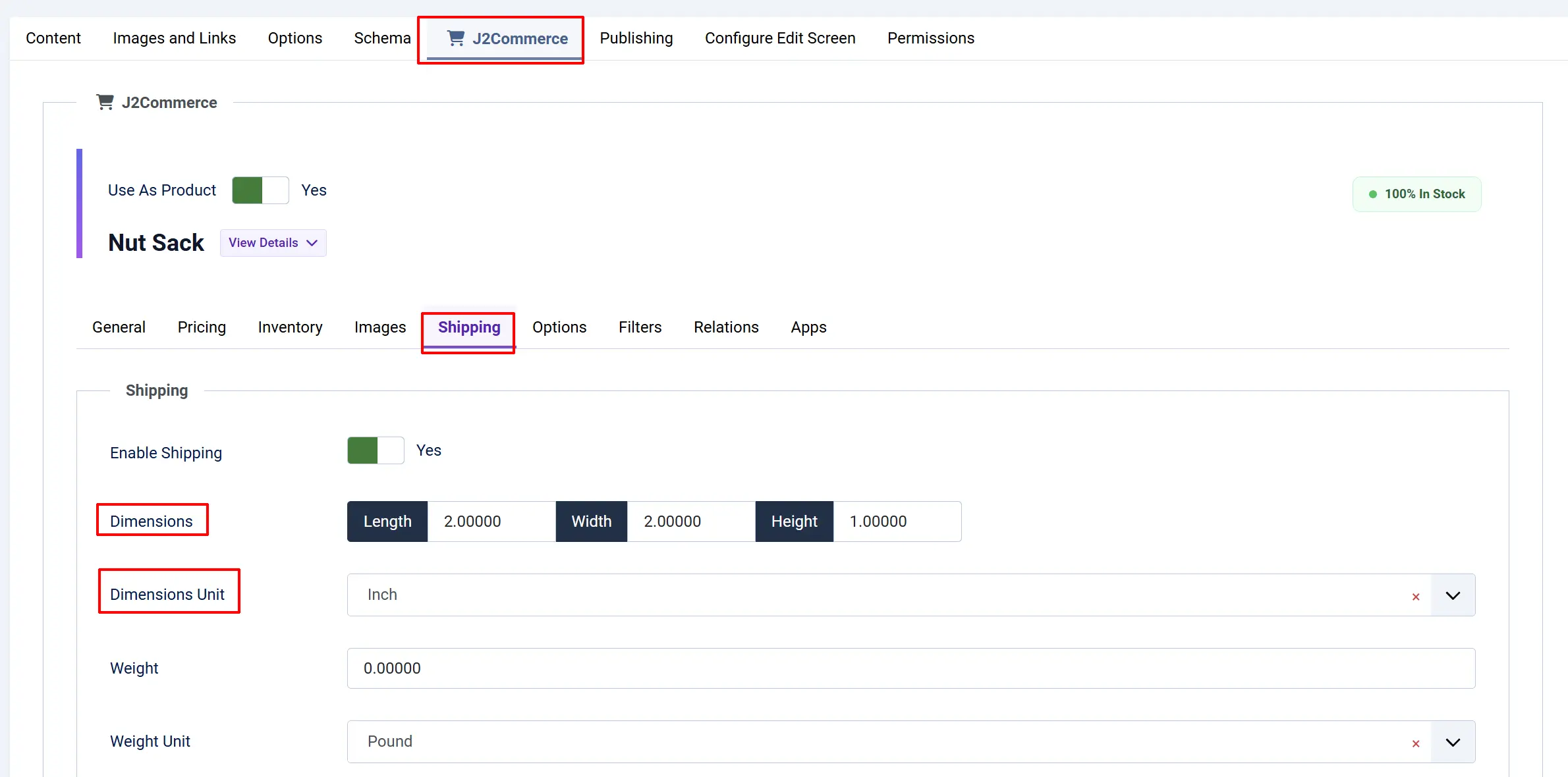
Unit Not Appearing on the Product Frontend View
Cause: The measurements are either not set up on the product or the specifications are not enabled.
Solution:
- Go to J2Commerce -> Products
- Find the product, then make sure the measurements are entered. Go to J2Commerce tab -> Shipping tab
-
Go to Menus on the sidebar -> Main Menu -> Store -> Product tab
-
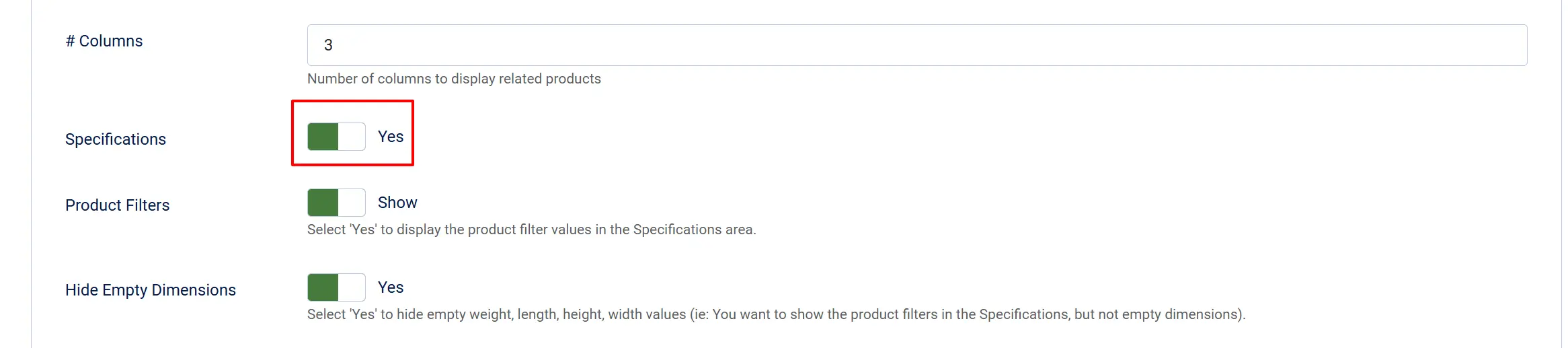
Make sure Specification is set to 'Yes'