Currencies
J2Commerce allows you to sell in multiple currencies. You can create as many currencies as you like. You can either set the exchange value of the currency manually or allow J2Commerce to fetch it in real-time from the Google Financial API. (In-store configuration, you should set the Auto update currency to 'Yes')
Requirements
- with PHP 8.3.0 +
- Joomla! 6.x
- J2Commerce 6.x
Enable the Module
There are two ways you can access the module.
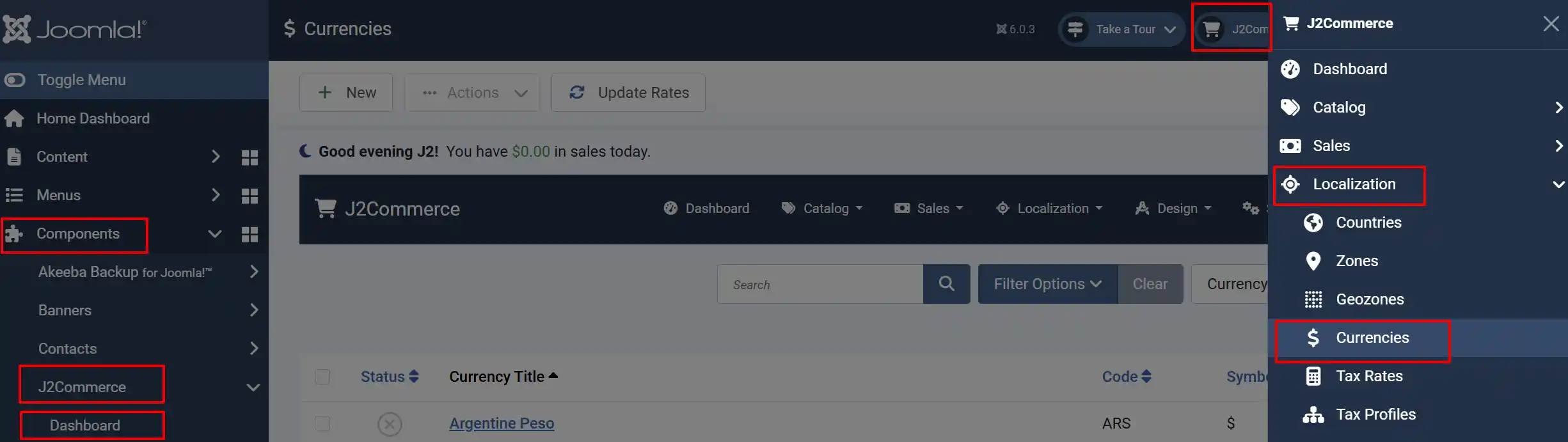
Option A: Go to the J2Commerce icon at the top right corner -> Localization -> Currencies
Option B: Go to Components on the left sidebar -> J2Commerce -> Dashboard -> Localization -> Currencies
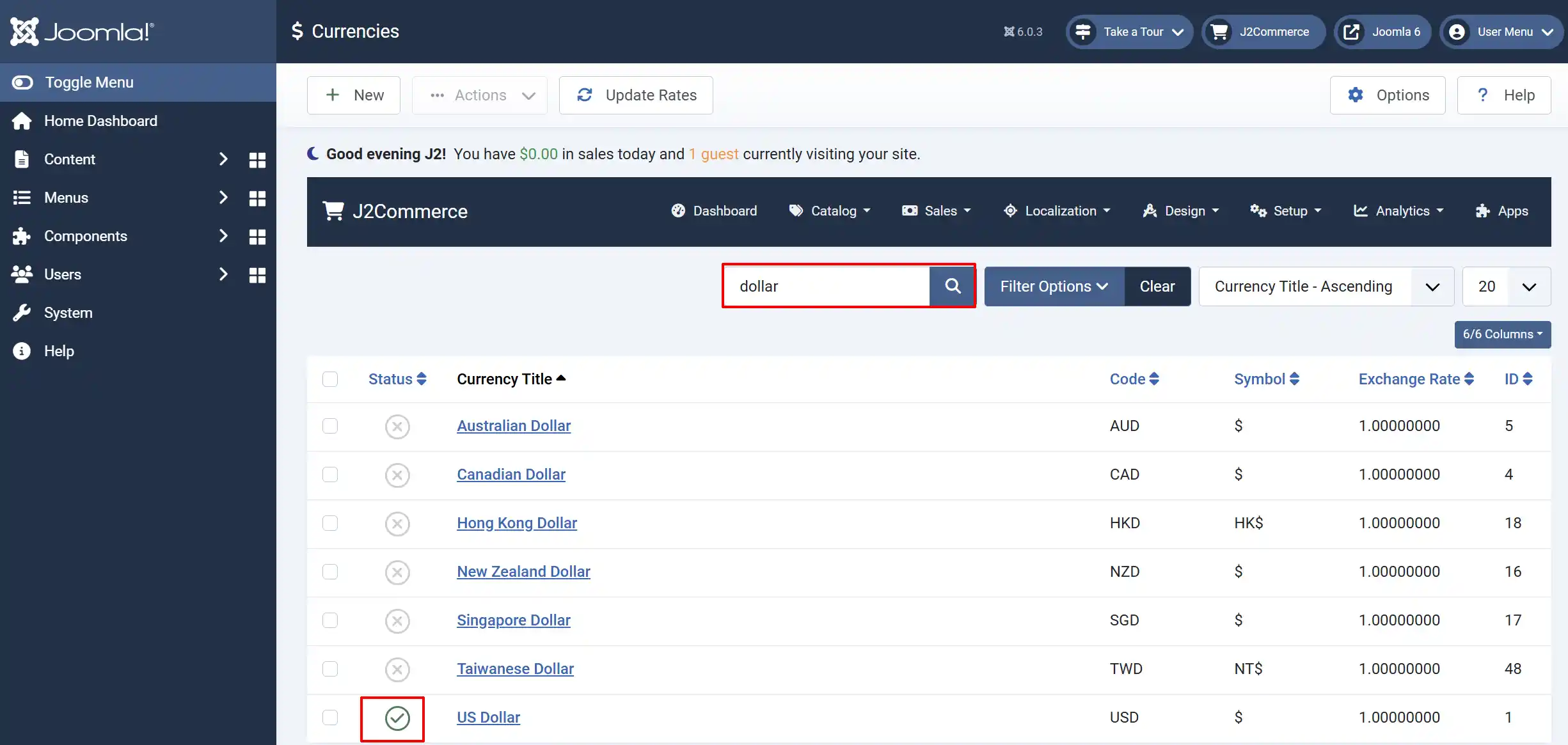
Search for your Currency. In this example, we will be using the US Dollar. Make sure your currency is enabled. If it has an X, click on it, and it will turn into a green checkmark.
Configure the Module
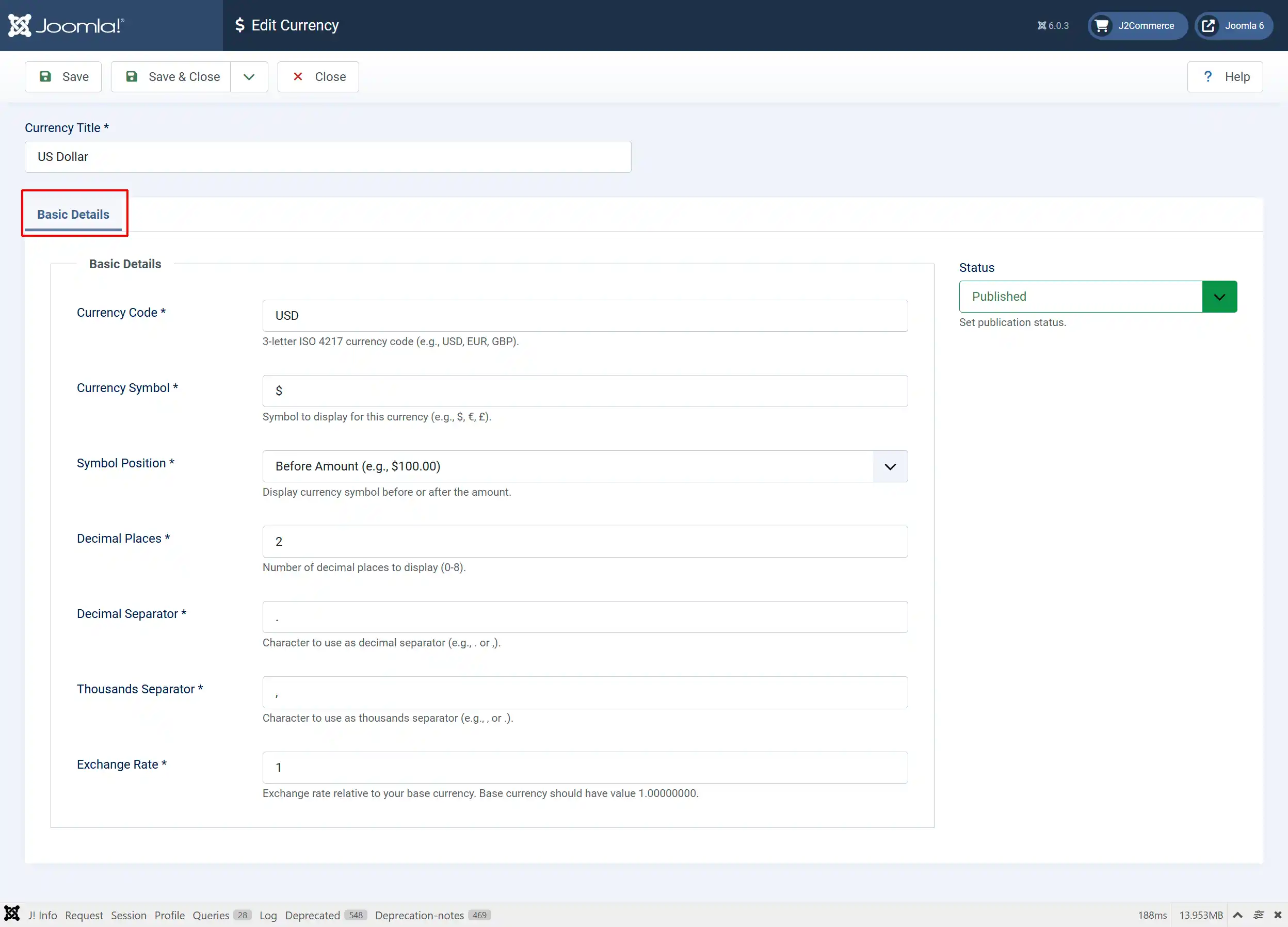
Currency Title: Name the Currency. The title is very important, and it should be given in a proper way. E.g., US Dollars.
Currency Code: 3-letter ISO 4217 currency code (e.g., USD, EUR, GBP)
Currency Symbol: Symbol to display for this currency (e.g., $, €, £).
This is a single figure which is used globally for referring the currency. For e.g., the United States Dollar is denoted by the symbol $. This symbol is used by many countries for their currencies, though, this represents US Dollars by default.
Symbol Position: Display currency symbol before or after the amount
The symbol is placed on anyone side of the currency name, according to the standards of the country that currency belongs to. For e.g., the $ is always prefixed (before currency name) like this: $ 500.00 and some currencies may also be suffixed (after currency name), tentatively like this: 500.00 $.
Decimal Places: Number of decimal places to display (0-8)
This indicates the number of decimal places after the ’.’ in the currency value. Usually, decimal places are 2.
Decimal Separator: Character to use as decimal separator (e.g., . or ,)
By default, a period or dot(.), serves the purpose of a decimal separator across the globe. Some countries may also use comma(,) as separator. In any of the case, based on the separator only, the price entered in product page will be processed for checkout and payment procedures.
Thousands Separator: Character to use as thousands separator (e.g., , or .)
A comma is the thousands separator worldwide. This separator is also referred for payment process.
Exchange Rate: Exchange rate relative to your base currency. Base currency should have value 1.00000000
This option is used to set the default currency. If the value is set to 1.000000 for a particular currency, it will serve as the default currency. All other currencies will be in relation to this. For e.g., if US $ is set to the value 1, it will be the default currency and the corresponding value will be 0.81 for Euro. In this way, J2Commerce will calculate the prices for products based on currency transitions.
Creating a new currency
Click the New button and follow the steps above in the Configure the Module section.