FedEx shipping plugin
This plugin integrates J2Commerce with the FedEx Shipping rate API.
Requirements
- PHP 8.1.0 +
- Joomla! 4.x/ Joomla! 5.x +
- J2Commerce / J2Store 4.x +
Purchase the App
Step 1: Go to our J2Commerce website > Extensions > Shipping Plugin > Shipping
Step 2: Locate the FedEx Shipping Plugin > click View Details > Add to cart > Checkout.
Step 3: Go to your My Downloads under your profile button at the top right corner and search for the app.
Step 4: Type in FedEx Shipping in the search bar
Step 5: Click on the Fedex Basic or Advanced App
Step 6: Click Available Versions > View Files > Download Now
Install the App
Step 1: In the J2Commerce admin, go to System > Install > Extensions
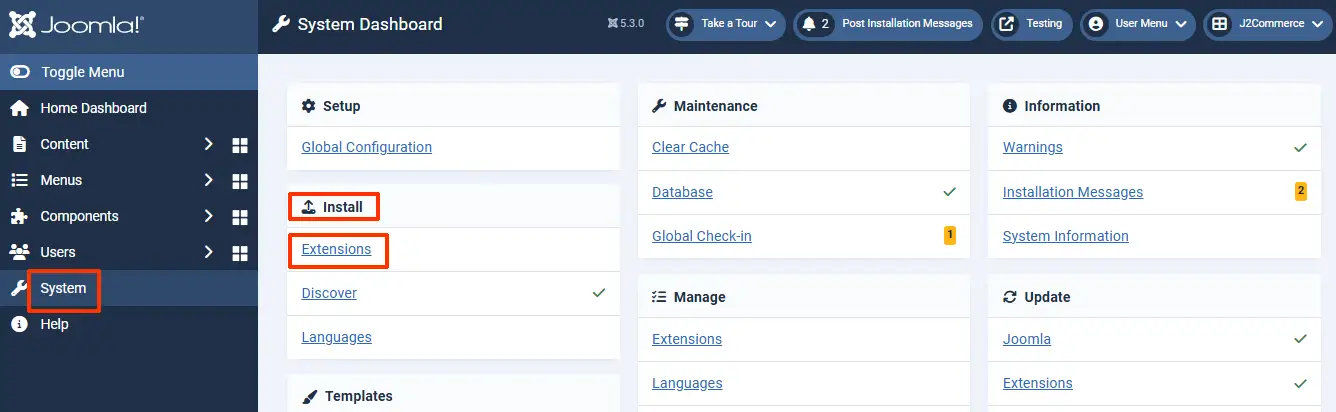
Step 2: Click on the Browse button and select the FedEx Shipping Zip file you just saved and install it
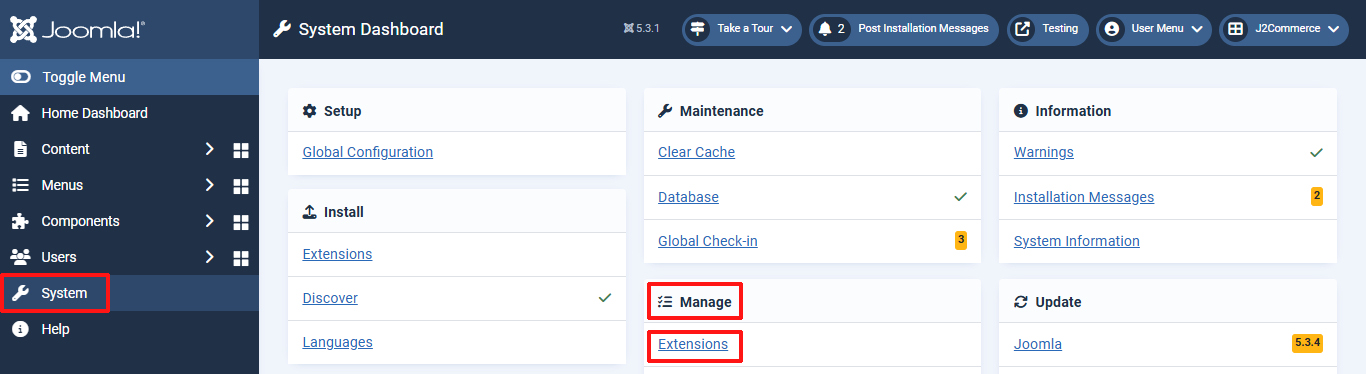
Step 3: Go back to System > Manage > Extensions
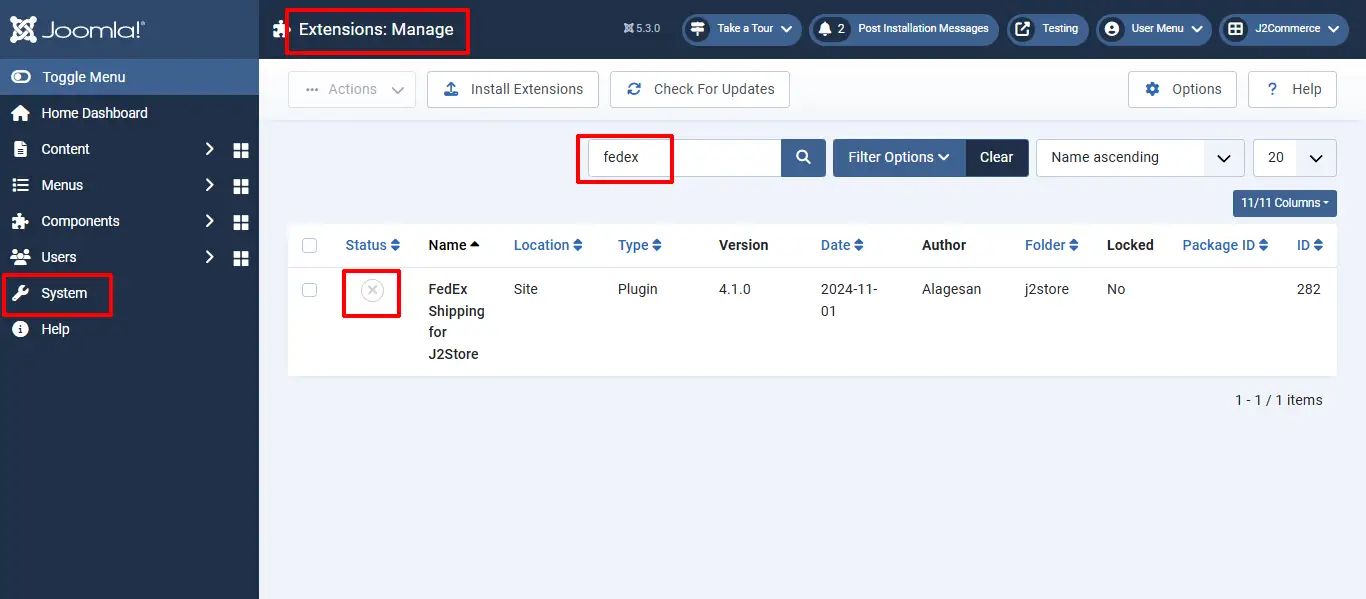
Step 4: Type Fedex in the search bar and click the X to enable the plugin
Step 5: Go to Componants > J2Commerce > Setup > Shipping Methods
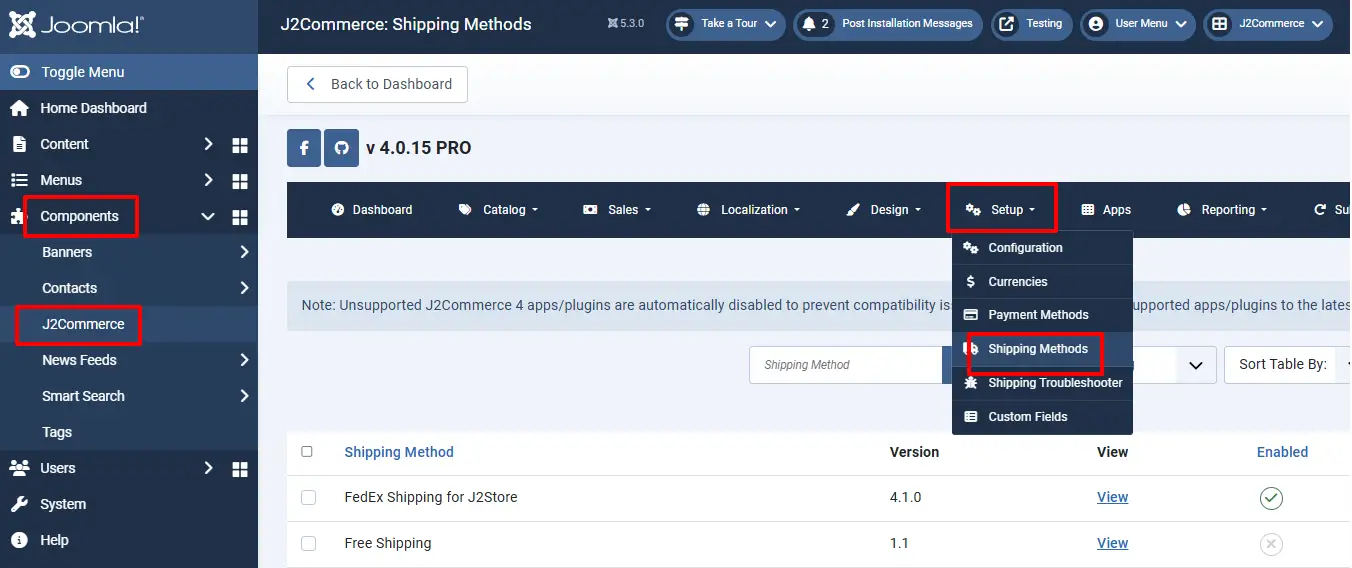
Step 6: Click View to open the app
Parameter Setup
Configure the shipping plugin by entering the plugin parameters
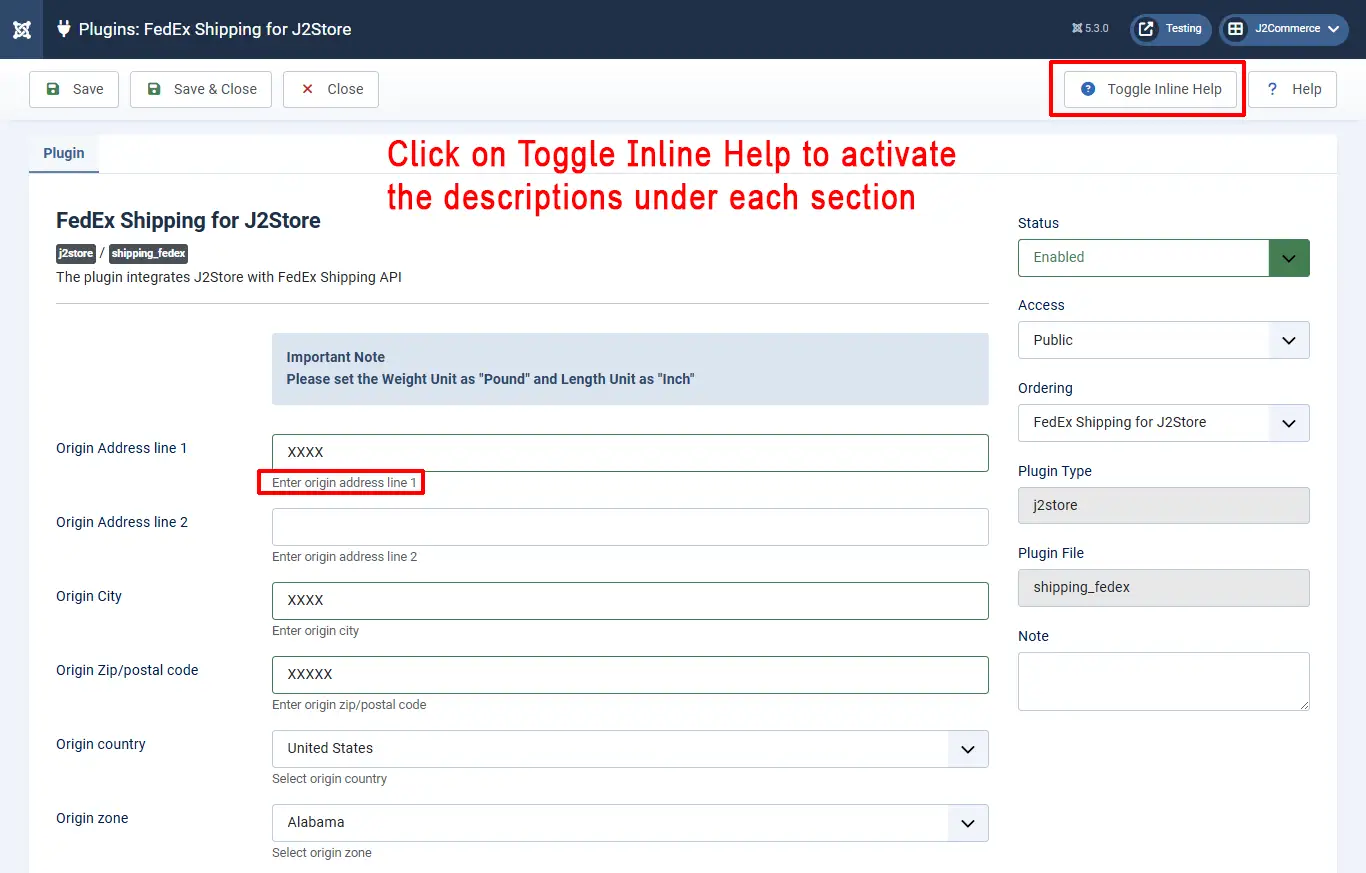
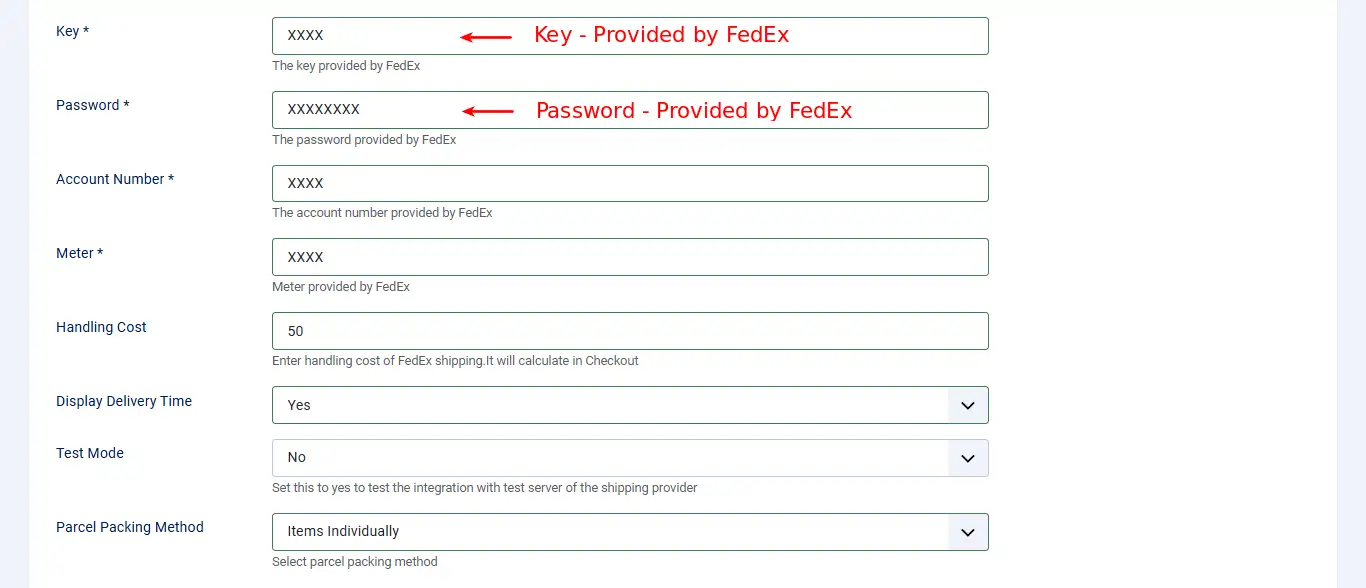
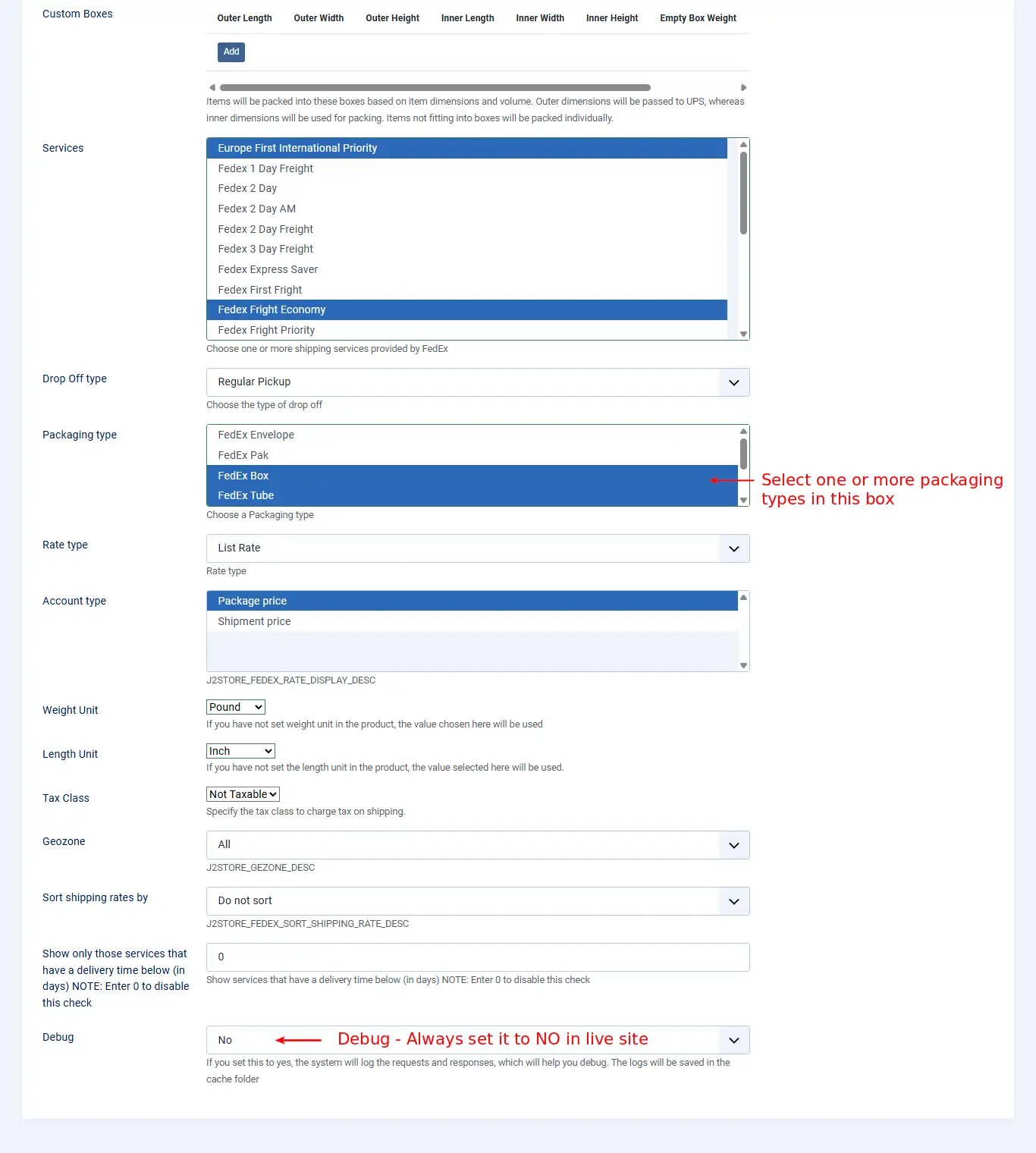
Parameters:
Consider the images for setting up the parameters.
Here is the instructions for identifying Fedex credentials (Authentication key and meter number). <link-text url =¨https://support.shippingeasy.com/hc/en-us/articles/203087899-How-do-I-find-my-FedEx-Meter-Number-”target = ¨_blank”rel = ¨noopener¨> click here
Key: This is a unique FedEx key required to login.
Password This is the password provided by FedEx and not your website login password.
Account Number This is your FedEx account number.
Meter This is your meter number provided by FedEx.
Handling Cost If you need to charge a handling cost for the shipping, you can provide it here.
Display Delivery Time To show the delivery time, set this option to Yes.
Test Mode For live account, set this to No. For test account, set this to Yes.
Parcel Packing Method: Select parcel packing method
Services You can select one or more services offered by FedEx in this field for display in checkout page.
Drop Off Type Here is a list of drop off types and you can select one from the list.
Packaging Type Here, a list of packaging types are available, with various dimensions. You can select one or more types.
Rate Type Valid values for rate type are:
Account Type: This method uses the customers’ account rate as the basis for the calculation of additional charges. List - This type uses the FedEx list rate as the basis for the calculation of additional charges.
Weight Unit: If you have not set weight unit in the product, the value chosen here will be used. ie: pounds, ounces, grams
Length Unit: If you have not set the length unit in the product, the value selected here will be used. ie: inch, centimeter, millimeter
Tax Class If shipping is taxable and you want to add tax rate, select a tax profile in this option.
Geozone If you want limit this shipping method to particular areas, then you can select the corresponding geozone in this option. If this shipping is applicable to all areas, then set it to All.
Debug If you set this to Yes, then an error log file will be maintained in the cache folder. It suitable for test account. Always set Debug option to No in live accounts
Support Still have questions? You can reach us in support@j2commerce.com
Thank you for using our extension.