Setting up tax for your products
Requirement for the tax to take effect:
- Geozone has to be set up for which the tax applies.
- The tax rate has to be set up.
- A tax profile has to be created.
- The tax rate has to be associated with the tax profile.
- The tax profile has to be assigned to the products for which tax has to be levied.
Instance:
Tax geozone: USA
Tax rate: 10%
Tax profile name: US-TAX
Steps:
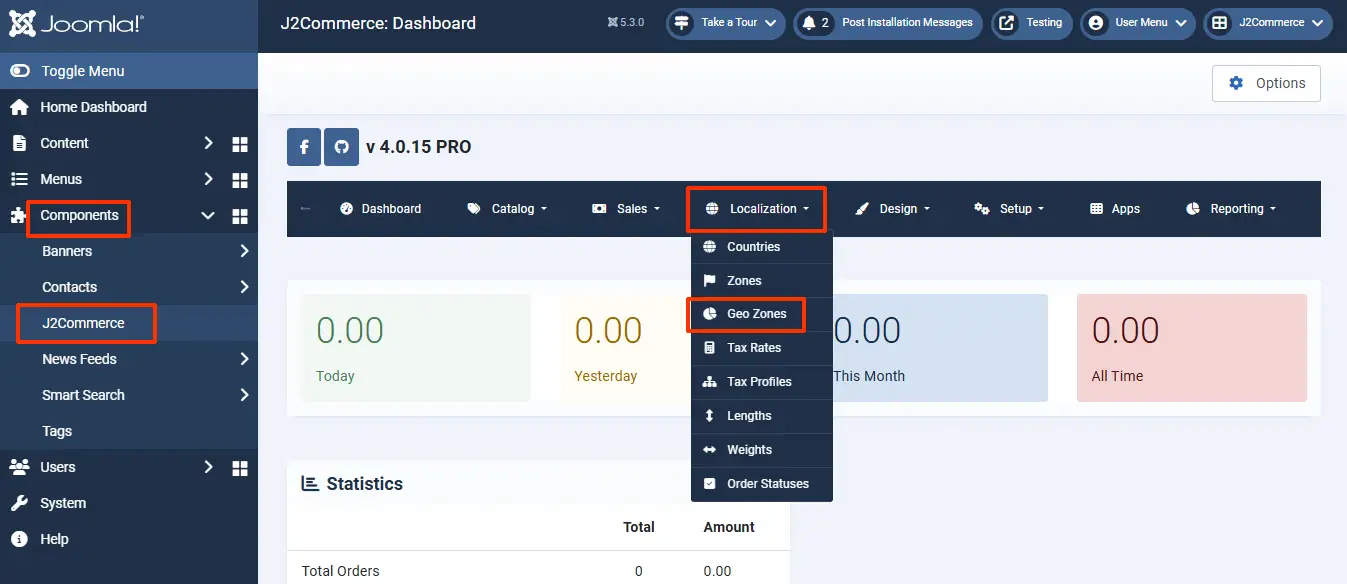
- Navigate to J2Commerce > Localisation > Geozones and create a new geozone.
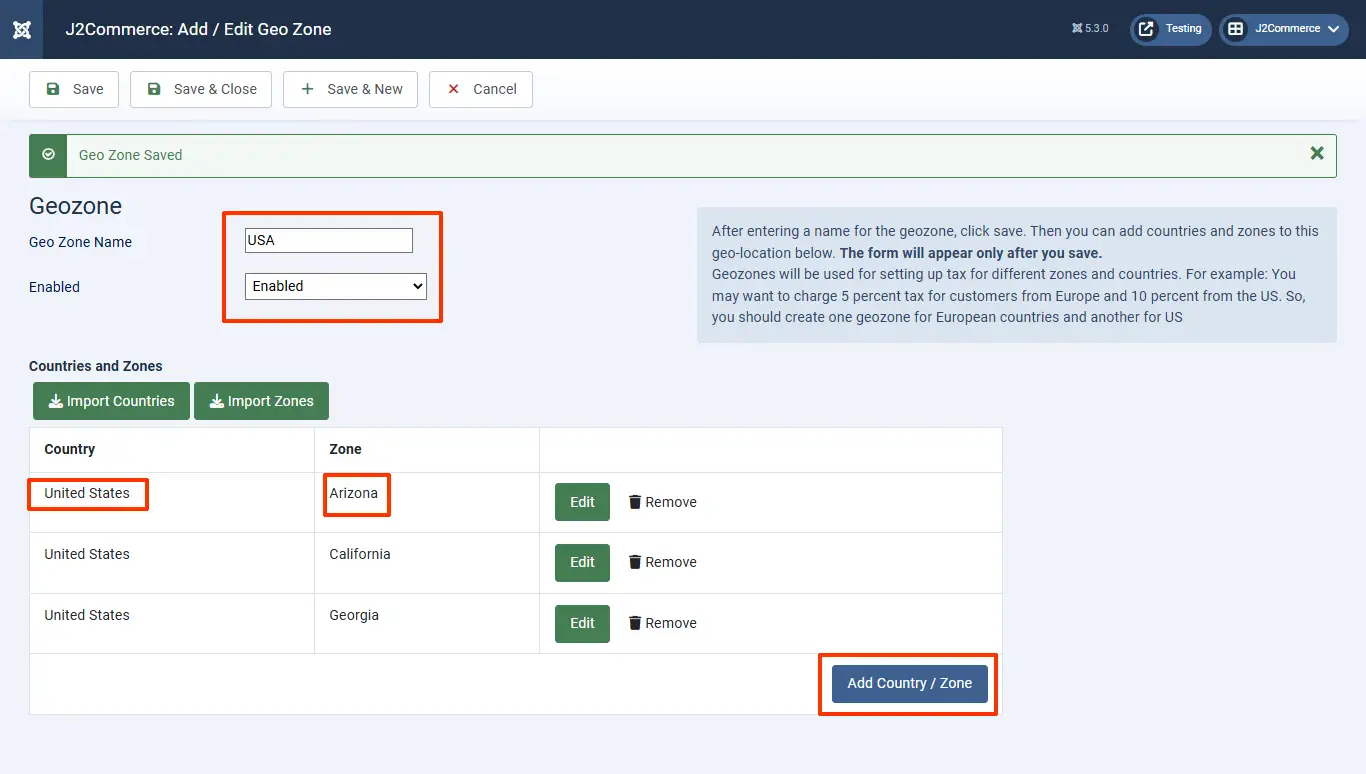
- Type in a name for the geozone, and add the countries for which the tax has to be applied.
- Case A: Apply tax only for a few zones within the USA.
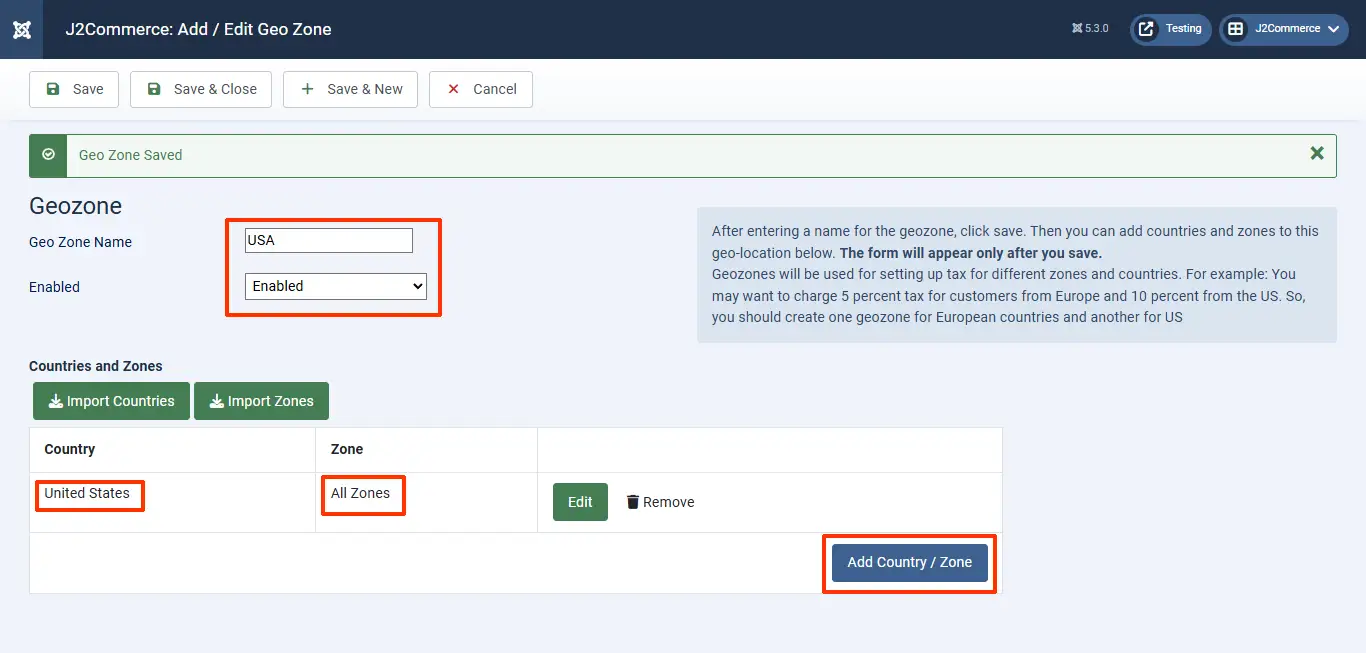
2. Case B: Apply tax for all zones within the USA.
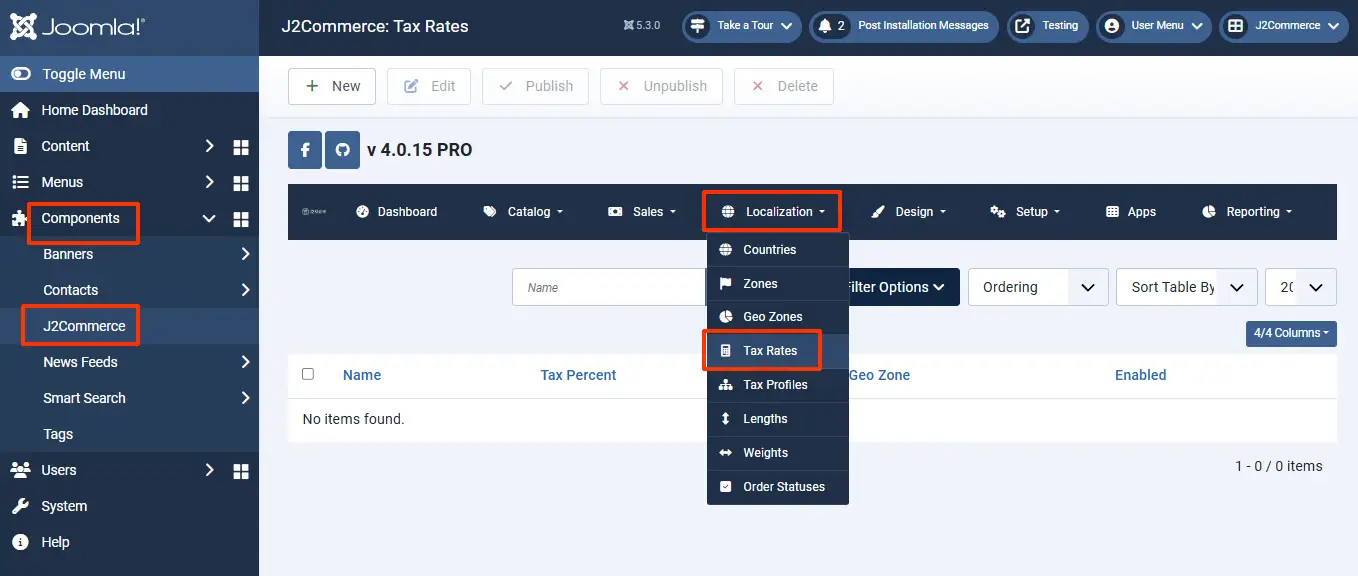
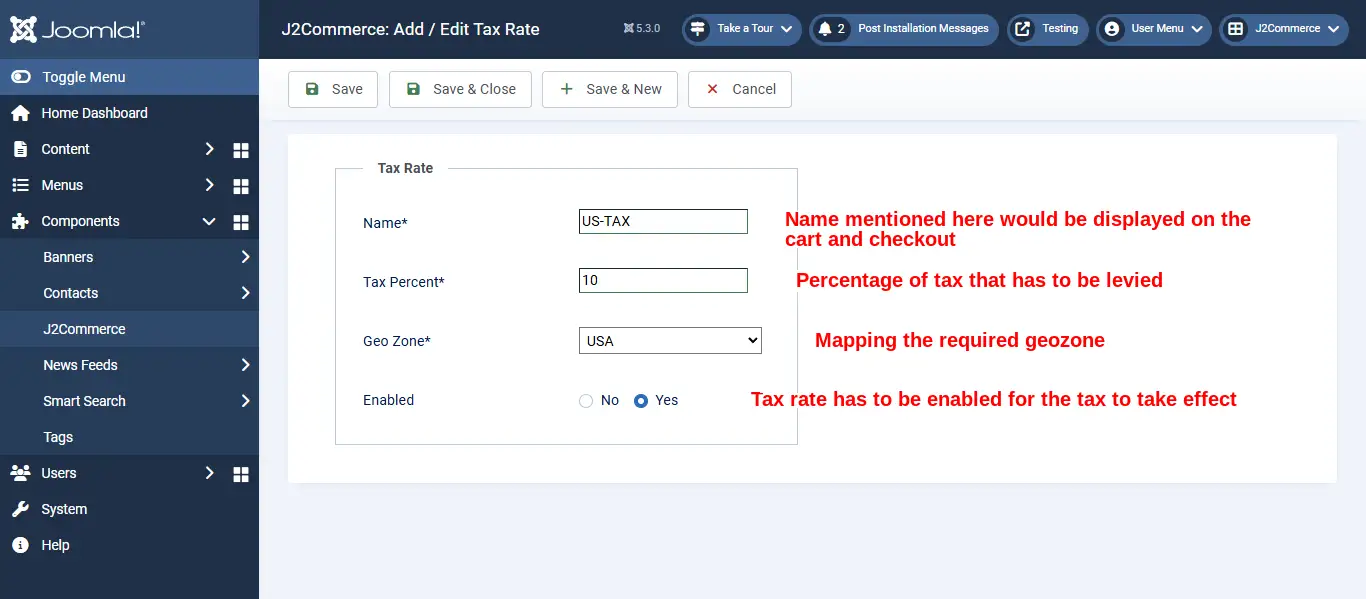
Navigate to J2Commerce > Localisation > Tax rates > Click new.
Fill in the name, tax percentage, geozone, and publish the tax rate.
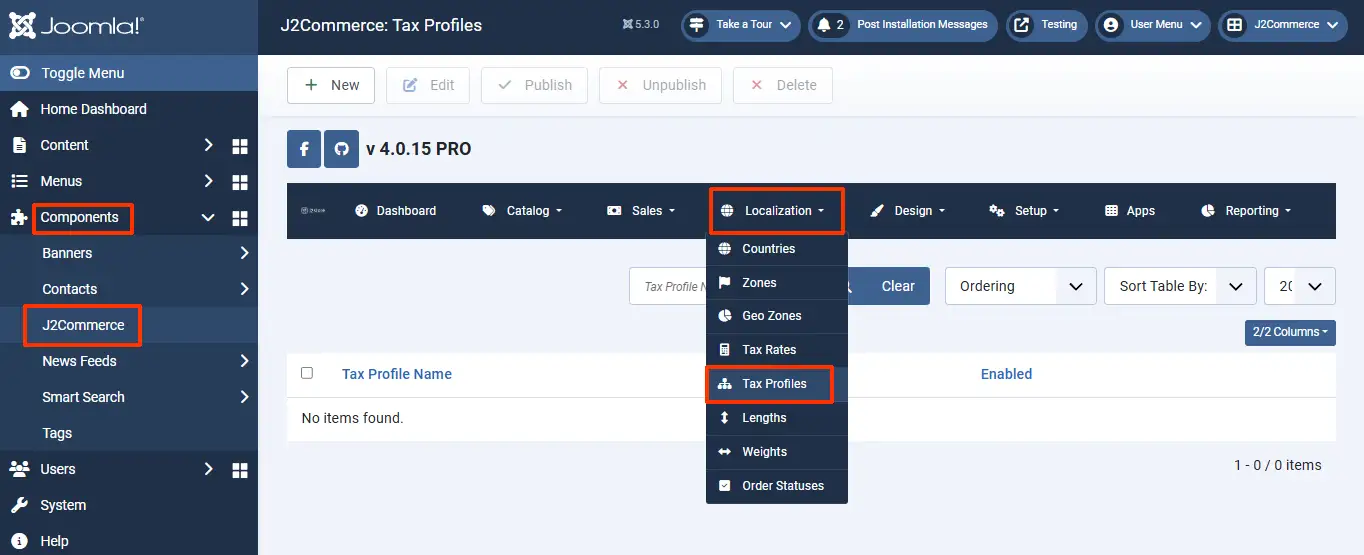
Navigate to J2Commerce > Localisation > Tax profile > New.
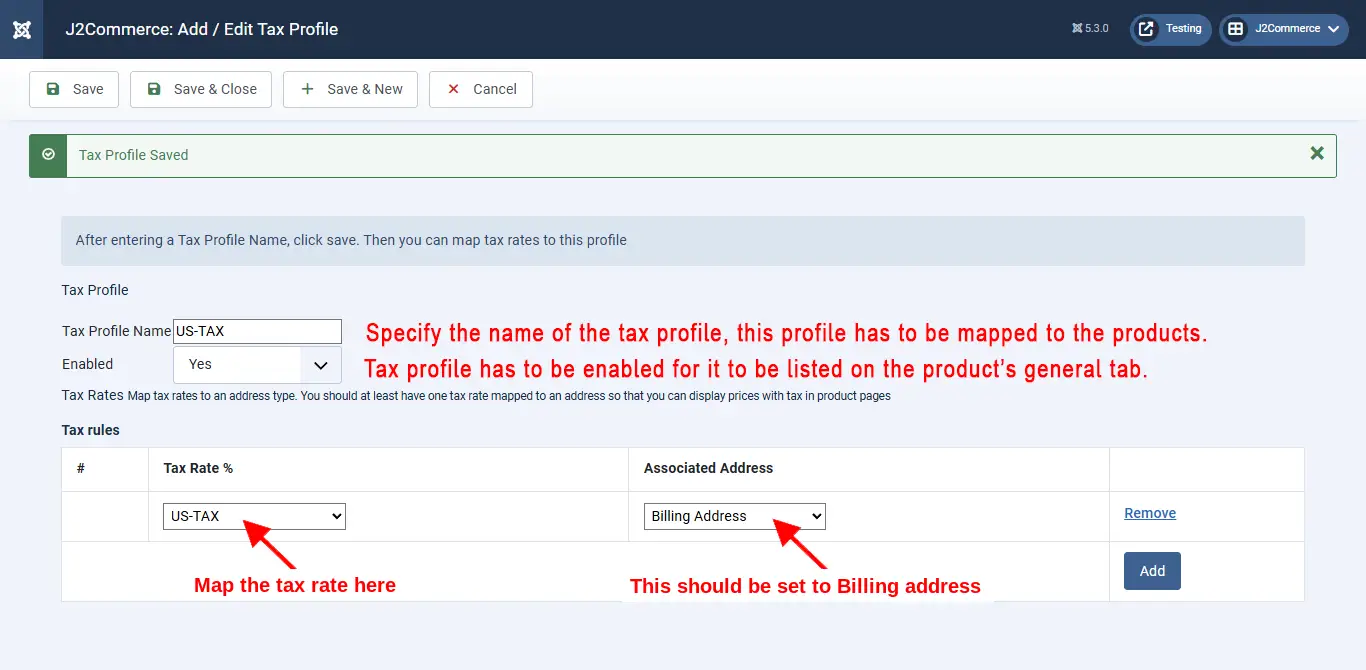
Fill in the profile name, set the status, and map the tax rate on the profile, and choose the associated address.
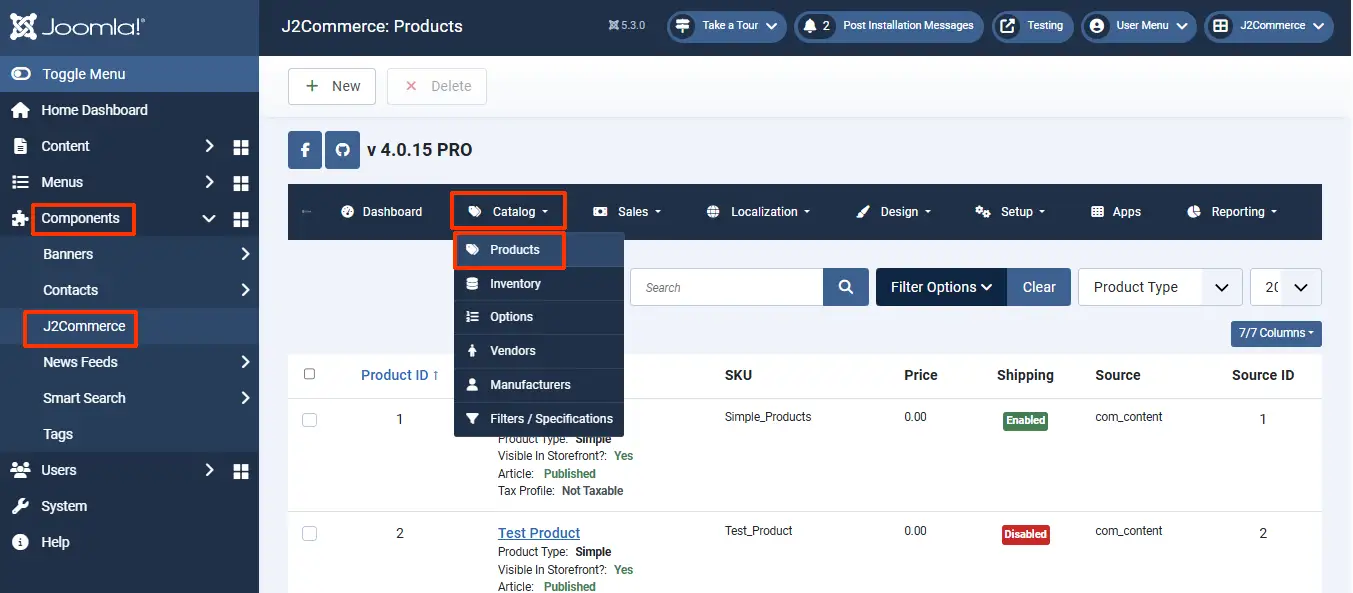
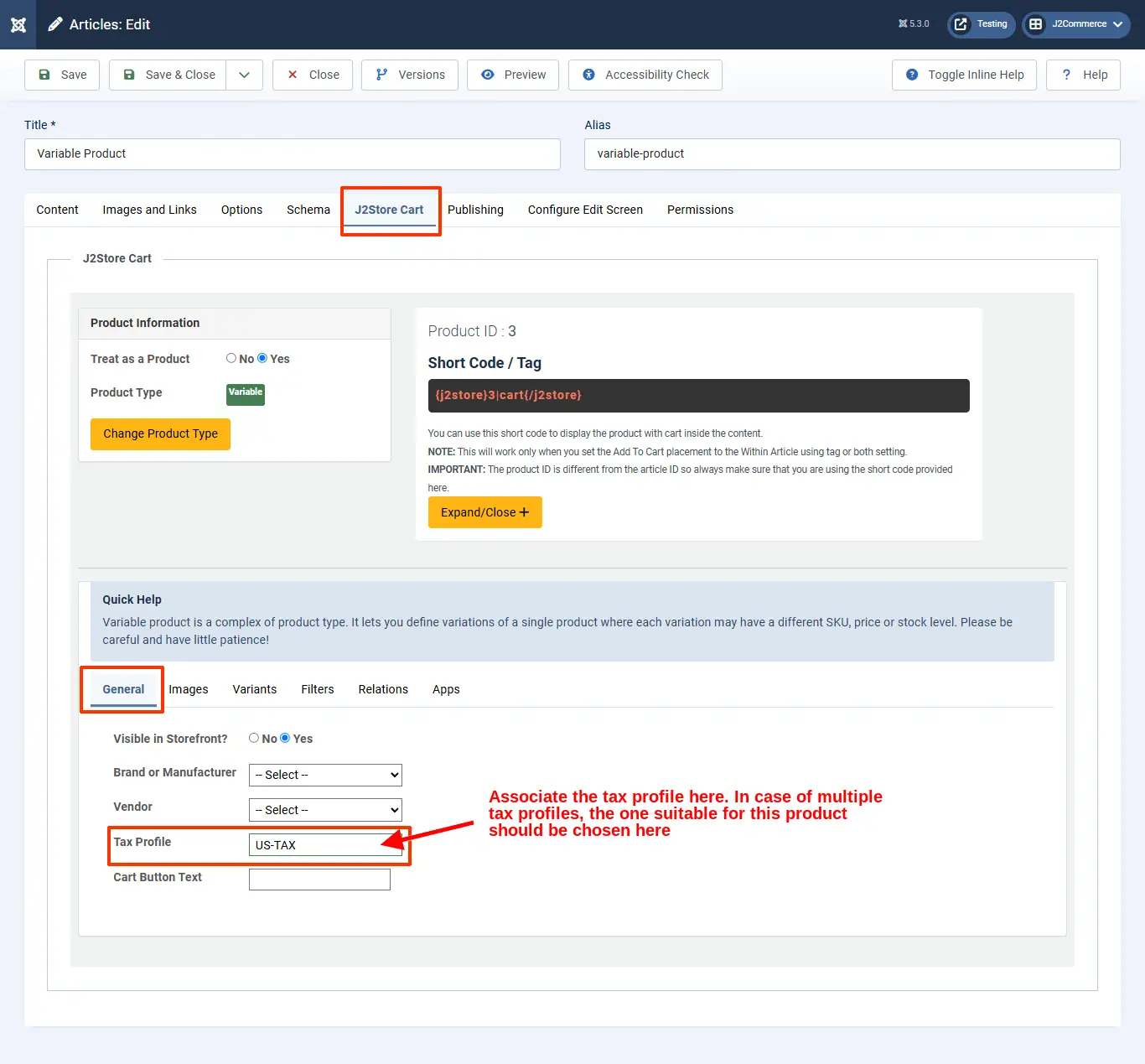
Navigate to J2Commerce > Catalog > Products (Or Content > Articles).
Edit the products for which you wish to collect tax. Navigate to the J2Commerce (J2Store Cart) tab. Choose the tax profile and save.
Frontend:
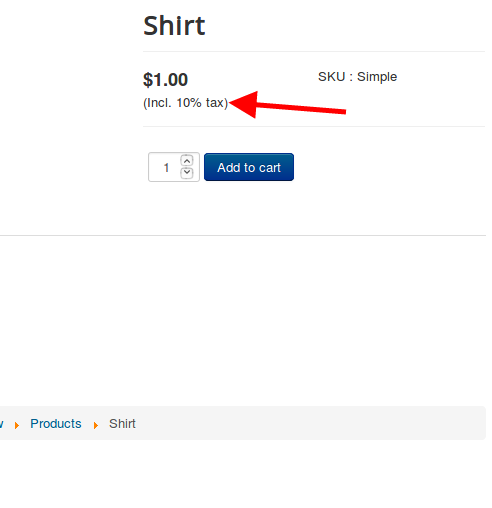
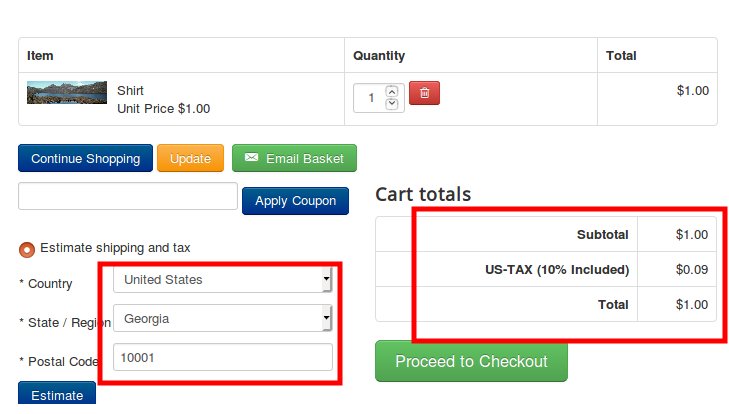
Thus tax would be levied on the product as per the configuration.
Issues:
Please refer the following list of troubleshooting steps: