Custom Tabs
Do you wish to create beautiful tabbed content for your product pages?
You can create any number of tabs to display in the product page. You can enter any type of content, like features, videos, and more. You can enter the content for the tabs while creating/editing your product itself. You can create the content quickly by using the Editor.
IMPORTANT NOTE: The app supports only the J2Store/J2Commerce's Product List layout and Joomla! articles that are treated as products. That is, the catalog source should be Joomla! articles.
Requirements
- PHP 8.1.0 +
- Joomla! 4.x/ Joomla! 5.x +
- J2Commerce / J2Store 4.x +
Purchase the App
Step 1: Go to our J2Commerce website > Extensions > Apps
Step 2: Locate the Custom Tabs App > click View Details > Add to cart > Checkout.
Step 3: Go to your My Downloads under your profile button at the top right corner and search for the app. Click Available Versions > View Files > Download Now
Install the App
Go to System > Install > Extensions > Install the app
-e0515ef561b368cb4d5a053cacb4c525.webp)
Enable the App
Go to J2Commerce > Apps > search for the Custom Tabs app
Click on the 'X' under Status to enable it.
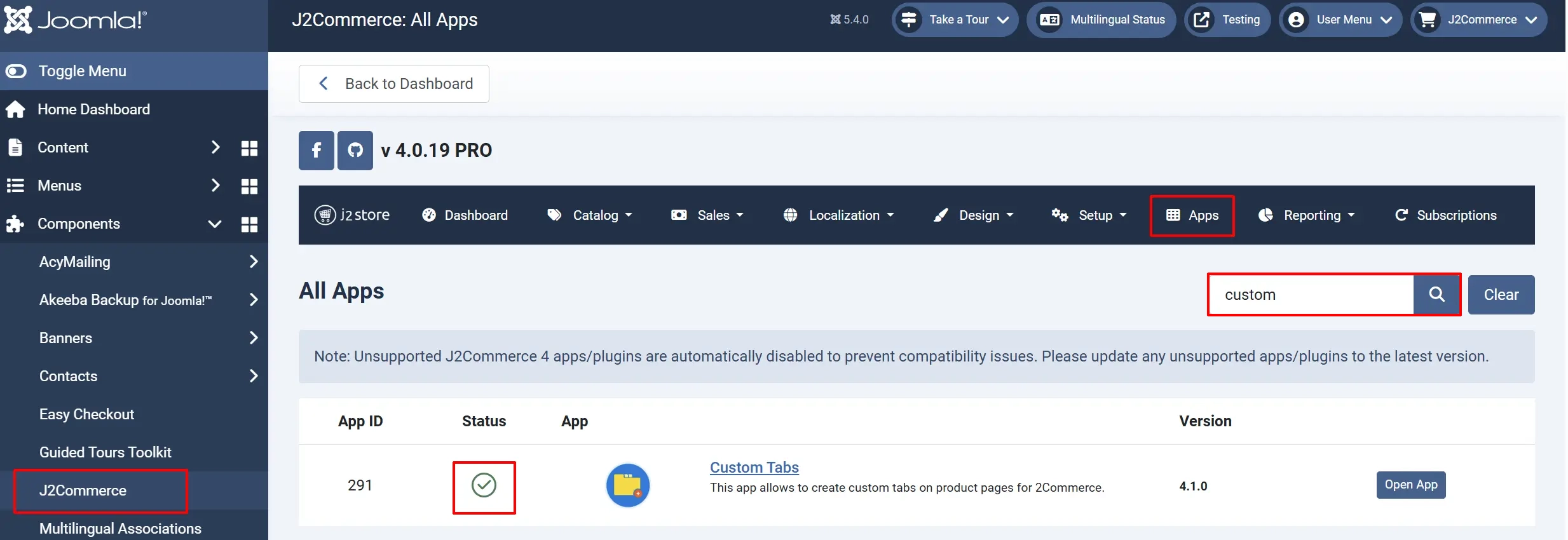
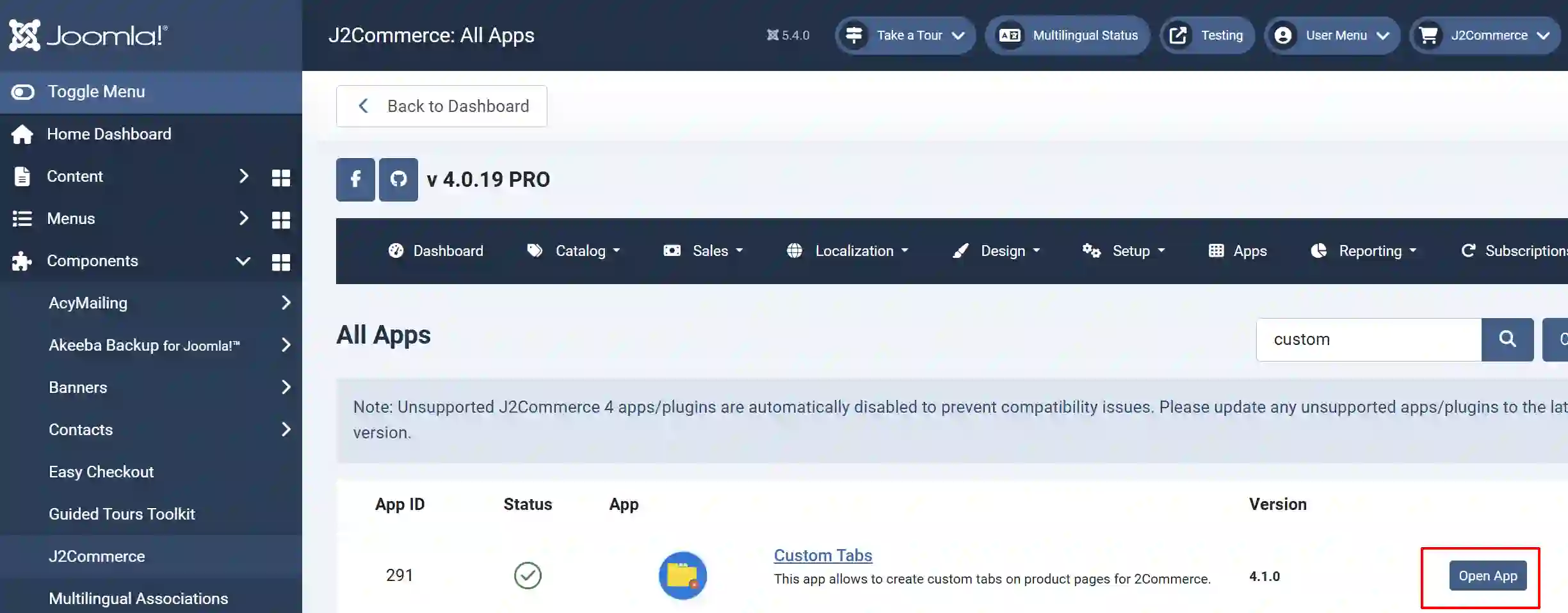
Click on "Open App" or the Title to start setting up the app
Setting up the Parameters:
Basic tab
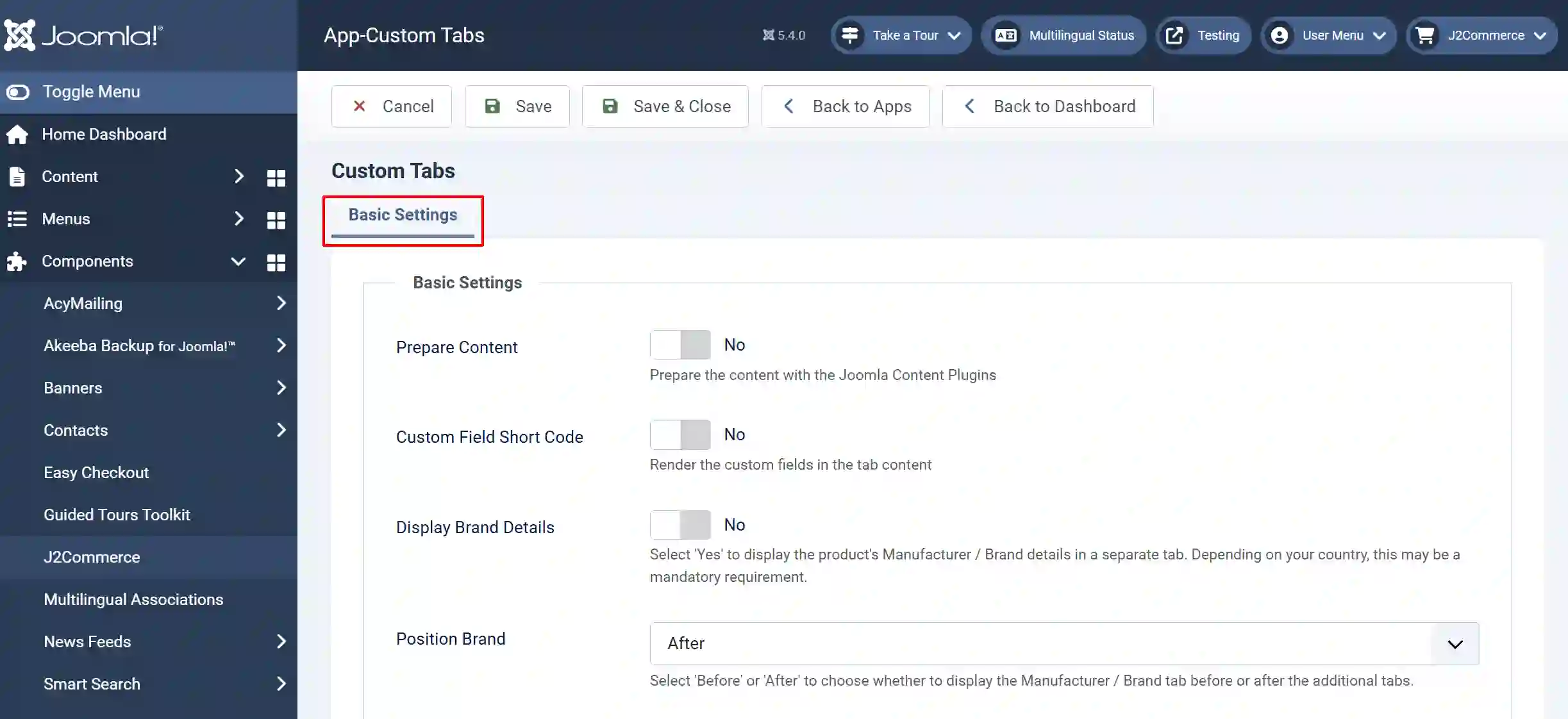
Prepare Content: Select 'Yes' to prepare the content with the Joomla Content Plugins
Custom Field Short Code: Select 'Yes' to choose whether to prepare the data for the Custom tab or not.
Display Brand Details: Select 'Yes' to display the product's Manufacturer / Brand details in a separate tab. Depending on your country, this may be a mandatory requirement.
Position Brand: Select 'Before' or 'After' to choose whether to display the Manufacturer / Brand tab before or after the additional tabs.
Note: The Display Brand Details and Position Brand fields are the latest Add-ons. It adds a way to add the manufacturer/brand to the tabs, before or after the other ones. Some countries require the display of brand information, including the address. The manufacturer information tab can be modified by creating a template override. The override needs to be /templates/[the default template]/html/plugins/j2store/app_customtabs/brand.php The tab text can be modified by creating a language override for PLG_J2STORE_APP_CUSTOMTABS_MANUFACTURER_DETAILS
To learn how to set up Language Overrides, go to
https://docs.j2commerce.com/translation/language-overrides-in-joomla-with-examples