

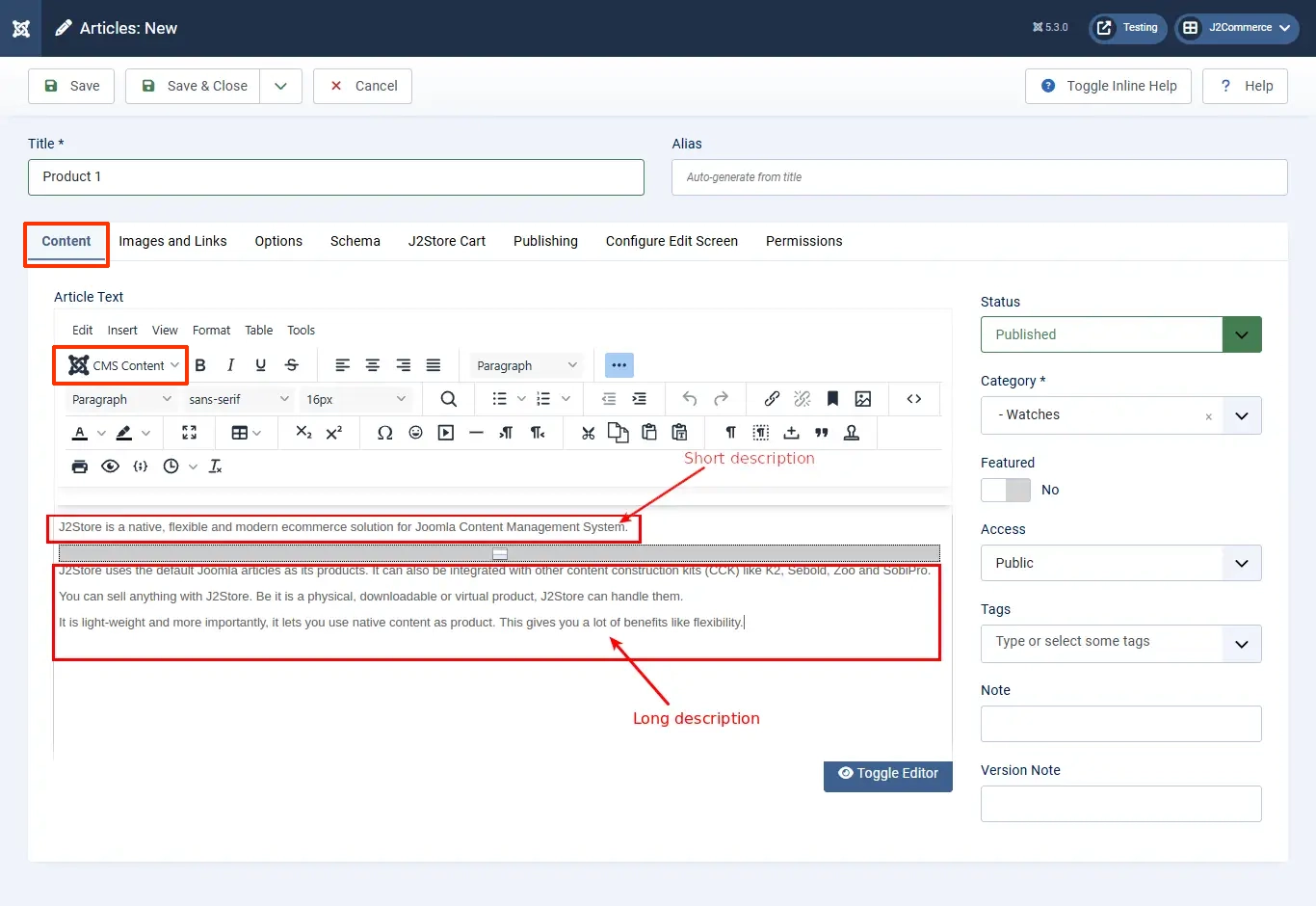
By default, the Joomla! article considers the text as a short description. When you use a page break or read more, you will see a red or gray line in the article.
Under that, whatever text has been entered that considered the Long Description.
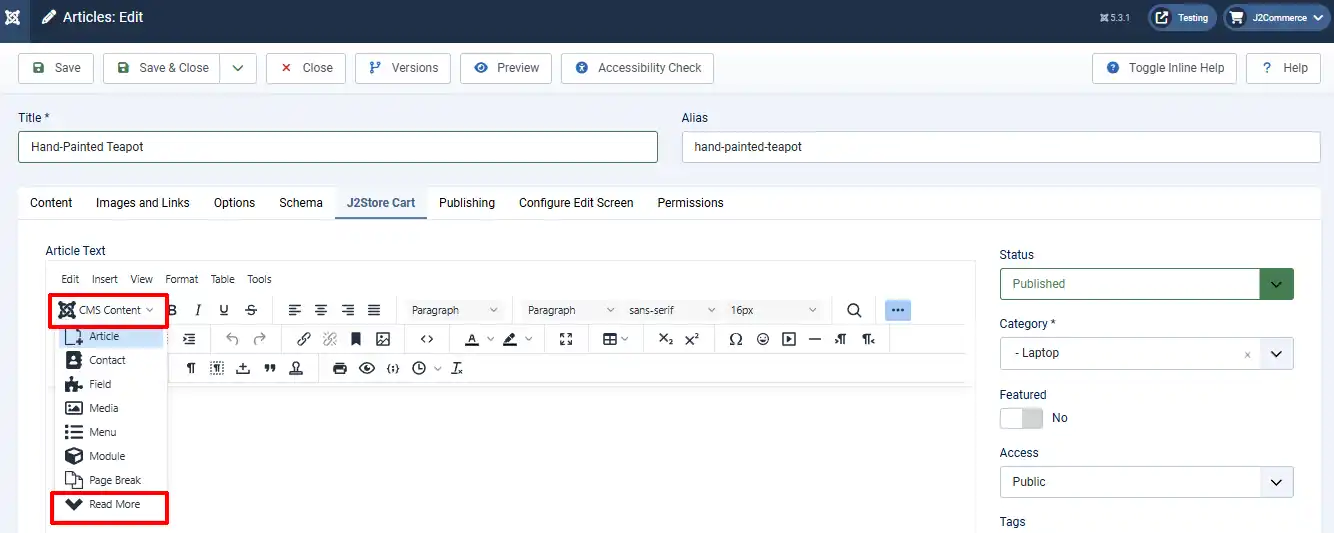
If you don't see the Read More button, then click on the CMS Content dropdown and then scroll to Read More. Make sure your cursor is in the location where you want the read more section to be.
According to J2Commerce
J2Commerce takes the intro text column as the short description and the full text column as the long description.
These two columns are in Joomla’s _content (article table)
The Article manager divides the text (content) into two and saves it based on the readmore break.
In J2Commerce, you can enable and disable the display of short descriptions and long descriptions in both category view and product view.
Support
Still have questions? You can reach us via our support form or the priority ticket system.