Australia Post shipping plugin
This plugin integrates J2Commerce with the Australia Post Shipping rate API.
Requirements
- with PHP 8.1.0 +
- Joomla! 4.x/ Joomla! 5.x +
- J2Commerce / J2Store 4.x +
How to Register with Australia Post and Obtain Your API Key
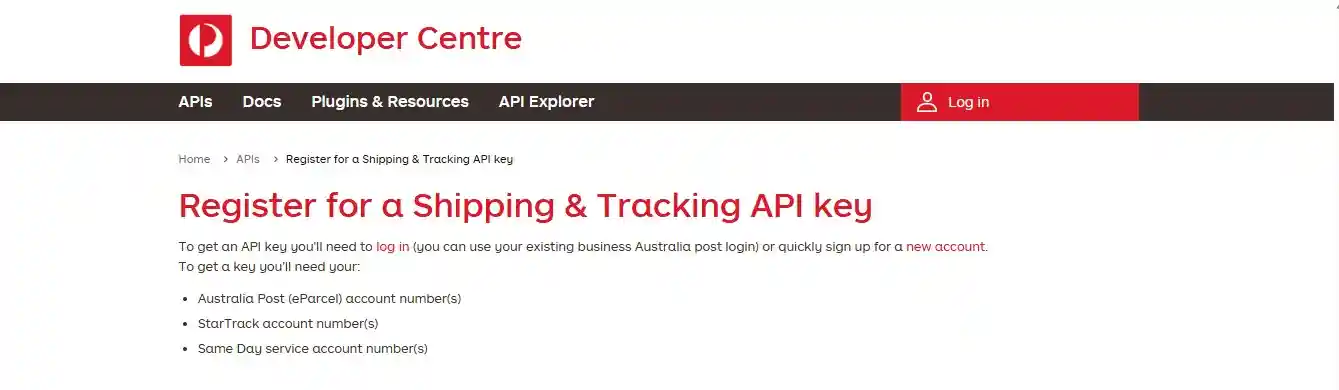
To obtain an API key for Australia Post, particularly for services like Shipping & Tracking, follow these steps:
-
Create a Developer Center Account:
Register for an account on the Australia Post Developer Centre website. If you already have a MyPost account or are registered, you can use your existing credentials to log in.
-
Request API Access:
Once logged in, navigate to the section for requesting API access. This is typically found under "My Account" or similar, and you will need to select the specific APIs you wish to use (e.g., Shipping & Tracking, Postage Assessment, Address Validation).
-
Complete Registration Details:
Provide the necessary information, which may include your Australia Post (eParcel), StarTrack, or MyPost Business account number.
-
Await Approval:
Australia Post will review your request. If approved, they will enable your account for the requested APIs.
-
Generate API Key and Secret (Password):
After approval, you will receive an invitation or instructions to generate your API key and secret. Log back into the Developer Centre, navigate to the relevant section (e.g., "Projects" or "API Access"), and follow the prompts to create your API key and secret. This secret will serve as your API password.
-
Integrate and Test:
Use the generated API key and secret in your application or integration. It is recommended to first test in a sandbox environment provided by Australia Post before switching to the production environment.
Download Plugin
Step 1: Go to our J2Commerce website > Extensions > Apps
Step 2: Locate the Australia Post Shipping App > click View Details > Add to cart > Checkout.
Step 3: Go to your My Downloads under your profile button at the top right corner and search for the app. Click Available Versions > View Files > Download Now
Install the Plugin
You can install this Australia Post shipping plugin using the Joomla installer. The following steps help you for successful installation.
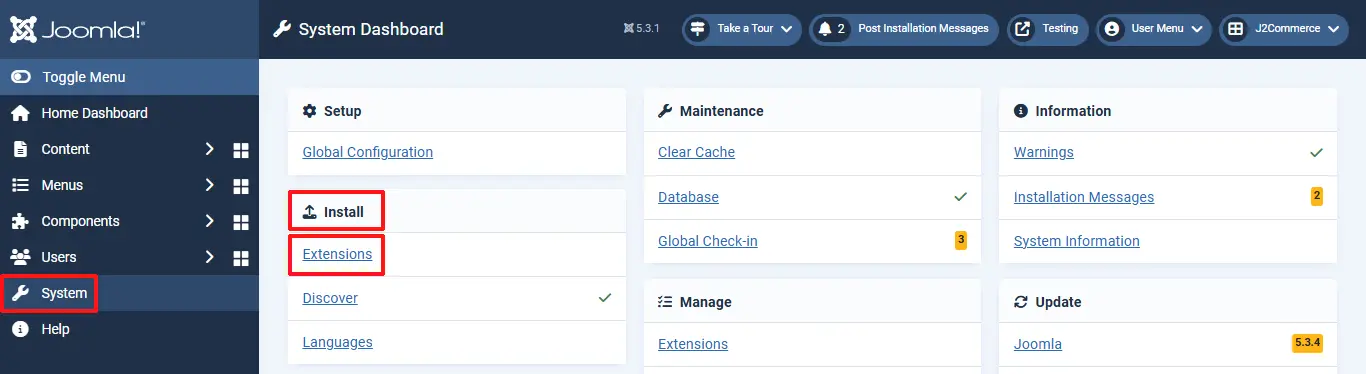
Go to System > Install > Extensions
Click on the Browse button and select the Australia Post shipping zip file where you saved it.
Enable the Plugin
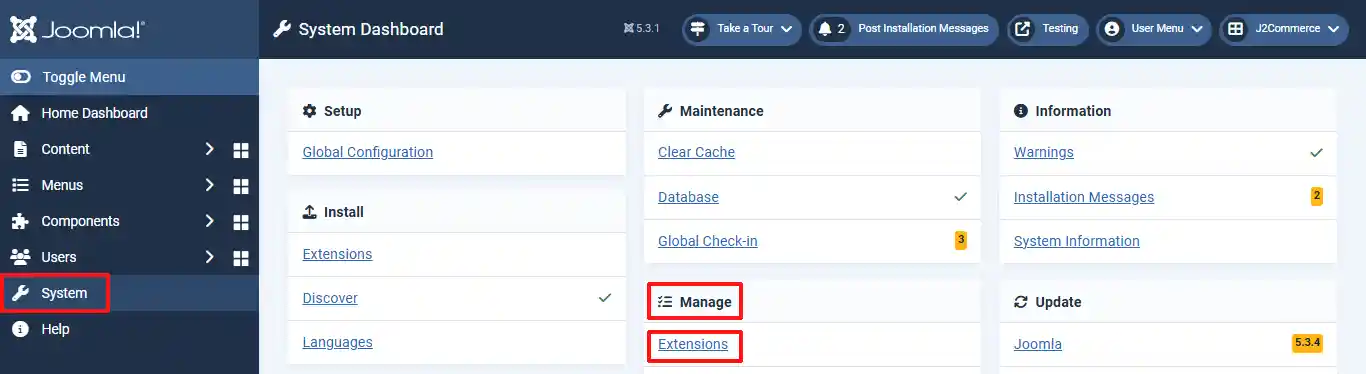
Step 3: In the Joomla admin, go to System > Manage > Extensions
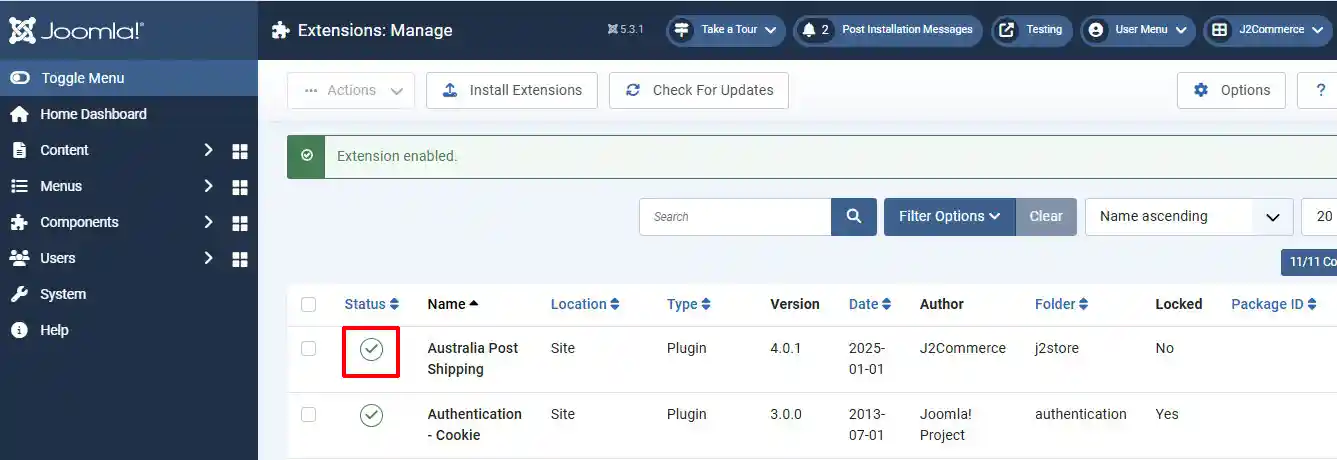
Step 4: Search for Australia Post and enable it by clicking on the 'X'
Setting up the Parameters
Go to J2Commerce > Setup > shipping methods
Locate the Australia Post Shipping App and click View to begin customizing it. (You can also enable it in this location, too)
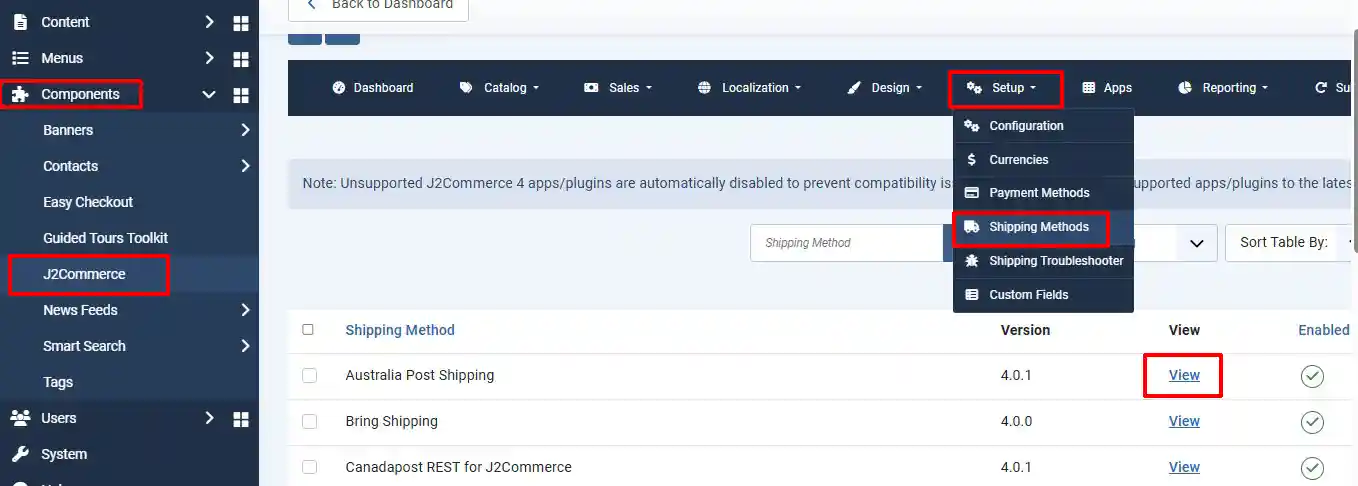
Before you begin setting up the parameters in the app, you will need your API Keys. Follow the steps at the beginning of this document to access your API Keys, and Customer Number
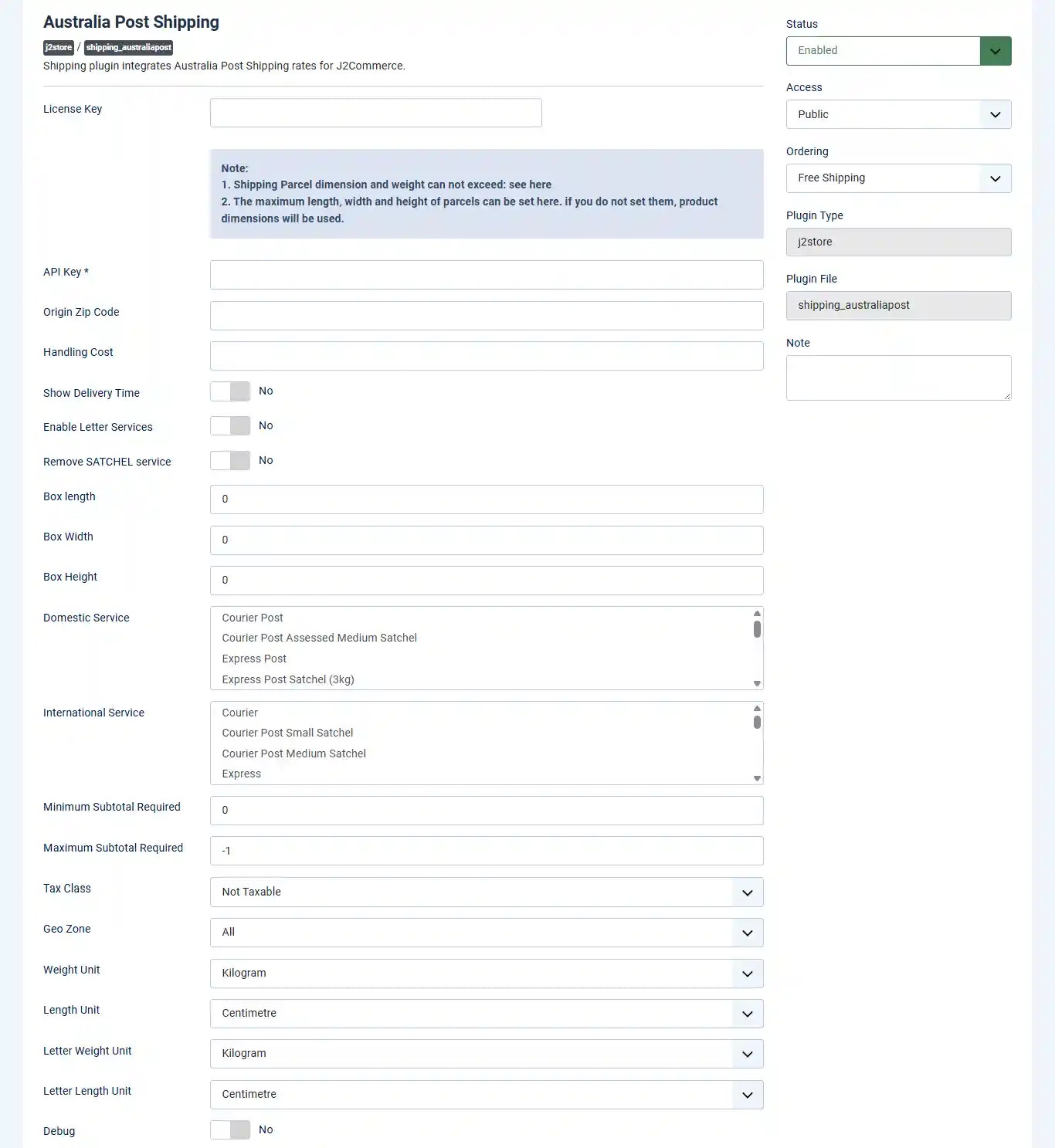
Shipping Type: For this option, select Domestic Shipping Service or International Shipping Service
API Key: This is your Australia Post API key. It will be given to you once you create an Australia Post account.
Handling Cost: If a handling cost is applicable for the shipping, you can enter the cost directly in this field.
Show Delivery Time: If you want to show the Date/Time of delivery on the checkout page, you can set this option to Yes
Minimum Subtotal required: If a minimum quantity is required to avail this shipping method, you can set it here.
Maximum Subtotal required: If there is a limit on the quantity to use this method, set it here.
Tax Profile: If the shipping cost is also taxable, you can select a tax profile here.
Geozone: If you have limitations in applying this shipping method, you can select the areas that are eligible by selecting the corresponding geozone here.
Weight Unit: For using this shipping method, the weight unit must always be set to Kilograms only. No other unit is allowed.
Length Unit: The length unit for this shipping method must be set to Centimetre. No other unit for length measurement is entertained.
Debug: If you enable this option, a log file will be maintained for error debugging. This debug file will be stored in cache folder.
**IMPORTANT: Apart from the parameters set here, to use Australia Post Shipping Plugin, it is mandatory to set the default currency as Australian Dollar - AUD and the country of the store as Australia, in the store configuration setup. If it is not met, this plugin can not be used.
If you still have questions, you can reach us via our support channel here: https://www.j2commerce.com/support
Thank you for using our extension.