

How to set up a quantity restriction for your products?
The following article demonstrates how to set up a quantity restriction for your products. Many times, you might want to limit the quantity of products that are bought by the users. Here is how it is done.
Scenario:
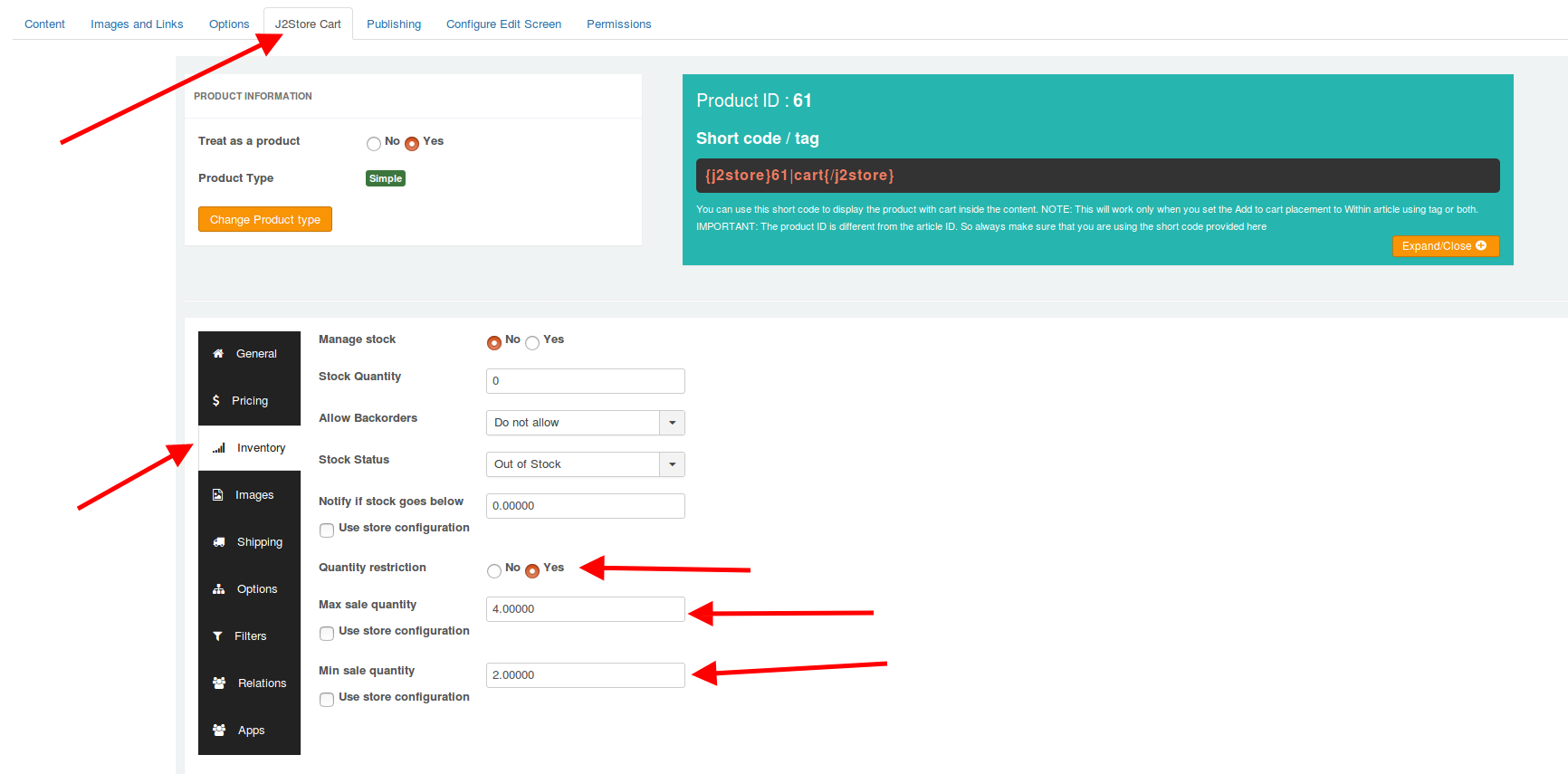
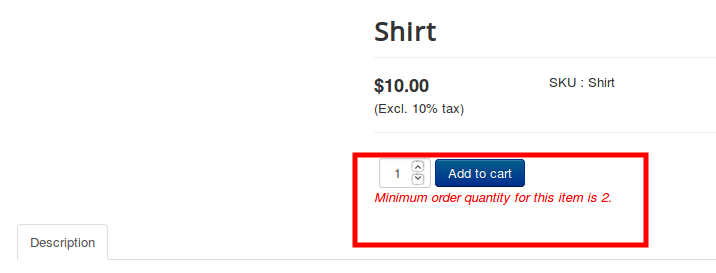
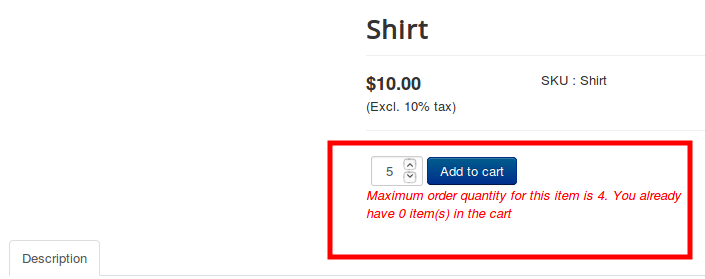
Let's assume that you wish to sell a Shirt and you want to restrict the minimum quantity to be purchased as 2 and the maximum number of Shirts to be bought as 4.
Procedure:
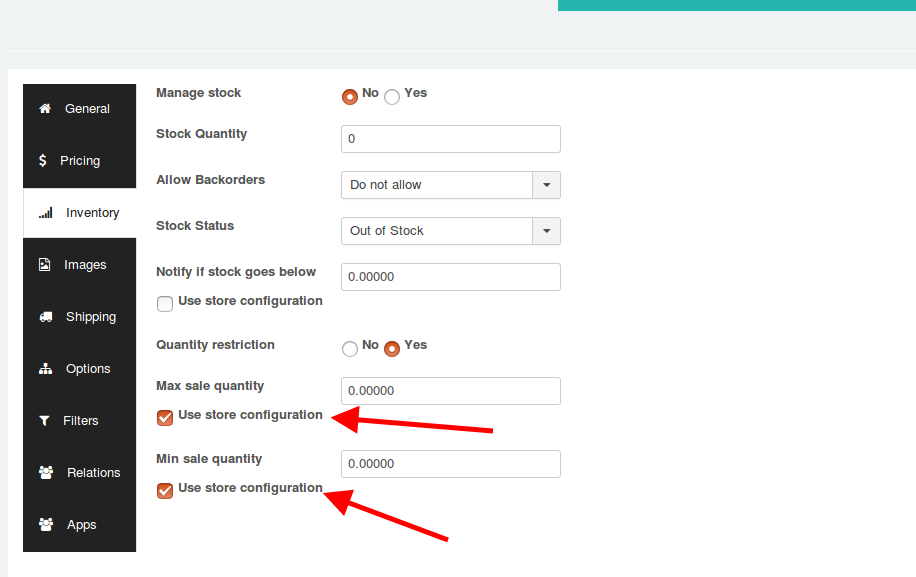
Navigate to the product’s article, and click on the Commerce (or J2Store cart) tab. Click on the Inventory tab. Enable the Quantity restriction option. Set the Minimum sale quantity to 2 and the Maximum sale quantity to 4. Save. Now, when the user tries to change the quantity below or above the mentioned quantity, a warning will be displayed, preventing the user from adding the product to the cart.
Screenshots:
Global Quantity restriction:
When you try to set a global quantity restriction for all of your products, then it is possible by following the steps below:
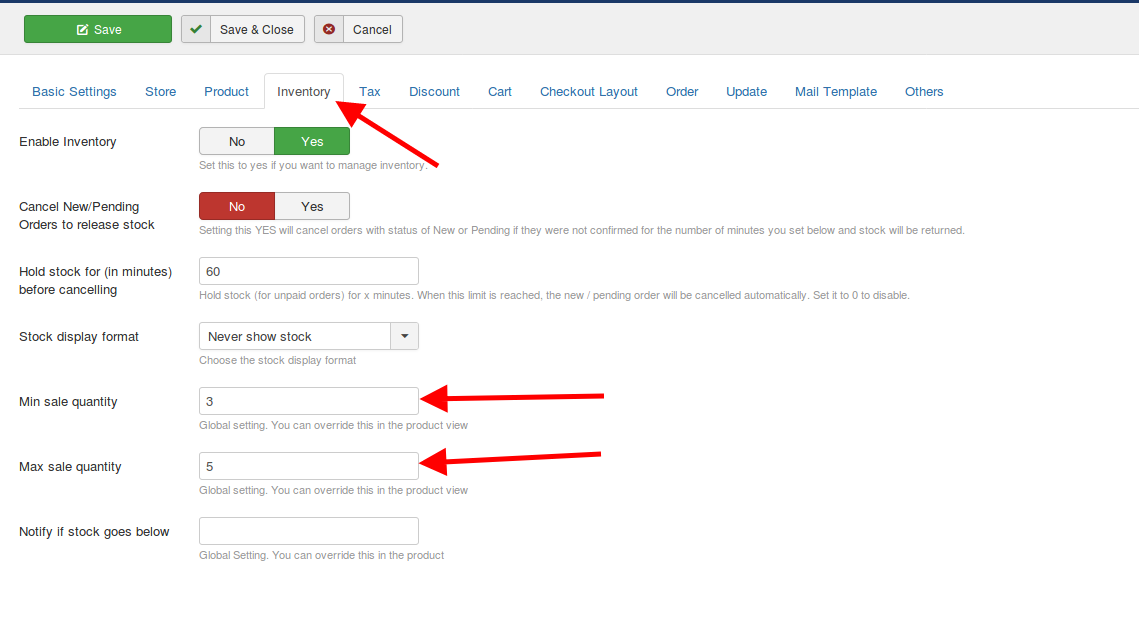
- Navigate to J2Commerce > Setup > Configuration > Inventory > Set the Minimum sale quantity and the Maximum sale quantity.
- The above setting could be overridden at the product level if there are any requirements.
Screenshot:
Now, for all the products, the above restriction applies. If this has to be overridden, then this could be done at the product level.
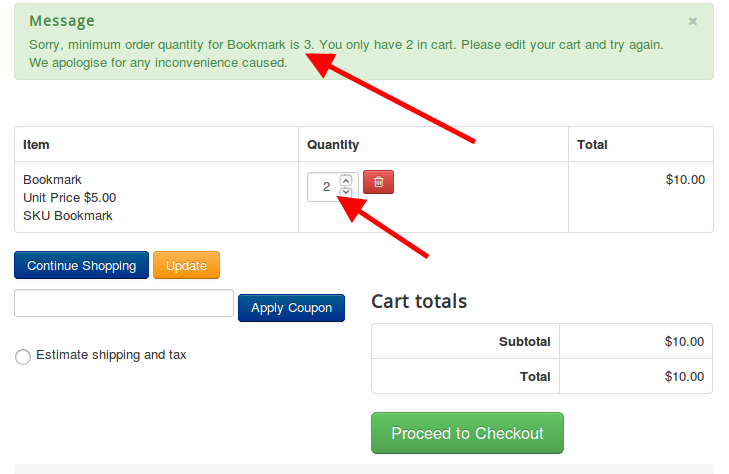
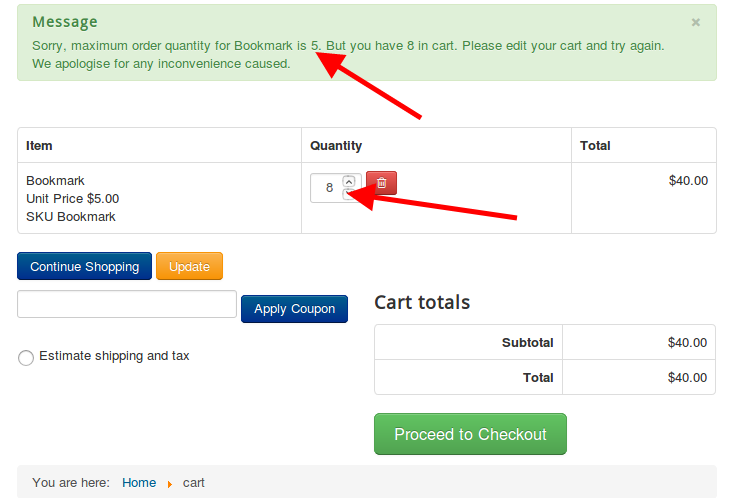
When the minimum and maximum sale quantity is set on the J2Commerce Global setting and in the product profile, the above settings are done, the following error would come up when the user tries to add more or fewer quantities than specified in the global settings.
Video Tutorial:
