Bring Shipping Plugin
Introduction: Integrates J2Commerce with Bring, a popular shipping service in the Nordic area.
Requirements
- with PHP 8.1.0 +
- Joomla! 4.x/ Joomla! 5.x +
- J2Commerce / J2Store 4.x +
How to obtain your PID Key number
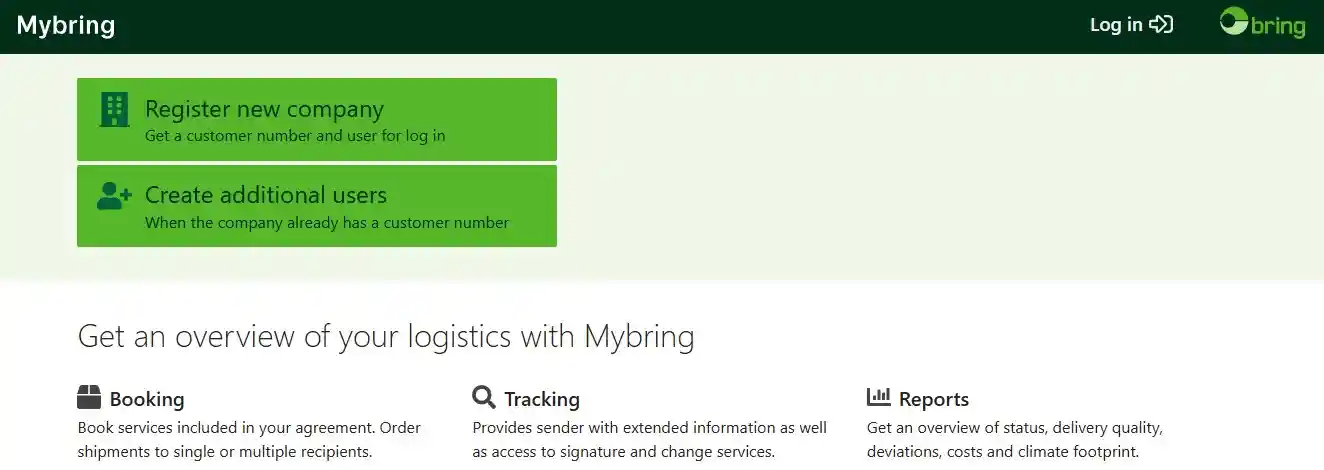
You will need this information to activate the app once installed on the backend of your site. You can get the PID (Identification key ) from here: www.mybring.com/
To get your "PID" (Identification Key) on https://developer.bring.com/api/shipping-guide_2/, you must have an active invoice agreement with Bring and be registered. Once you have an account, the API User ID is your username, and you can find the API Key by navigating to the API page within the MyBring settings.
Step-by-step guide
-
Register: If you don't already have an account, register on their website.
-
Ensure you have an invoice agreement: You must have an active invoice agreement with Bring to proceed.
-
Log in to MyBring: Log in to your account on https://www.mybring.com/.
-
Navigate to API settings: Find and go to the API settings page within your account.
-
Locate and copy your API Key: On the API page, you will find your API User ID (which is your username) and the API key. Copy the API key.
-
Enable booking access: Ensure you enable the booking API access on the same page to be able to perform bookings.
Download the App
Step 1: Go to our J2Commerce website > Extensions > Apps
Step 2: Locate the "Bring" App > click "View Details"> Add to cart > Proceed to Checkout.
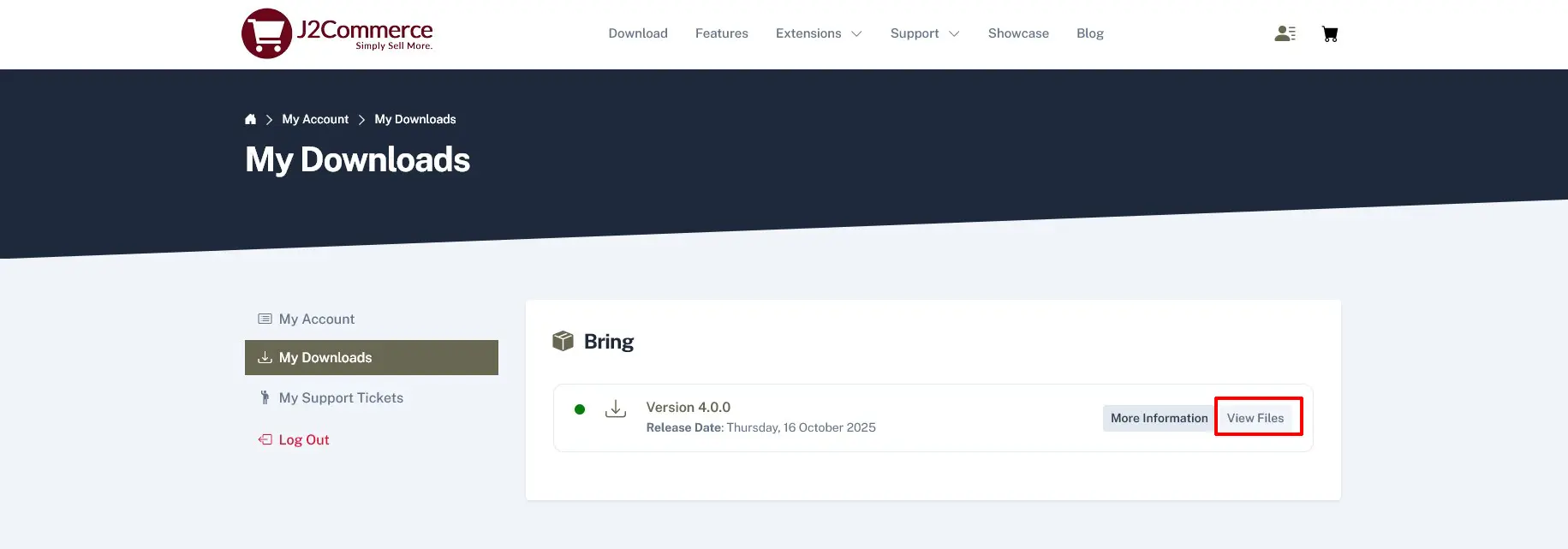
Step 3: Go to your My Download under your profile button at the top right corner and search for the app. Click Available Versions > View Files > Download Now
Install the App
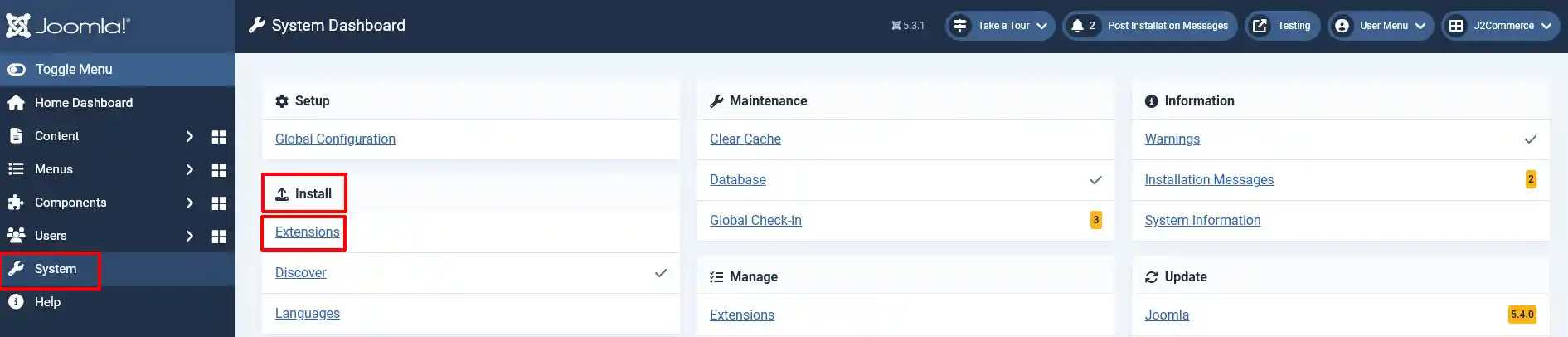
Go to System > Install > Extensions
Click on the Browse button and select the Bring Shipping zip file
Enable the App
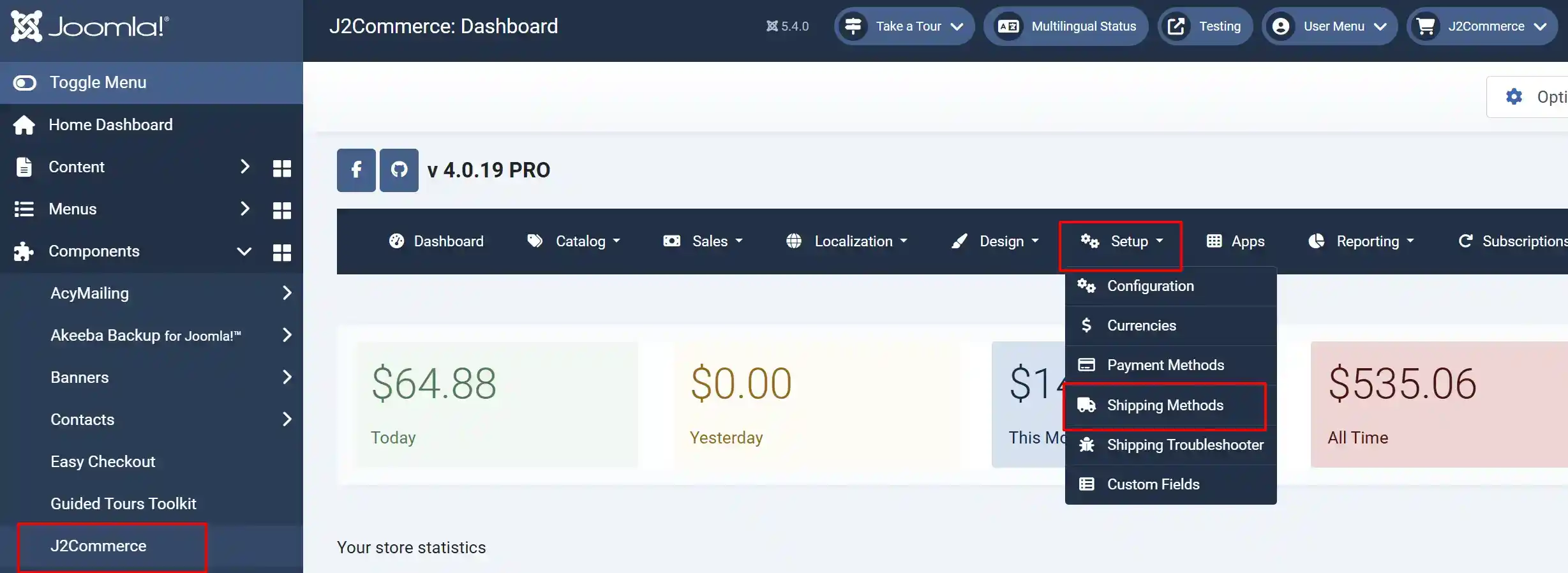
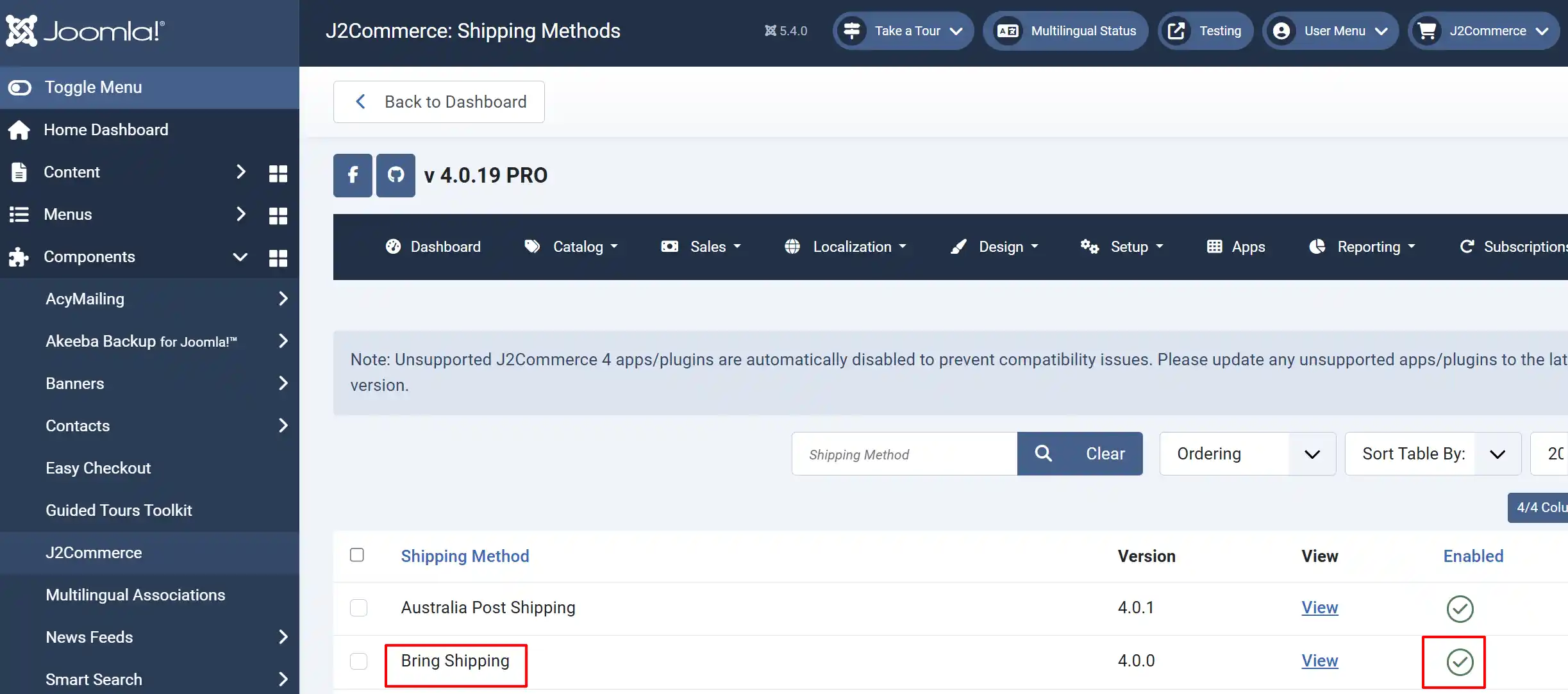
Go to J2Commerce > Setup > Shipping Methods
Locate the Bring Shipping Plugin
Click the 'X' to enable it. It will turn into a checkmark
Setting up the Plugin
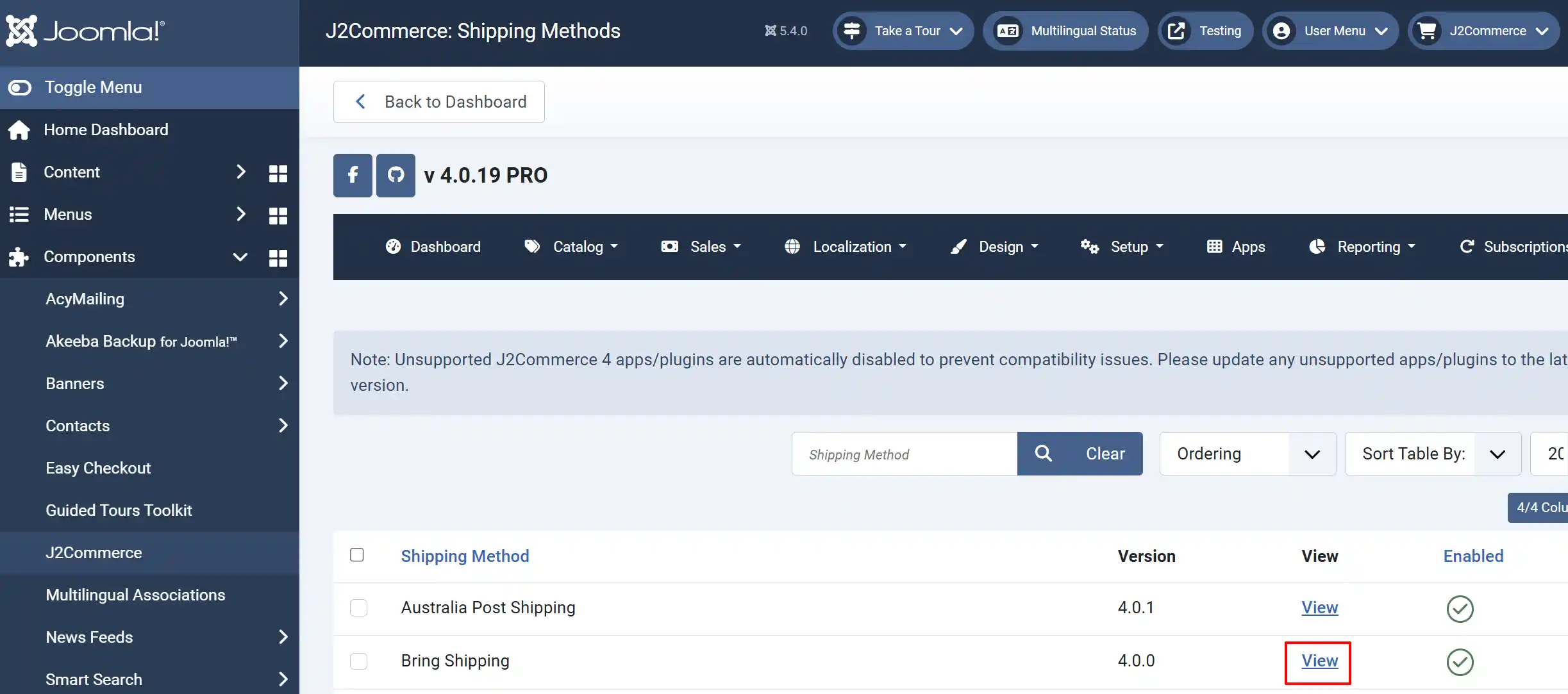
Once the plugin has been enabled, click on View to open it
Plugin tab
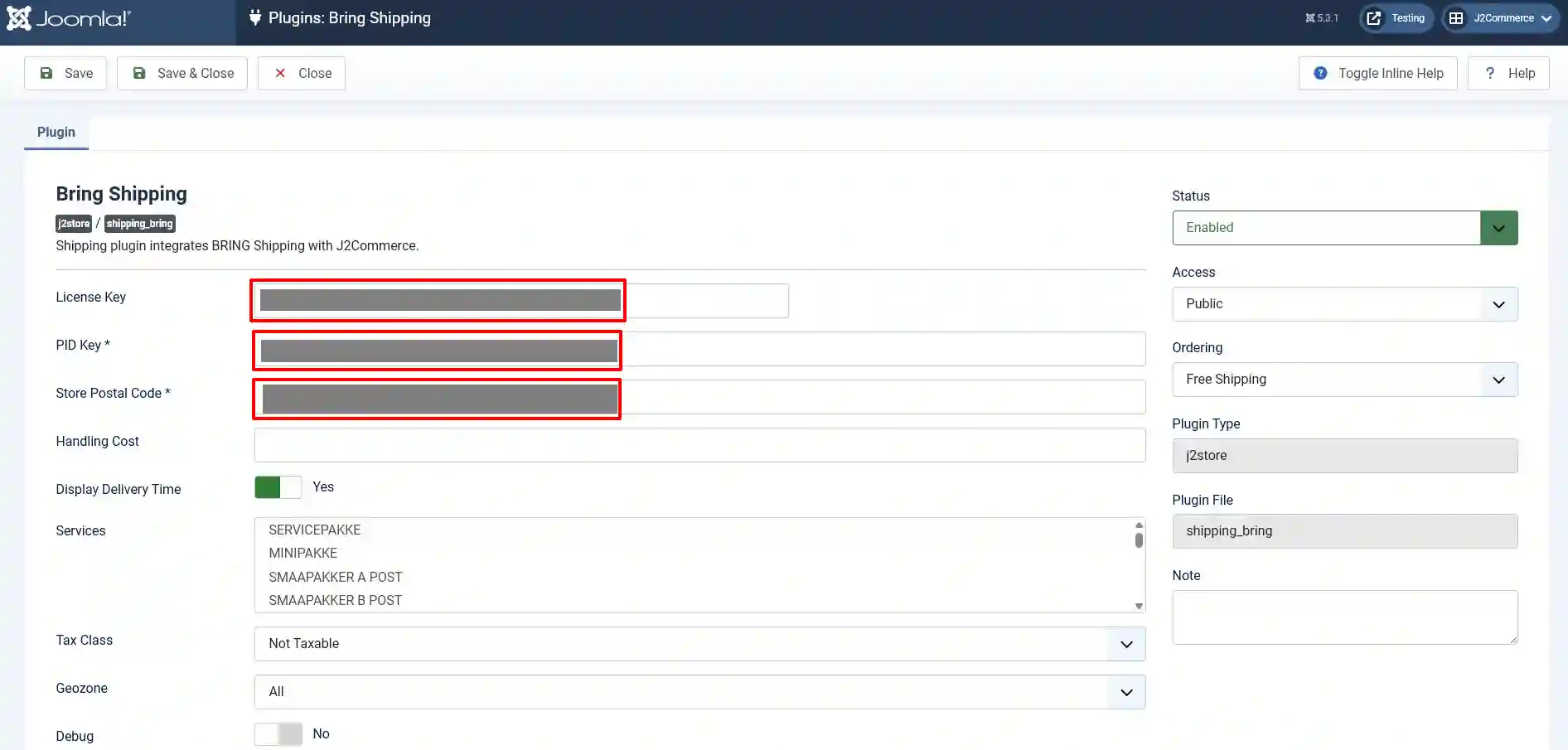
License Key: Without this key, the parameters will not work
PID Key: Without this key, the parameters will not work.
Store Postal Code: Enter the From (Origin) postal code. The postal code is the place from which the goods will be shipped.
Handling Cost: If you want to add handling cost for your shipping, enter your handling cost.
Display Delivery Time: This option is used to display the delivery date/time in Checkout page.
Services: Choose product Services for display in the Checkout page.
Tax Class: If you want to add a tax rate for your shipping, select a tax profile.
Geozone: By selecting a geozone here, you can restrict this Shipping method from showing to customers from only that geo-region. Choose All Geozones to show this method to all customers.
Debug: Enable/ Disable Log file for Debug.
Support: Still have questions? You can reach us at https://www.j2commerce.com/support
Thank you for using our extension.