Purolator
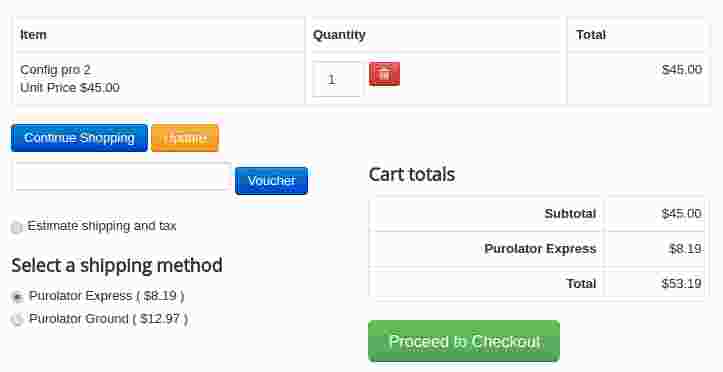
This plugin integrates Purolator shipping API with the J2Commerce Joomla eCommerce solution.
Requirements
- with PHP 8.1.0 +
- Joomla! 4.x/ Joomla! 5.x +
- J2Commerce / J2Store 4.x +
How to obtain your API Key:
You will need this once you have installed the Purolator App on your website
Go to and www.purolator.com register or login.
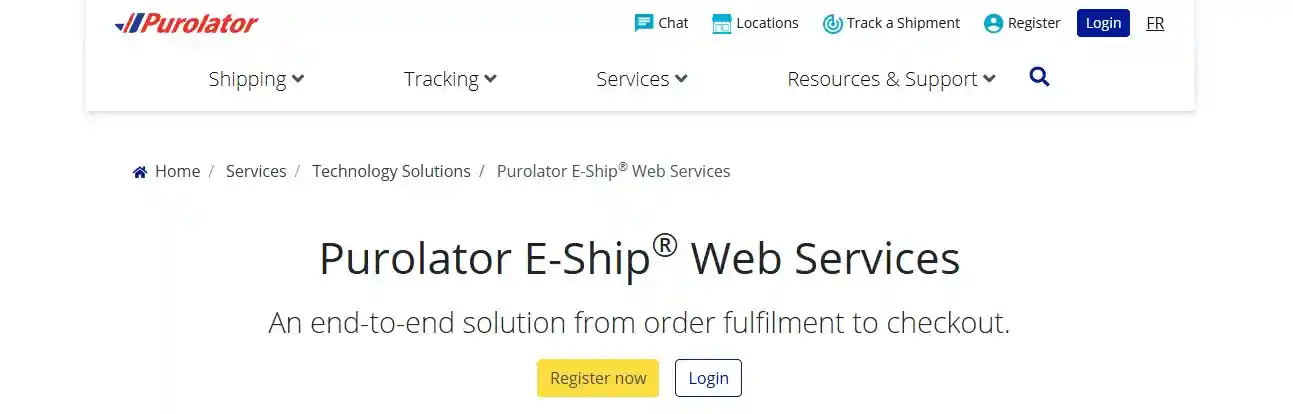
To obtain your API Key on the Purolator website, you need to register for Purolator E-Ship Web Services. The process involves several steps:
-
Register for an E-Ship Web Services Account:
-
Visit the Purolator website and navigate to the E-Ship Resource Centre.
-
Click on the "Register for Purolator E-Ship Web Services" button.
-
Choose the appropriate account type (e.g., Corporate Account Holder) and complete the profile information form.
-
Submit the registration.
-
You will receive an email from Purolator with a verification link; click this link to complete your registration.
-
-
Obtain Development Key (Optional, for testing):
-
Log in to your newly created E-Ship Web Services account.
-
Look for an option to "Obtain Development Key" or similar.
-
Complete the required form, providing details about your integration type and account.
-
Submit the form, and Purolator will email you the Development Key, Password, and Carrier Account Number.
-
-
Request Production Key (for live use):
-
Log in to your E-Ship Web Services account.
-
Find the option to "Request for Production Key" or similar.
-
Complete and submit the form, providing the necessary business account information.
-
Purolator will email you the Production Key, Password, and Carrier Account Number, which are essential for live API integration.
-
Note: Depending on your specific integration needs and e-commerce platform (e.g., ShipStation, Shopify via Plugin Hive), there might be slightly different instructions or specific options to select during the key generation process. Always refer to the instructions provided by your chosen platform or the Purolator Developer's API Portal for the most accurate guidance.
Installation
Step 1: Go to our J2Commerce website > Extensions > Apps
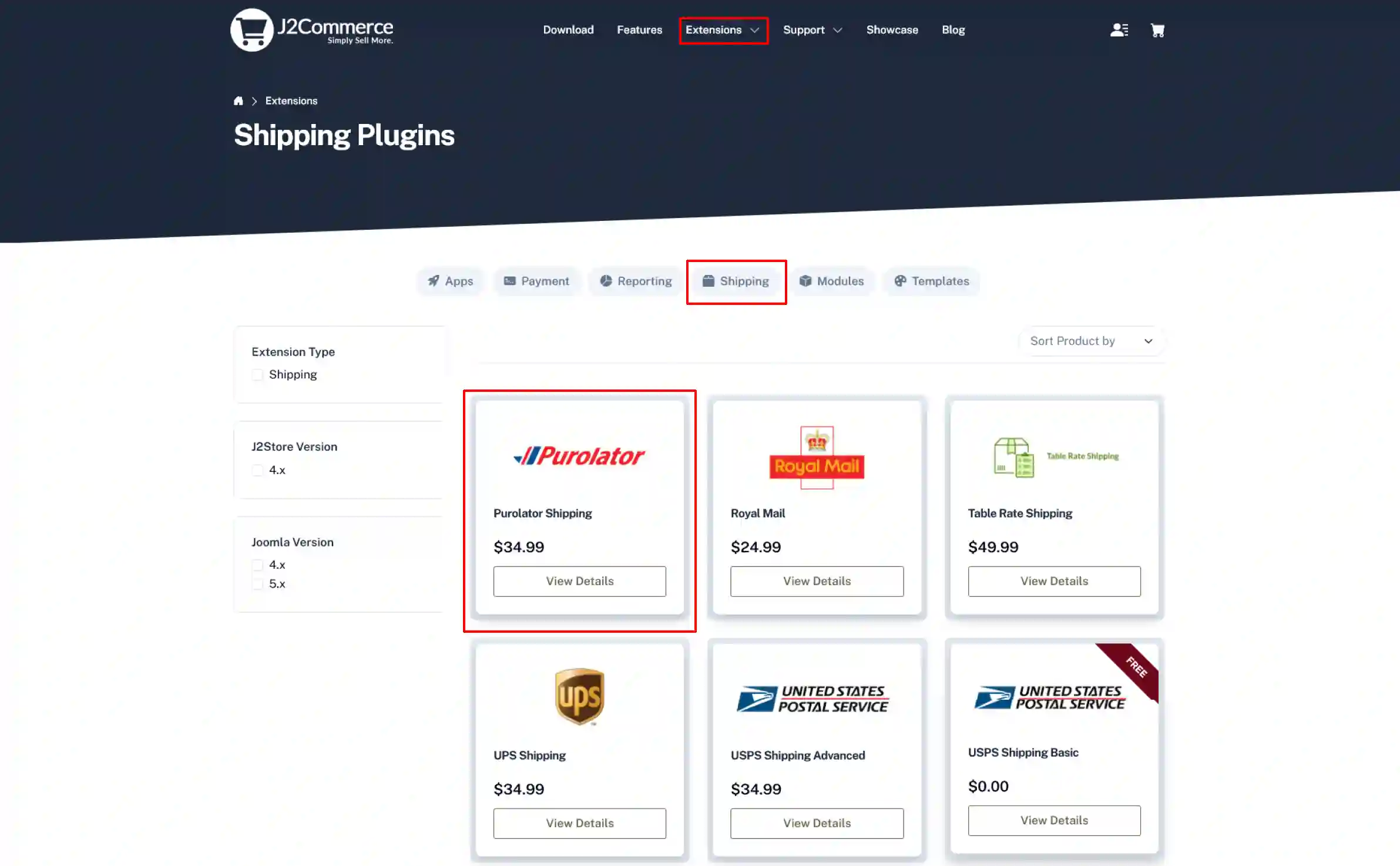
Step 2: Locate the Purolator Shipping App > click View Details > Add to cart > Checkout.
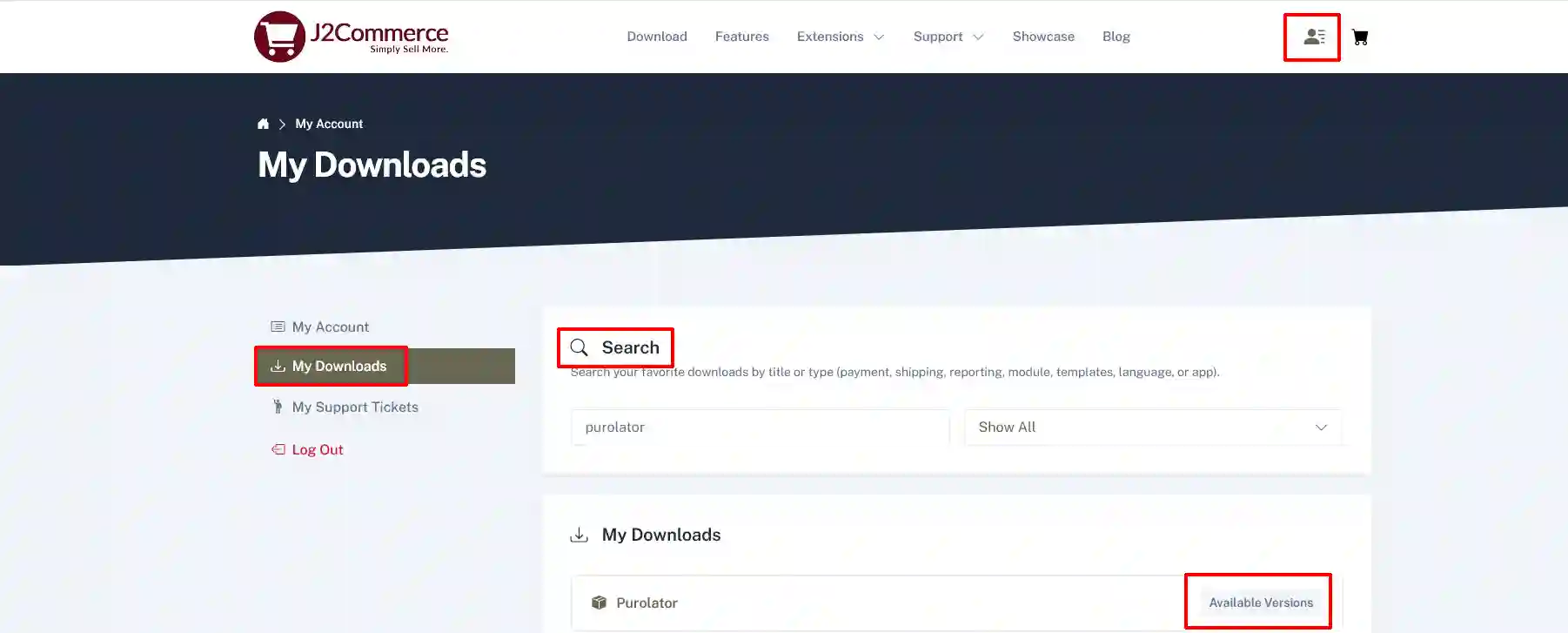
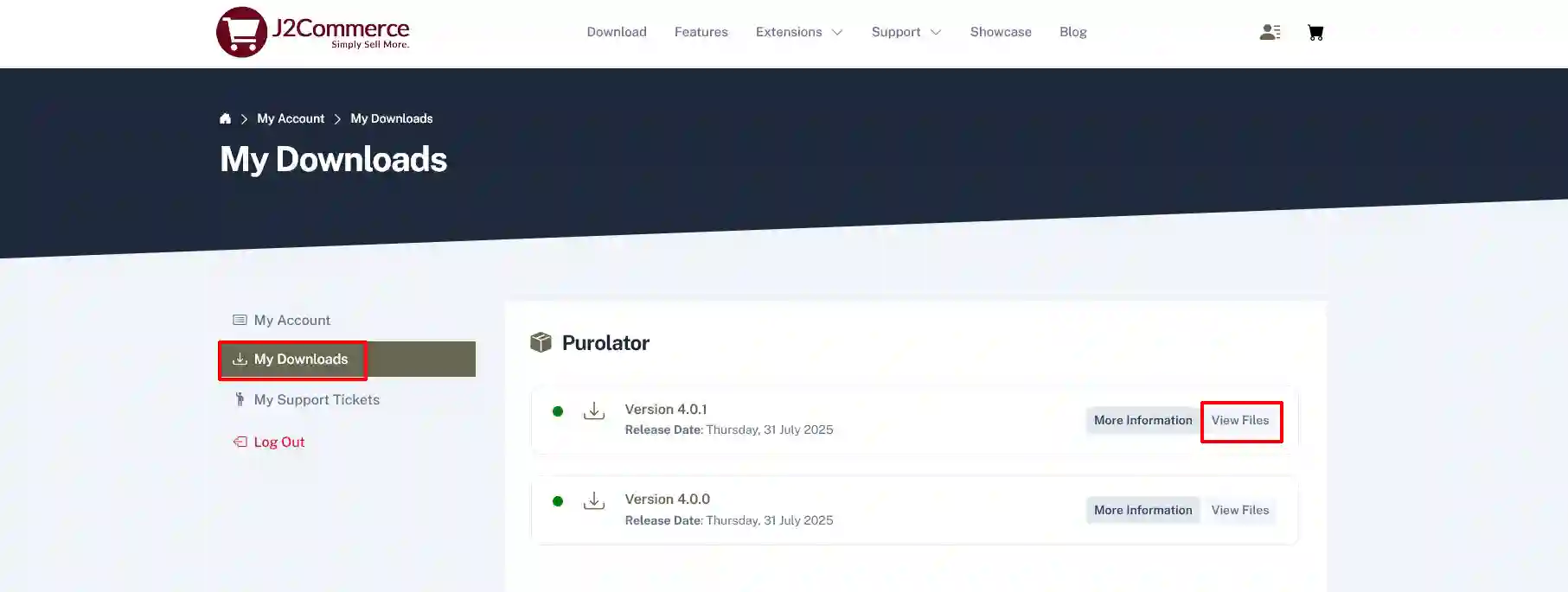
Step 3: Go to your My Download under your profile button at the top right corner and search for the app. Click Available Versions > View Files > Download Now
If there is more than one version available, make sure you click View Files for the most current version.
Installation:
You can install this Purolater shipping plugin using the Joomla installer. The following steps help you for a successful installation.
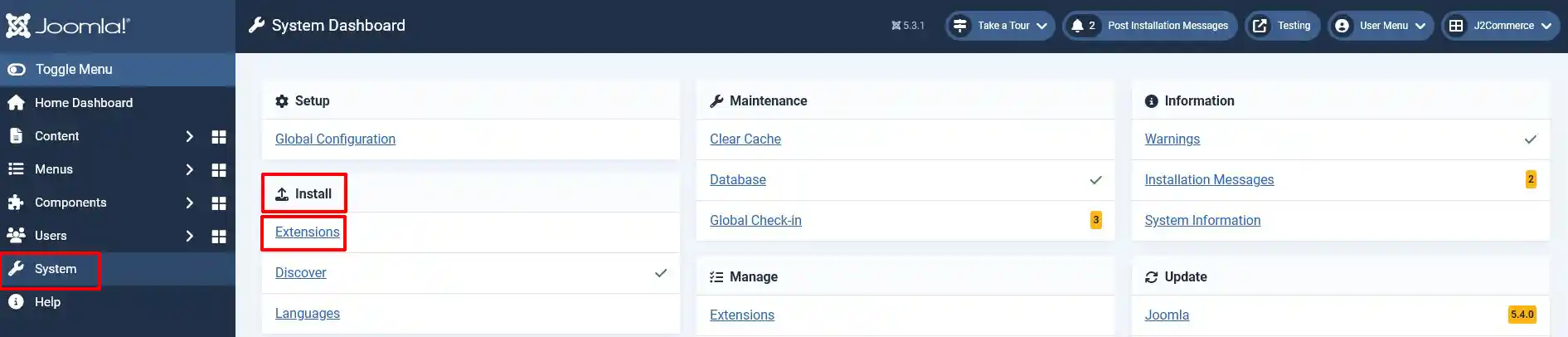
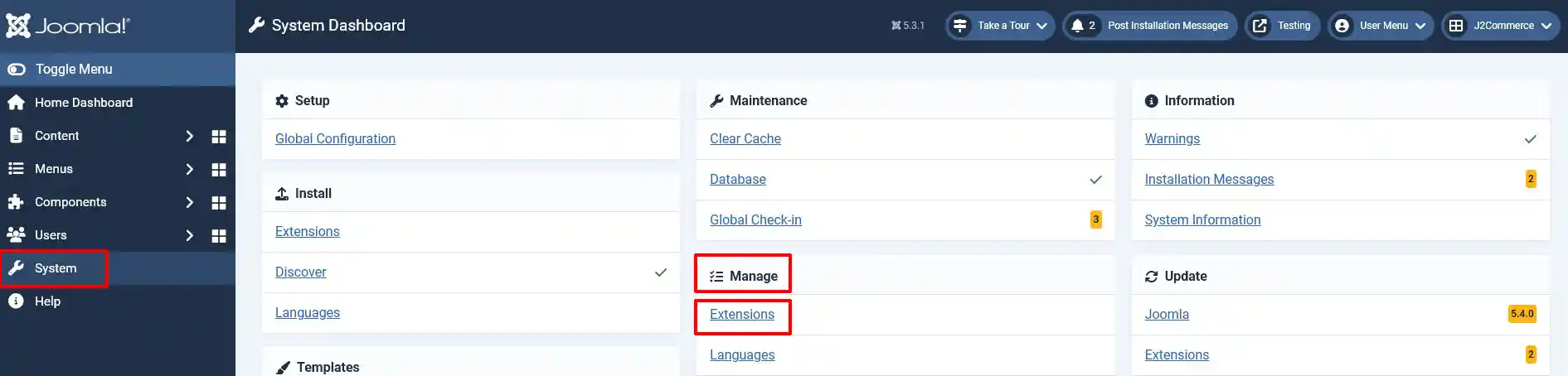
Step 1: In the Joomla admin, go to System > Install > Extensions
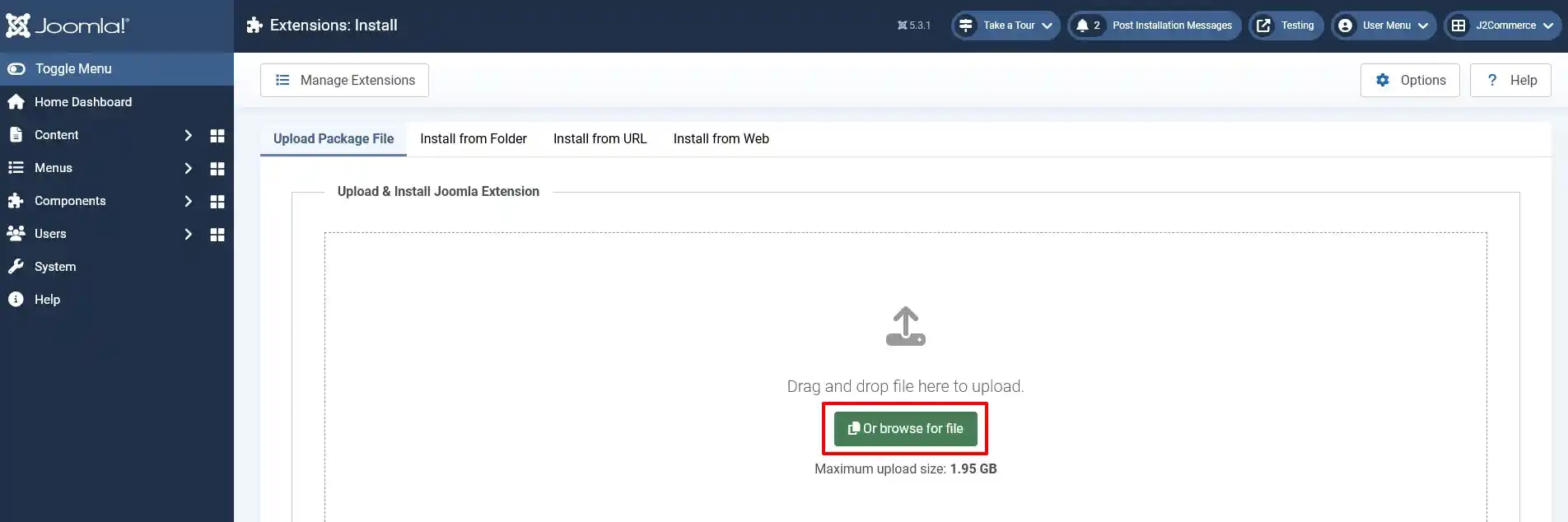
Step 2: Click on the Browse button and select the Purolator Shipping zip file
Step 3: In the Joomla admin, go to System > Manage > Extensions
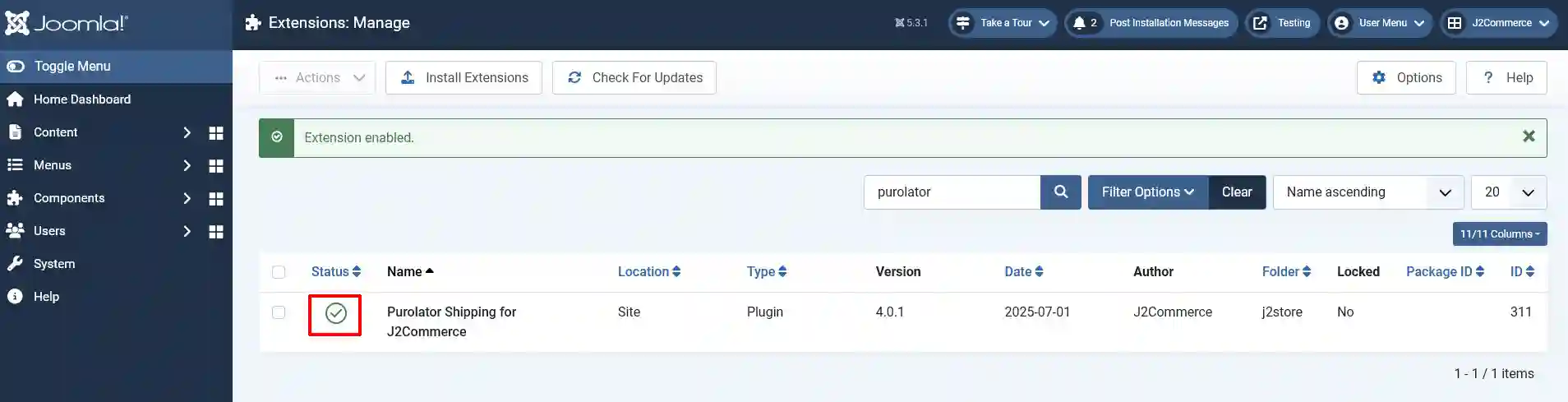
Step 4: Search for the app and enable it
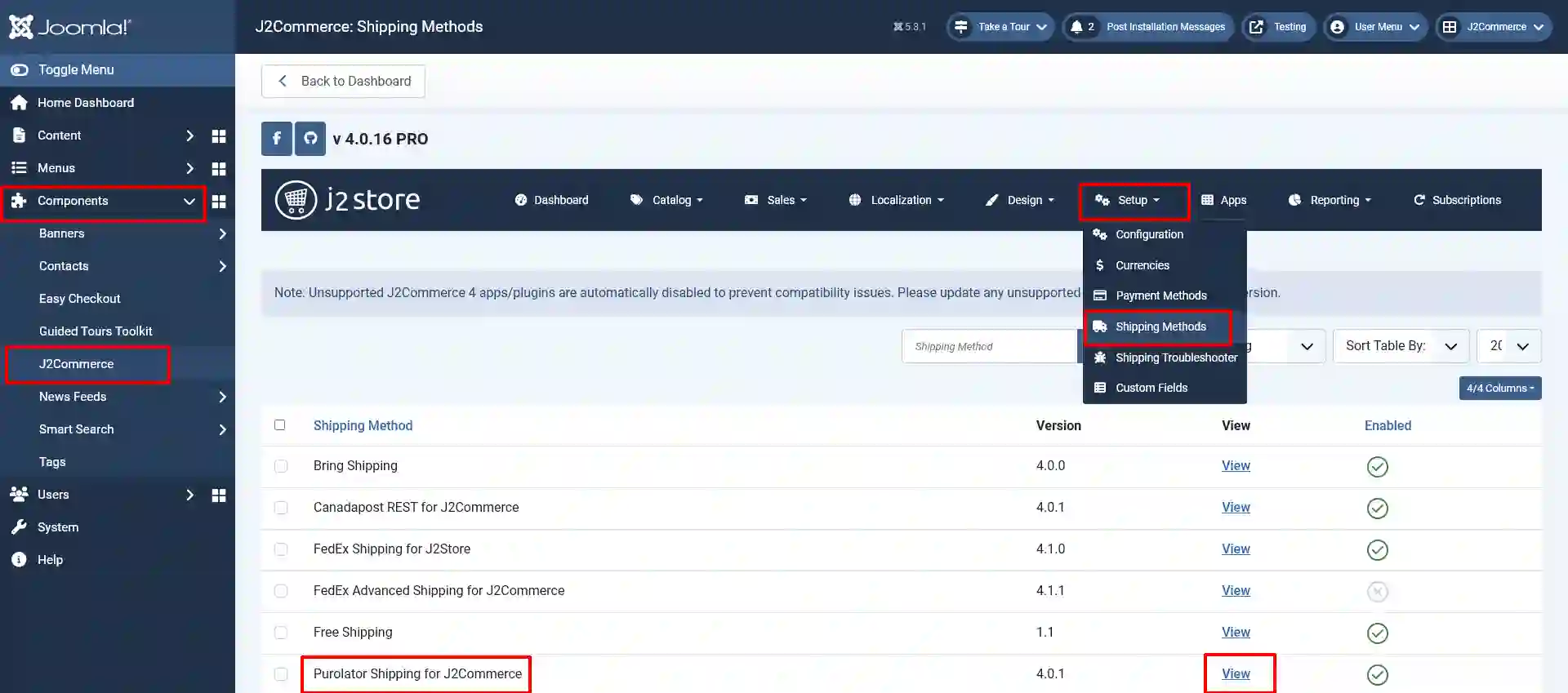
Step 5: Select J2Commerce >setup > shipping methods
Step 6: Locate the Purolator Shipping App and click View to begin customizing it
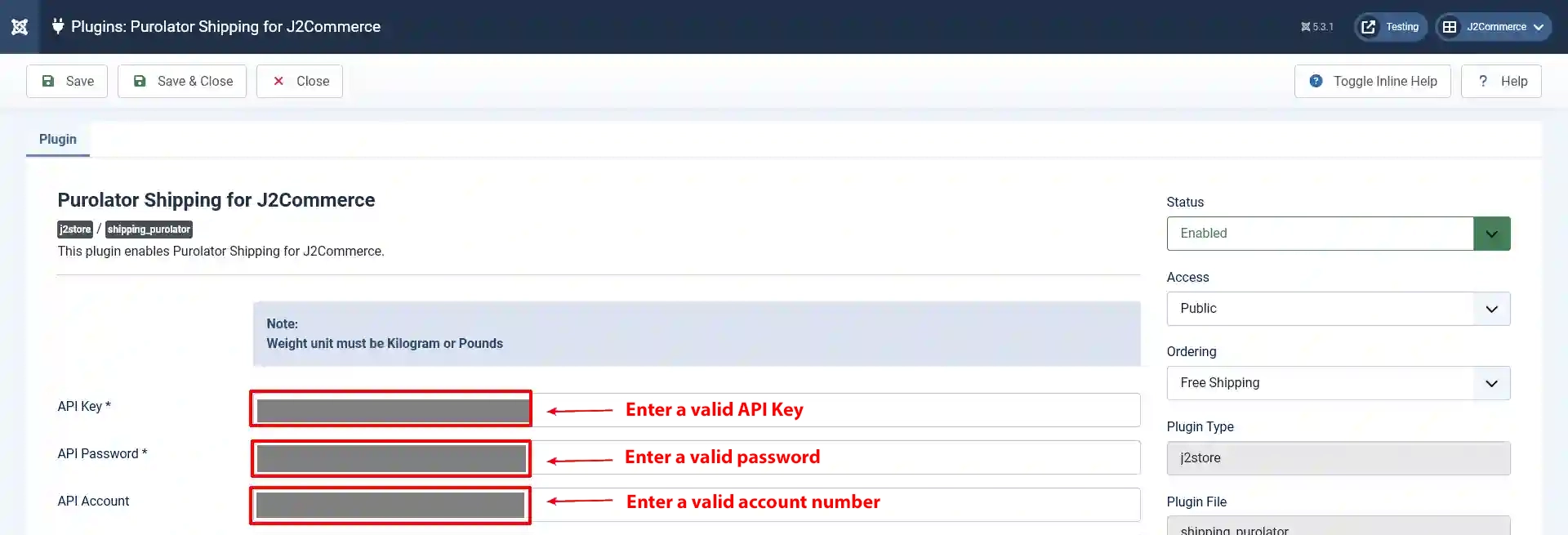
Basic Settings:
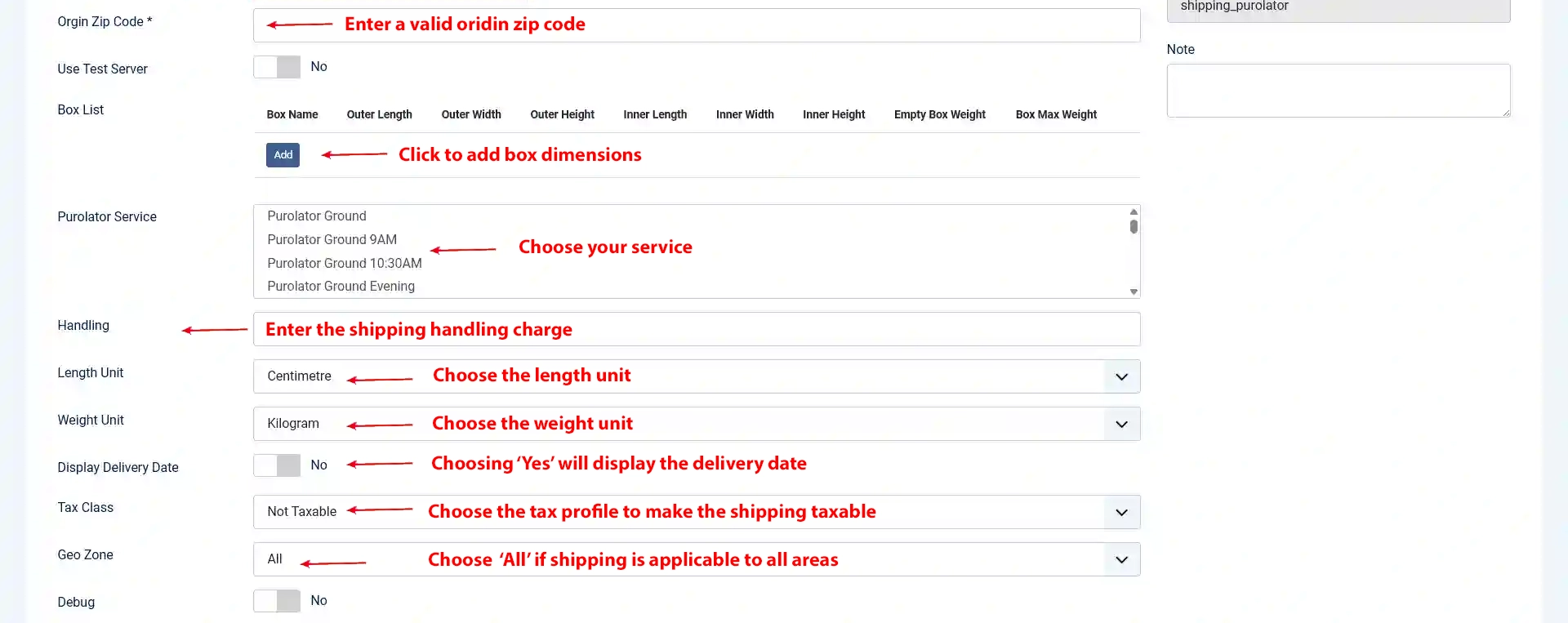
API key: Enter the valid API key provided by Purolator shipping
API password: Enter your Purolator shipping account’s password
API account: Enter the account number associated with your Purolator account
Origin zip code: Enter the postal code from where the shipping is actually made.
Box List: Purolator Shipping comes with a box packing feature. The box packing included with this shipping method lets you pack all the items into a single box for which you have to define height, width, length, weight, and max-weight.
Purolator Service: Choose the shipping services that you would like to provide to the customers.
NOTE: Services are depend on the customer’s shipping address. Even if you choose many services here, Purolator will show only the services that are available to the customer’s shipping destination at the checkout.
Handling Fee: If you would like to charge a handling fee, you can enter the amount here.
Length unit: The valid length units are centimeters and inches. Make sure that you are using the same length unit for all your products.
Weight unit: The valid weight units are kilogram and pound. Make sure that you are using the same length unit for all your products.
Display delivery date: Choosing YES will display the delivery date.
Tax class: Choose whether your shipping is taxable or not. If you would like to make your shipping taxable, you can choose your tax profile here.
Geozone: You can select a geo-zone and restrict the availability of this shipping method to the countries/zones in that geozone. Choose 'All' to make this shipping method available to customers from all regions.
Debug: If you set this to yes, then debug messages will be logged and saved in the cache folder in your Joomla root directory.