Recommended Tax configuration for Canadian Stores
This is an example setting for stores in Canada. For detailed information on taxes, please consult an expert. J2Commerce is not held responsible VAT / Tax changes.
NOTE: The example given below, assumes you have a store in Canada, Saskatchewan and you charge 5% GST and 5 % Saskatchewan-PST on the goods sold to customers.
Create a geozone for Canada
Go to Components > J2Commerce > Localisation > Geo Zones
-d2ca7943d5cde97aface8042ccc2c203.webp)
Select New
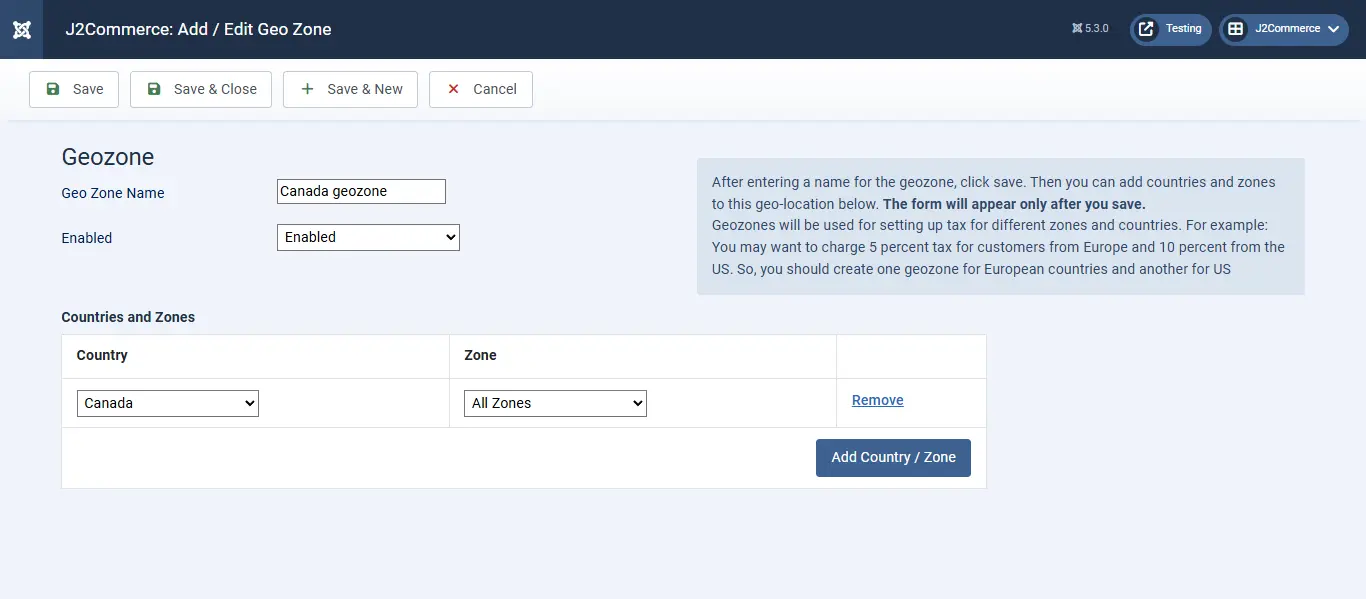
Geo Zone Name: Canada geozone
Country: Canada
Zone: All zones
Create a tax rate
Go to J2Commerce > Localisation > Tax Rates
-8c8723cebec19e1075dd5c4ae875ace7.webp)
Select New
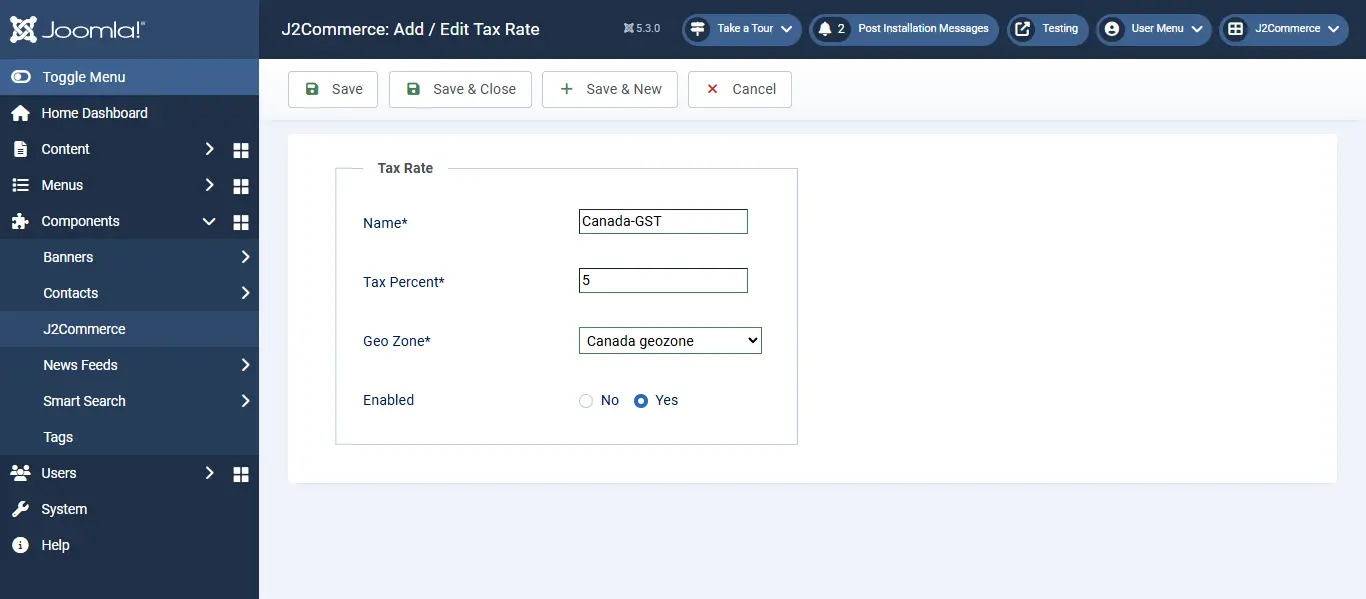
Name: Canada-GST
Tax Percent: 5
Geo Zone: Canada geo zone
Enabled: Yes
Create another tax rate for Saskatchewan-PST
Go to J2Commerce > Localization > Tax Rates > New
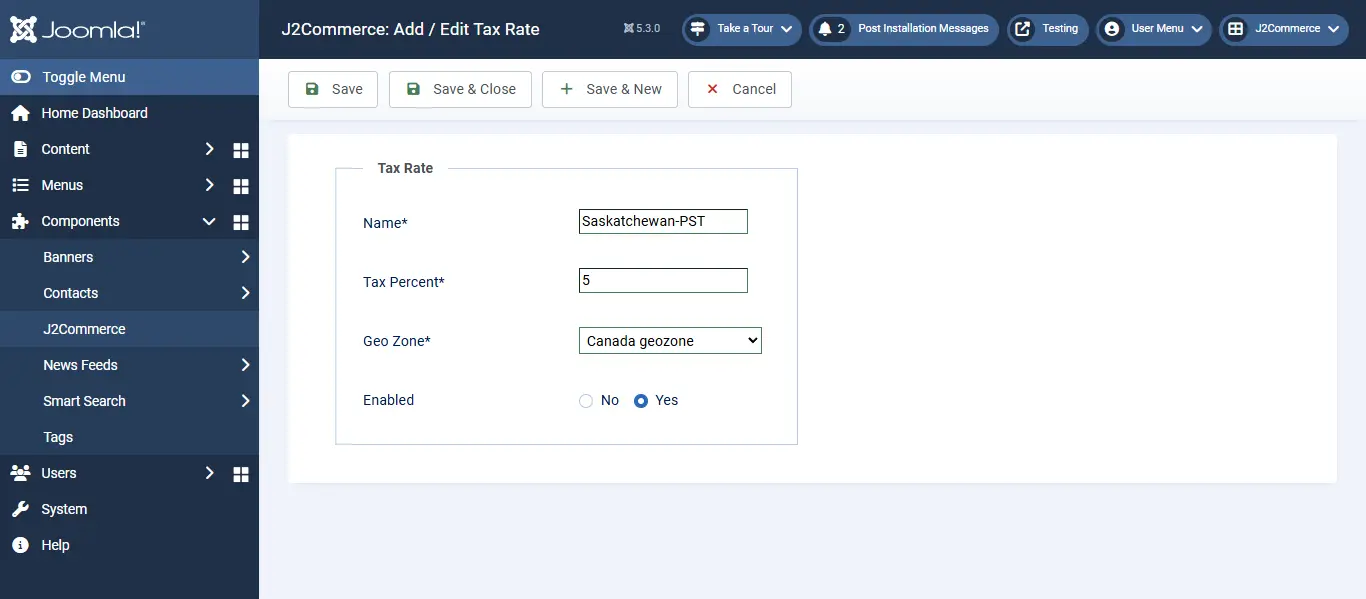
Name: Saskatchewan-PST
Tax Percent: 5
Geo Zone: Canada geo zone
Enabled: Yes
Create a tax profile and rules
Go to J2Commerce > Localization > Tax Profiles
-583fe676a1052999d364401dbcb36aec.webp)
Select New
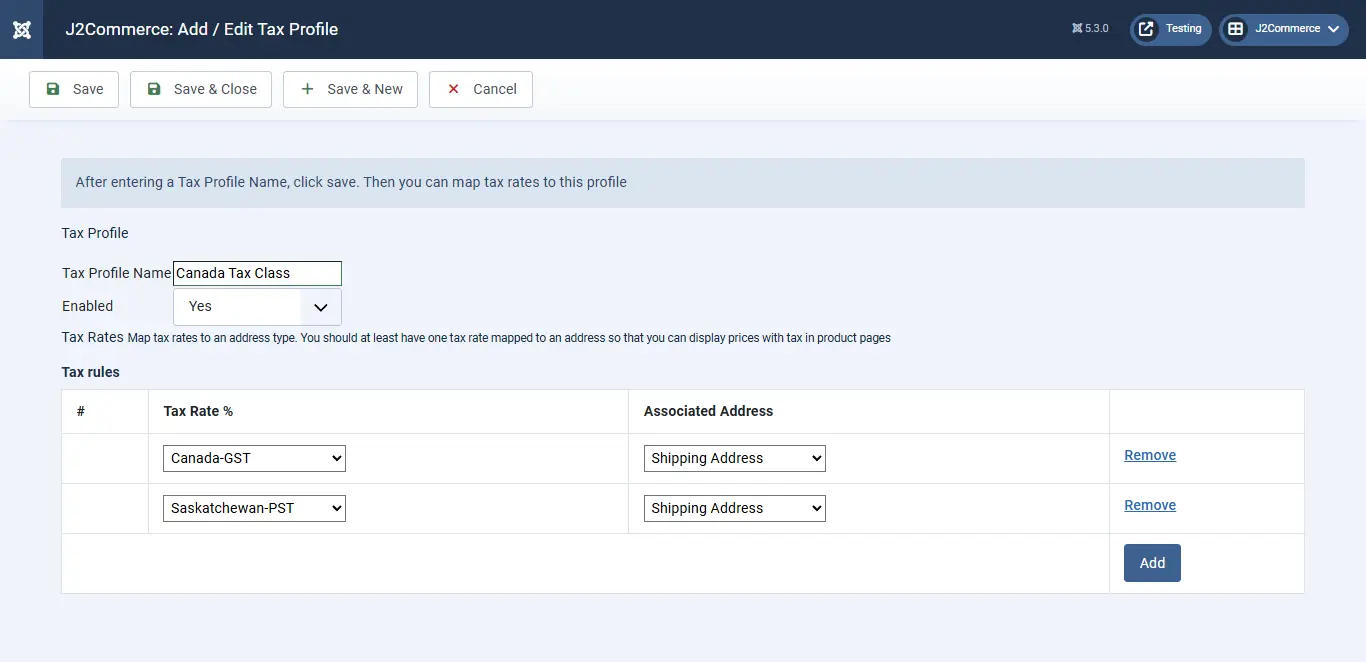
Name: Canada Tax Class
Enabled: Yes
Tax Rules: Click Add
Tax Rate: Canada - GST
Associated Address: Shipping Address
Click Add
Rate: Saskatchewan-PST
Associated Address: Shipping
Configure tax settings
Go to J2Commerce > Setup > Configuration
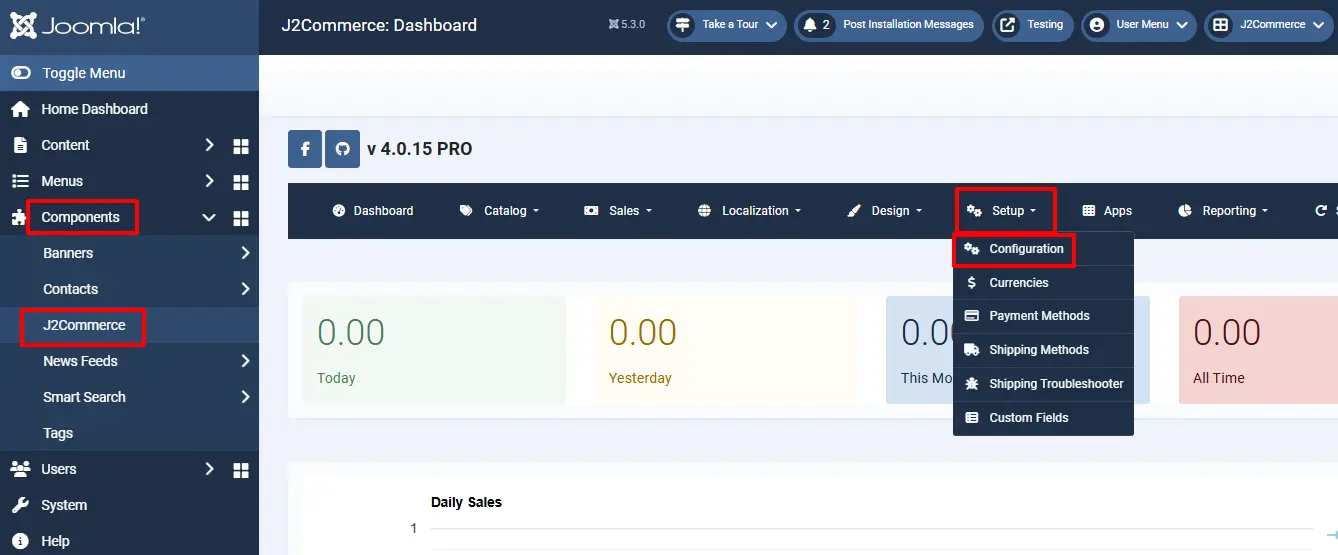
Tax tab
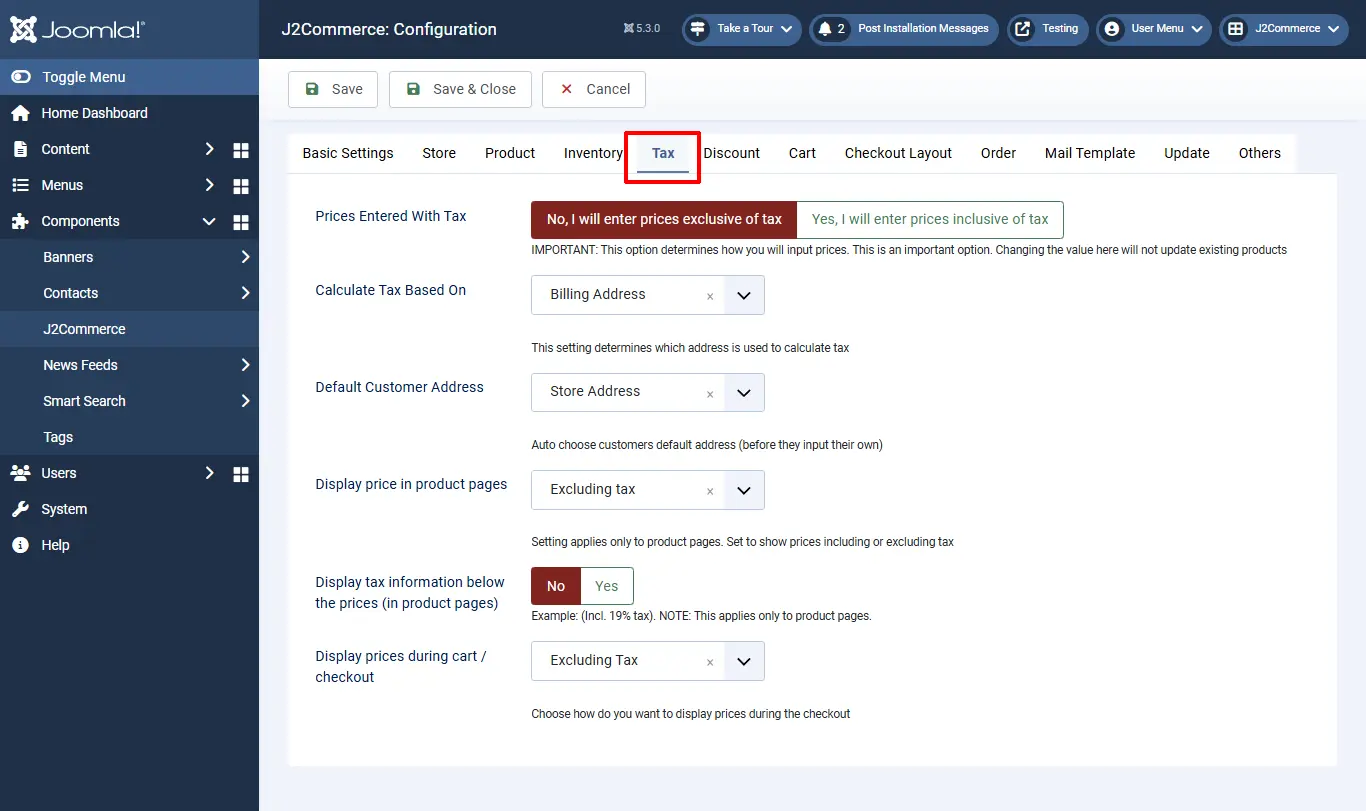
Prices Entered with Tax: No, I will enter prices EXCLUSIVE of tax
Calculate tax based on: Shipping address
Default Customer address: Store address
Display prices on product pages: Excluding tax
Display prices in cart / checkout: Excluding tax
Apply discounts: Before tax
Save.
Adding the tax profile to a product
J2Commerce uses Joomla! articles as products. So go to Article Manager and create a New Article / Product (If you use any other catalog source like Zoo or Sebold, you should head there).
Product creation steps are explained under the topic Products.
Here, let us just see how to choose the tax profile
Go to J2Commerce (or J2Store Cart) tab > General tab
Tax Profile: Canada Tax Class
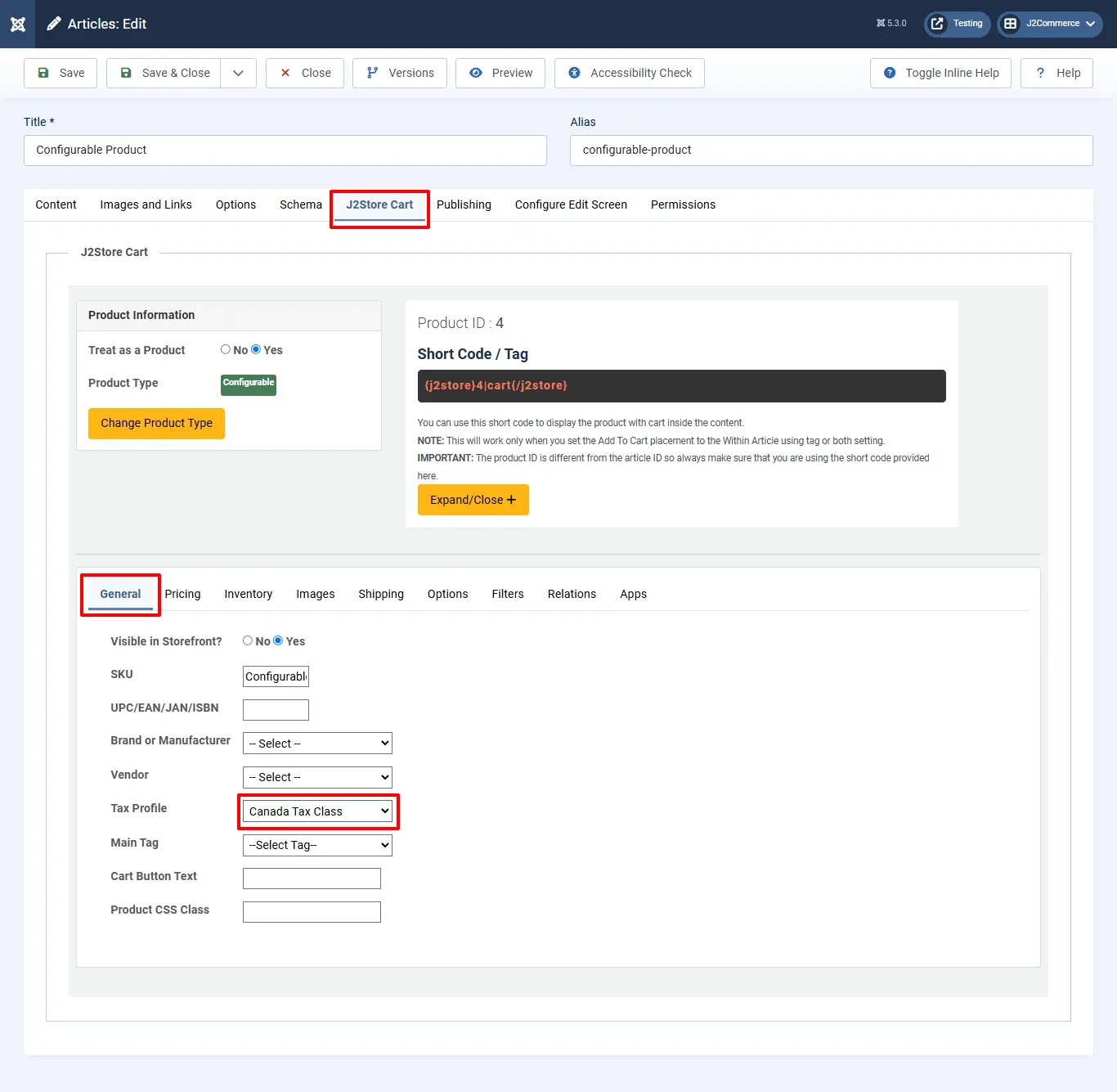
IMPORTANT: If you do not choose the tax profile, then tax will not apply in the storefront.
Video Tutorial: