Vouchers
Vouchers are also like coupons, intended to promote sales. Vouchers are sent to customers by email with offers.
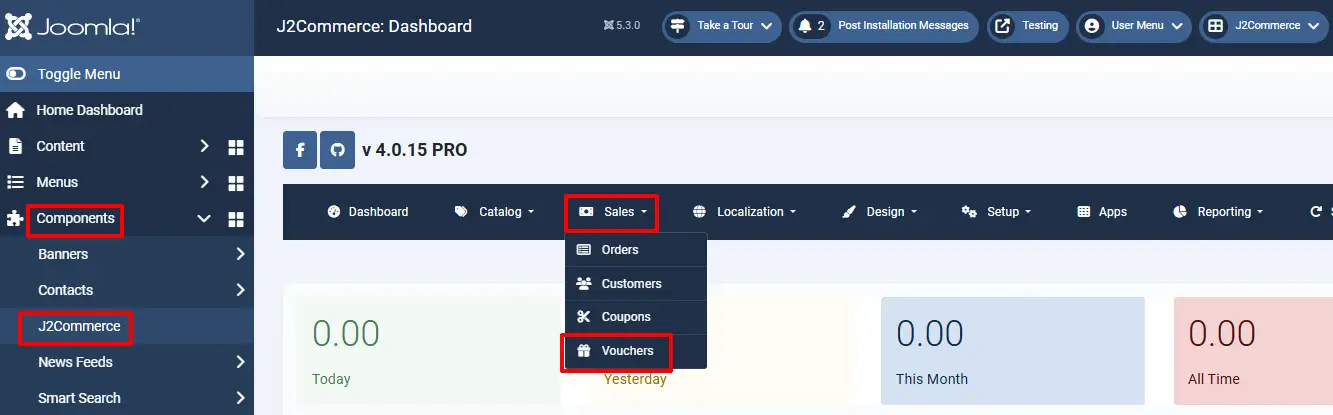
Step 1: Go to Components > J2Commerce > Sales > Vouchers > New
Vouchers contain Basic and Advanced information entries.
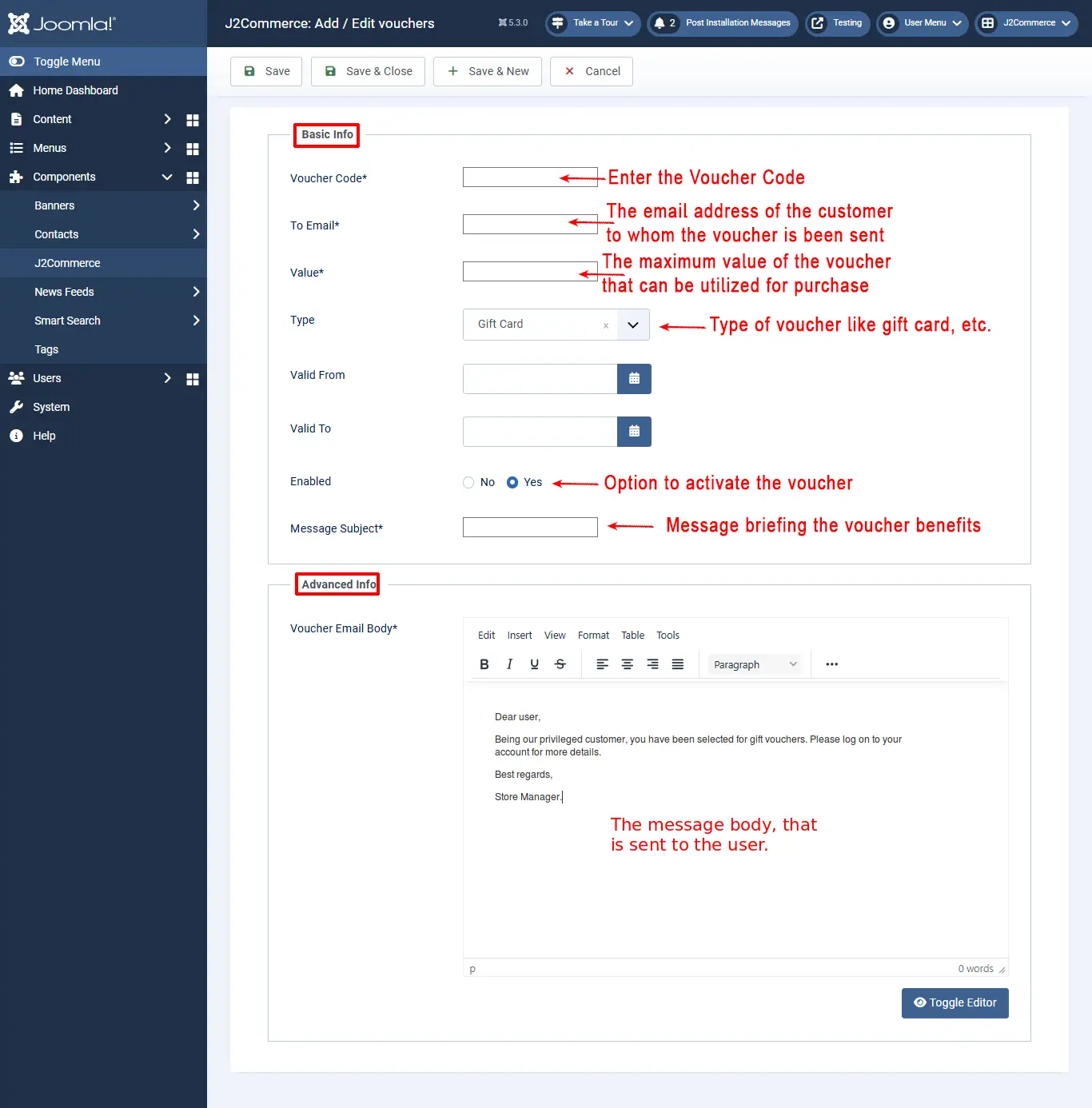
Basic Info Tab:
- Voucher Code: Enter a unique voucher code.
- To email: The email address of the customer to whom the voucher is been sent
- Value: The maximum value of the voucher that can be utilized for purchase
- Type: Type of voucher, like gift card, etc.
- Enabled: Option to activate the voucher
- Message Subject: Message briefing the voucher benefits
Advanced Info Tab:
- Voucher Email Body: The text body of the email sent along with the voucher to the customer. A rich text editor is available to add the text with the necessary formatting.