Easy Re-Order
Allow your customers to re-order with a single click.
Instead of going through the process of adding the same products in their next purchase, let them re-order. All they have to do is click a button/link from their order history (my profile) page.
Requirements
- PHP 8.1.0 +
- Joomla! 4.x/ Joomla! 5.x +
- J2Commerce / J2Store 4.x +
Purchase the App
Step 1: Go to our J2Commerce website > Extensions > Apps
Step 2: Locate the Easy Reorder App > click View Details > Add to cart > Checkout.
Step 3: Go to your My Downloads under your profile button at the top right corner and search for the app. Click Available Versions > View Files > Download Now
Install the App
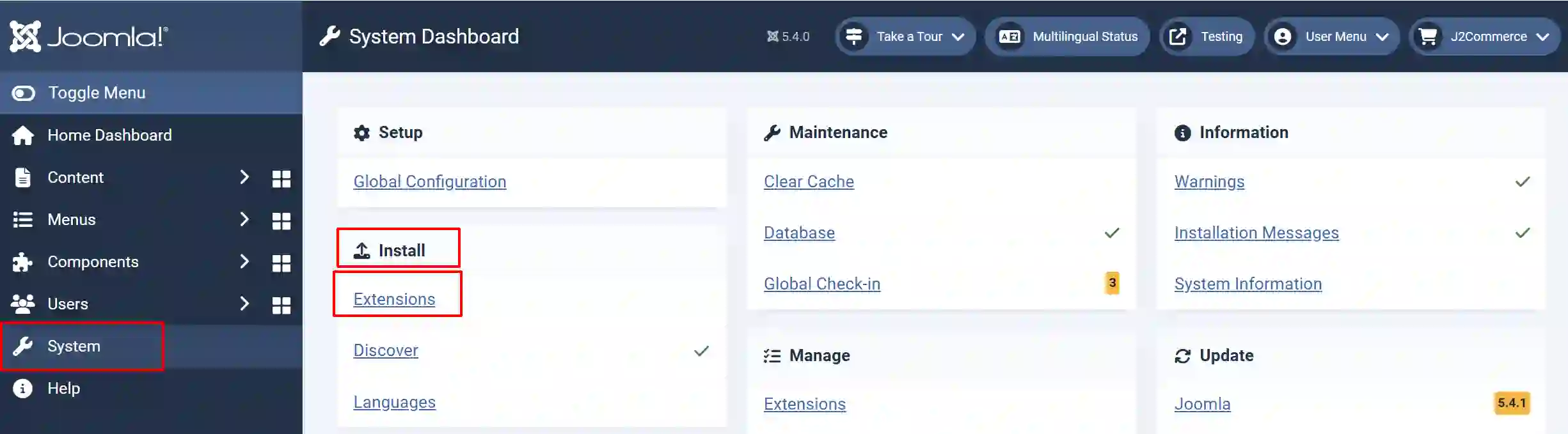
Go to System > Install > Extensions > Install the app
Enable the App
Go to J2Commerce > Apps > search for the Bulk Discount app
Click on the 'X' under Status to enable it.
Click on "Open App" or the Title to start setting up the app
Setting up the Parameters
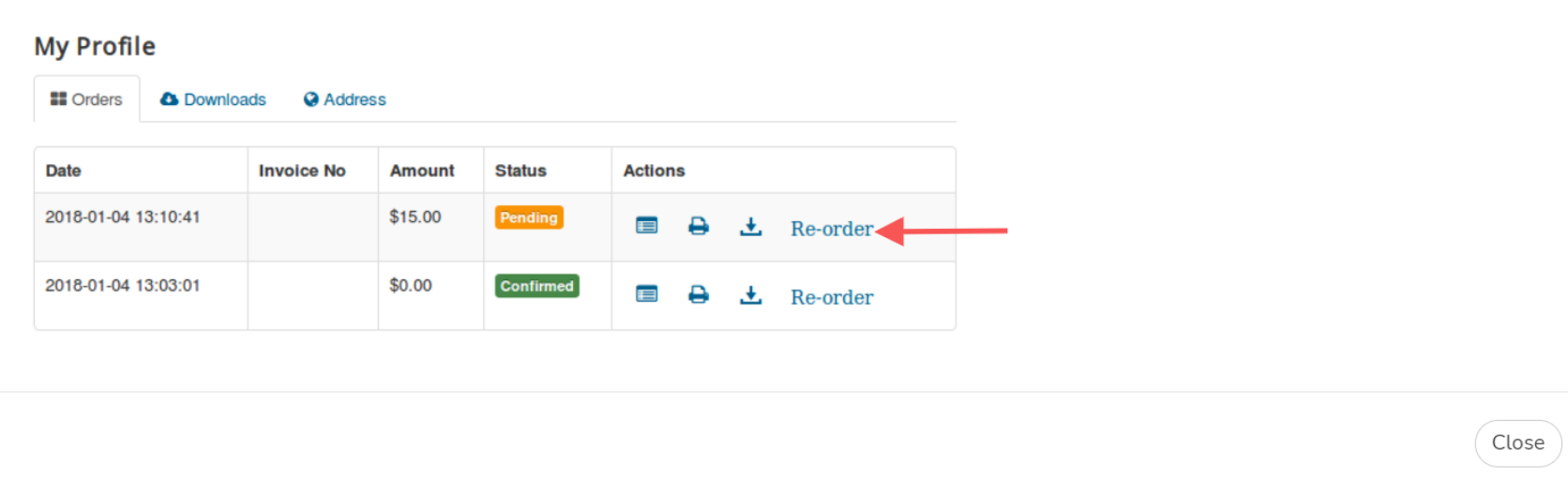
The app places a button on the My Profile page, allowing users to re-order the items of a previous or existing order in a few clicks.
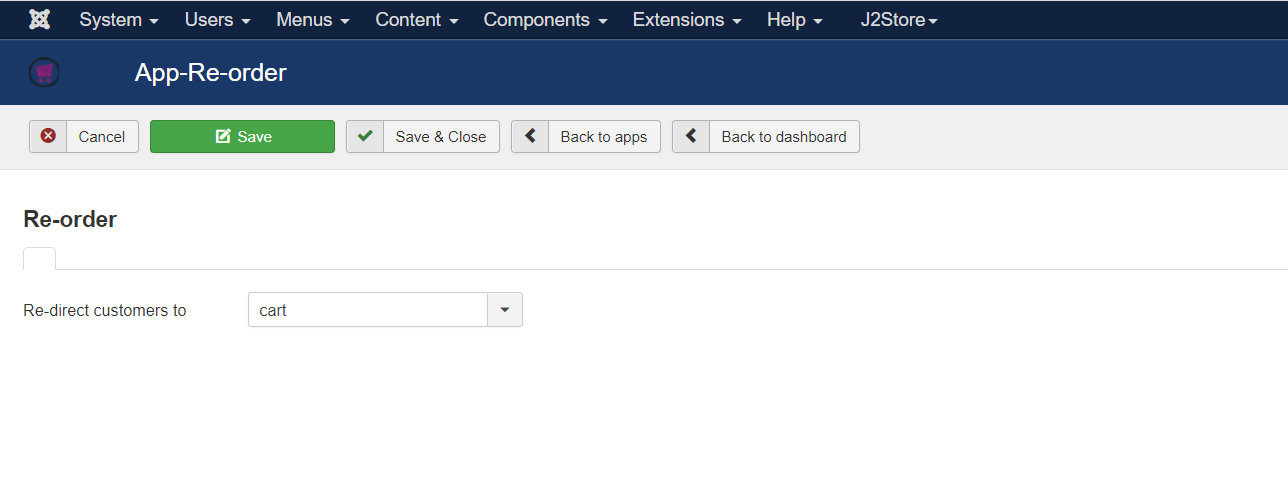
Select the page that the customer should be redirected to after clicking on the Re-Order button displayed next to the order placed by the customer at the My Profile page.
Now, when the customer has placed an order for a product and wants to re-order the same product, they visit the My profile page and click on the "Re-order" button to be directed to either the Cart page or Checkout page (Based on the redirect option you set at the store backend) and then complete placing the order further from there.
\