Requirements and Installation
Requirements
- PHP 5.4+
- J2Commerce 3.2.20 or above
- Joomla 3.4.x or above
Download App
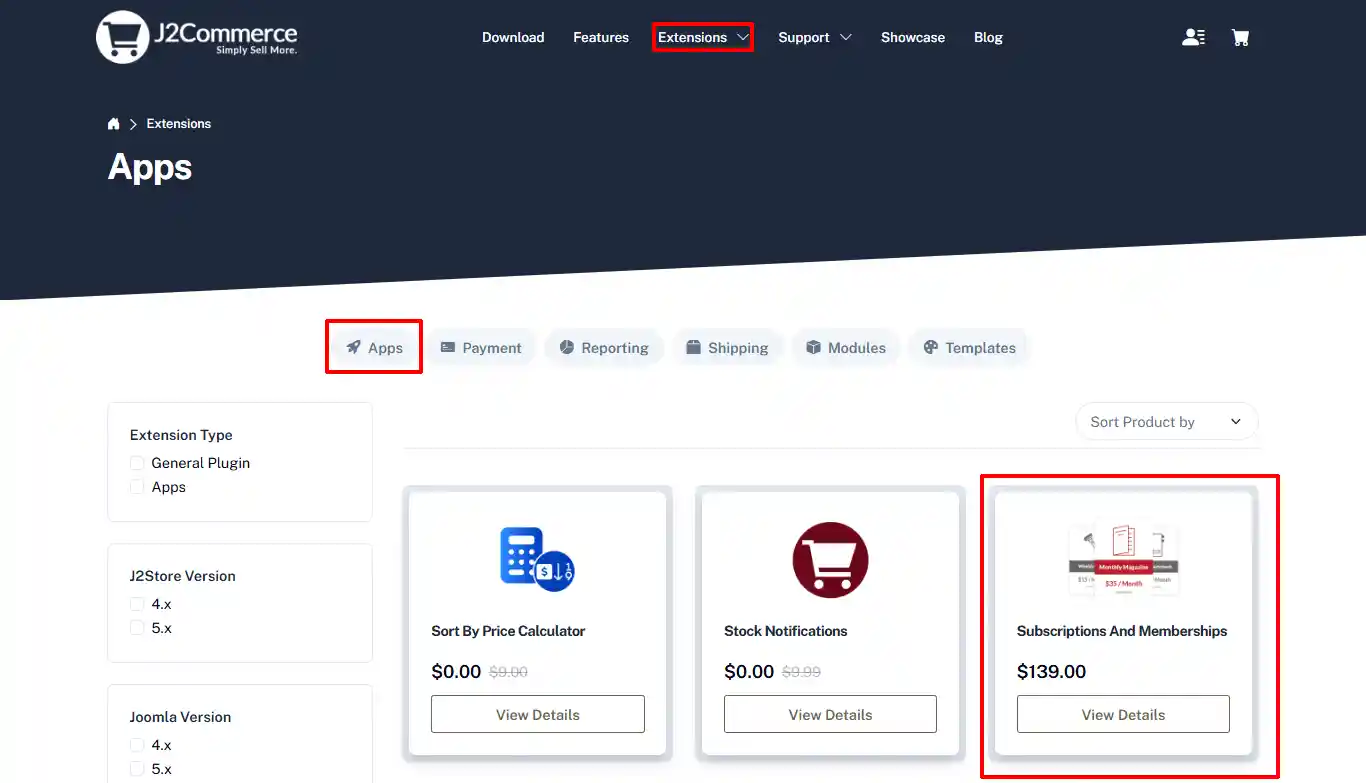
Step 1: Go to our J2Commerce website > Extensions > Apps
Step 2: Go to Extensions > Apps > Locate the Subscription & Membership App > click View Details > Add to cart > Checkout.
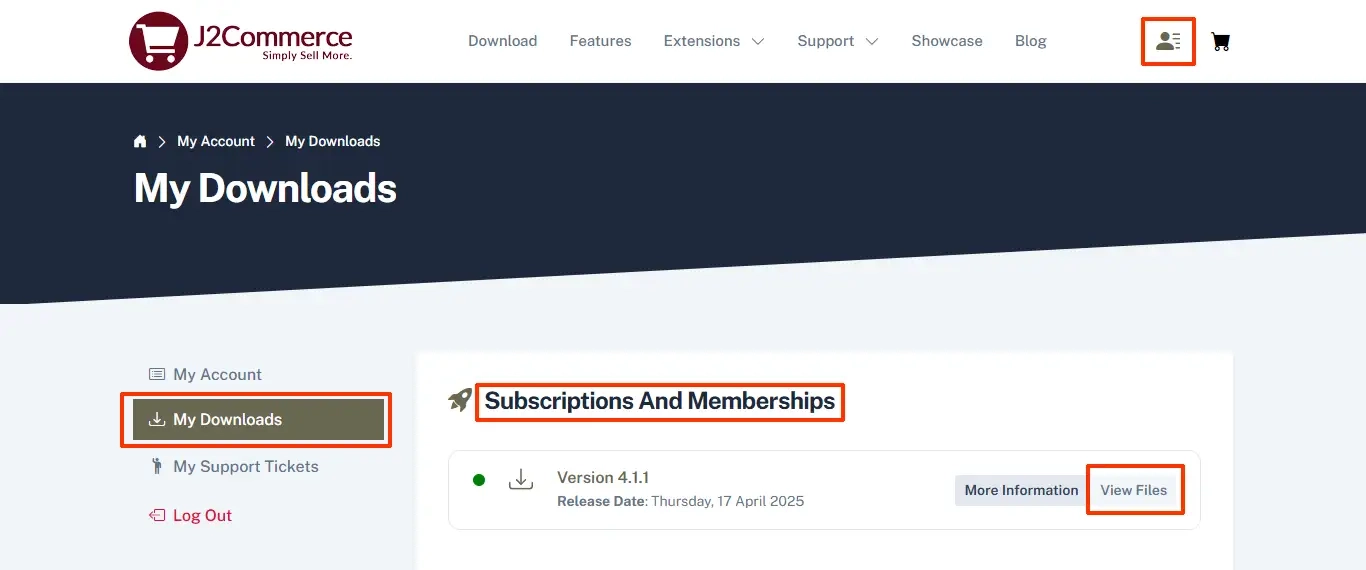
Step 3: Click on your profile dropdown in the top right corner and click on My Downloads. In the search bar, type in Subscriptions and Membership.
-93b50edb0b45e493100db6056120e9ad.webp)
When the app is shown, double-click on it to open it.
Step 4: Click View Files
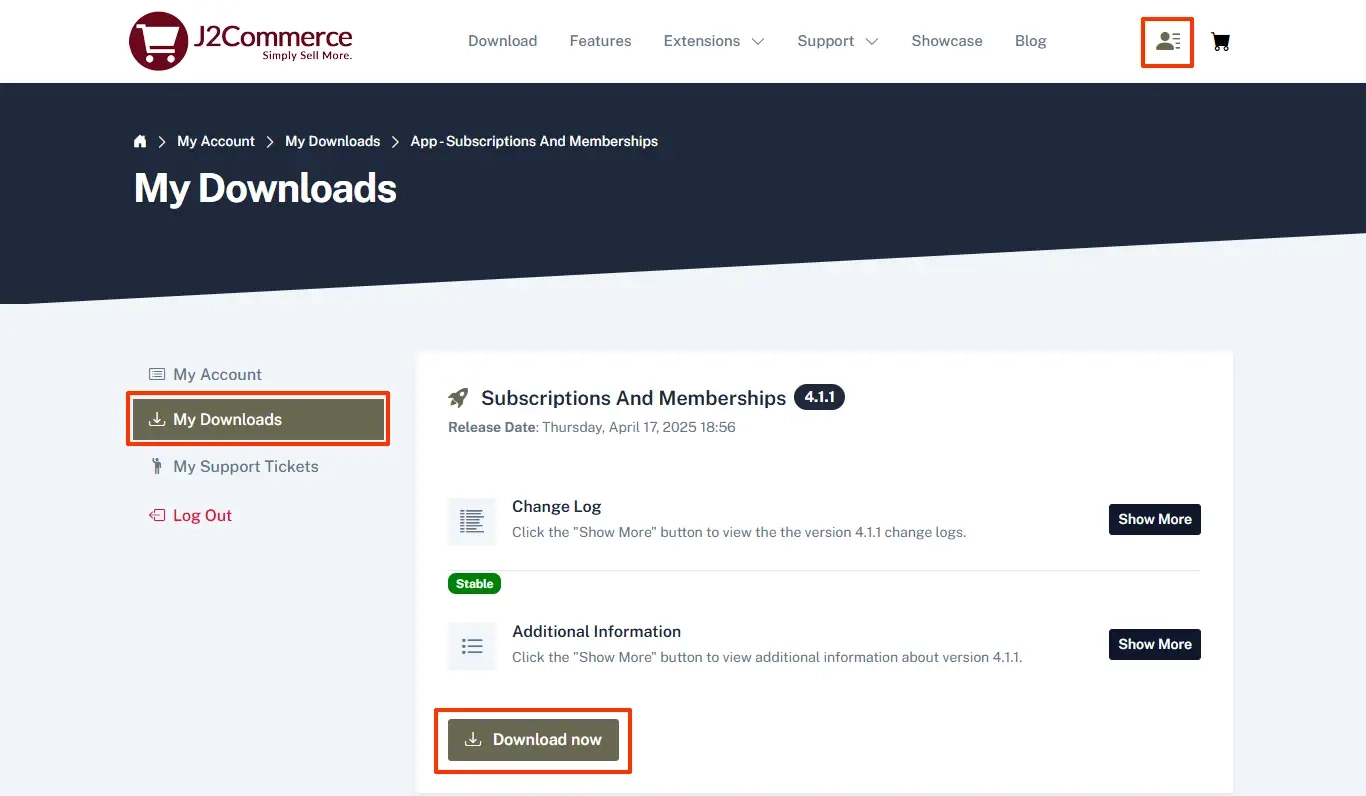
Step 5: Click Download Now
Install App
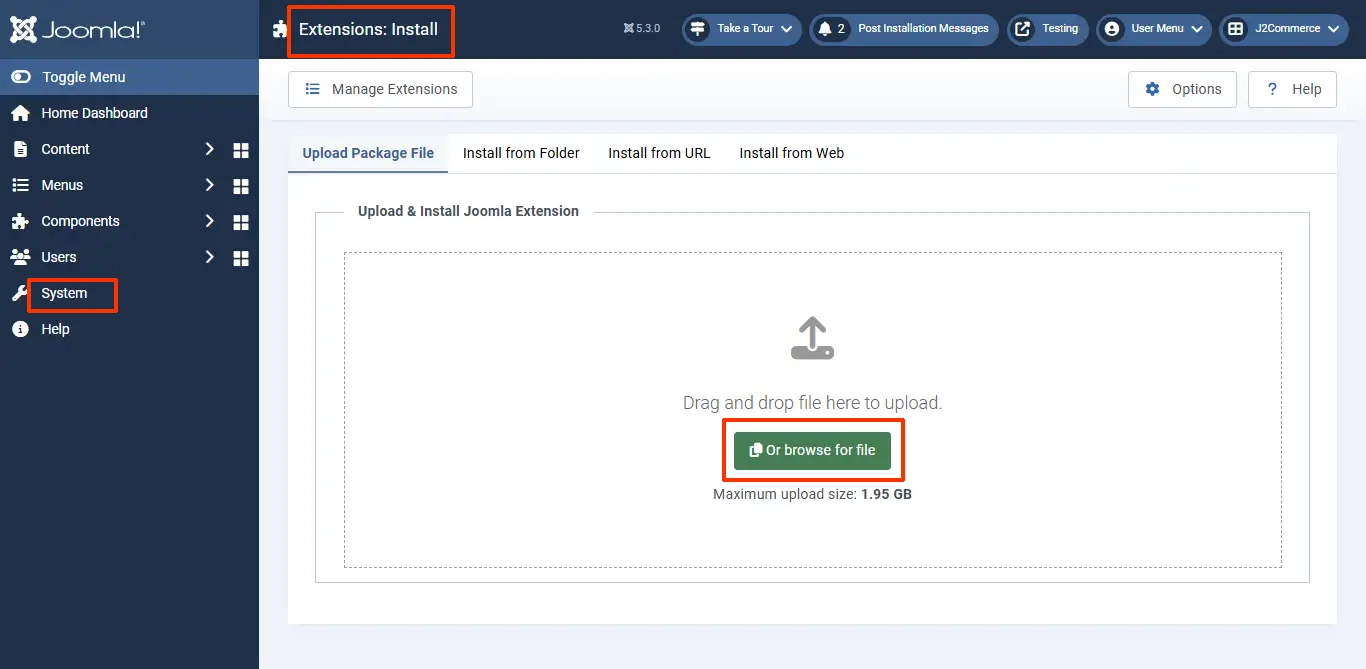
- After downloading the app, go to the backend of your site and go to System > Install > Extensions.
- Drag and drop your zip folder or click on Browse Your File. Don't unzip the folder
-a6689f12b23b8e992f5c2a169737672f.webp)
- After installing the app, go to J2Commerce > Apps and enable the Subscription Products app.
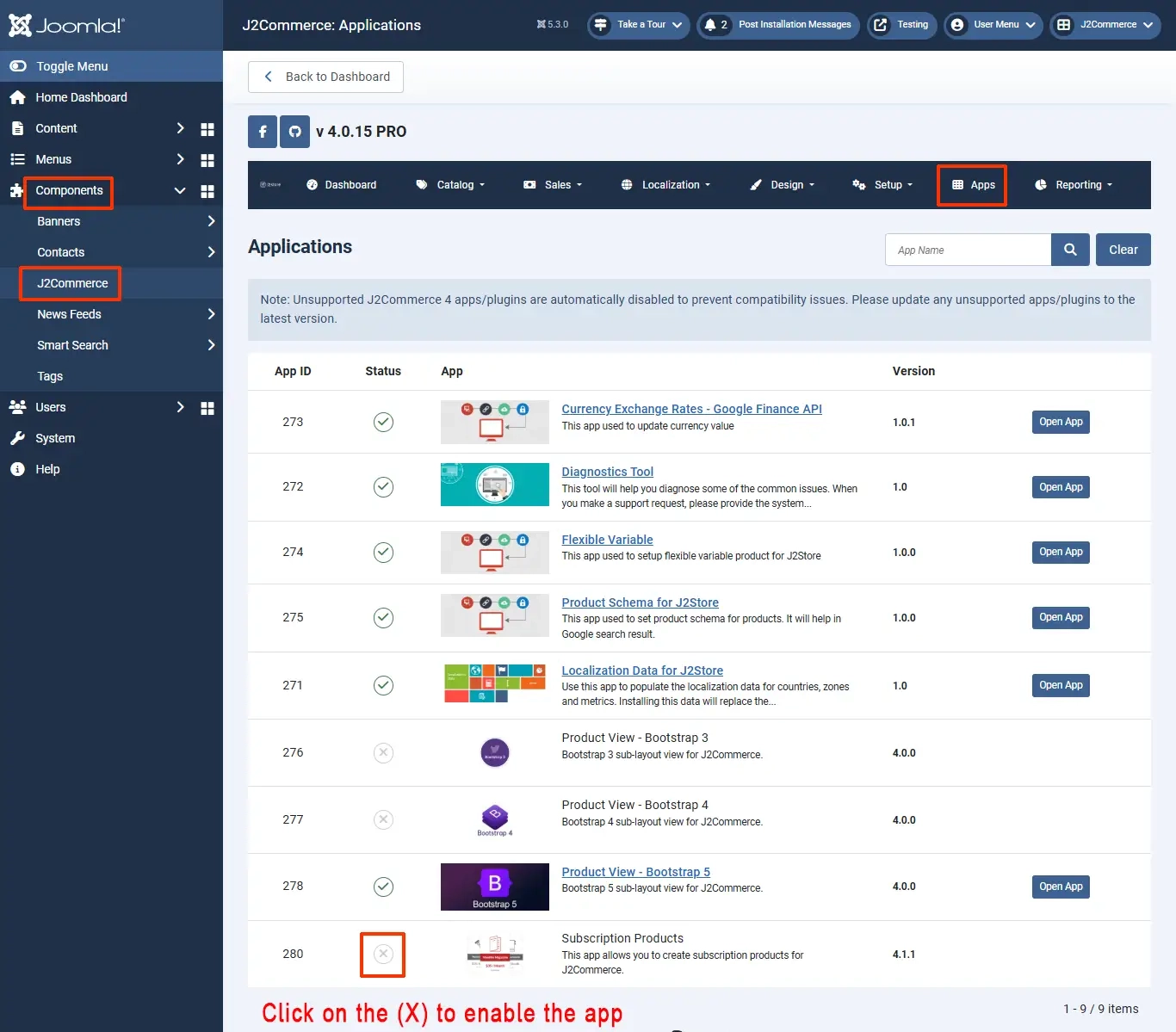
Once enabled, open the app and configure the basic settings of the app.
To read the documentation on the basic settings, go to https://docs.j2commerce.com/subscriptions-and-memberships/basic-settings