Open Hours (time-based restriction)
The Open Hours app allows you to restrict orders from customers based on your store’s operational timings. You can configure your store’s opening and closing times for all days of the week. This means any orders coming in after closing hours will not be accepted.
Make sure that you set the 24-hour format for time configuration.
Requirements
- PHP 8.1.0 +
- Joomla! 4.x/ Joomla! 5.x +
- J2Commerce / J2Store 4.x +
Purchase the App
Step 1: Go to our J2Commerce website > Extensions > Apps
Step 2: Locate the Open Hours App > click View Details > Add to cart > Checkout.
Step 3: Go to your My Downloads under your profile button at the top right corner and search for the app. Click Available Versions > View Files > Download Now
Install the App:
Go to System > Install > Extensions > Install the app
-e0515ef561b368cb4d5a053cacb4c525.webp)
Enable the App
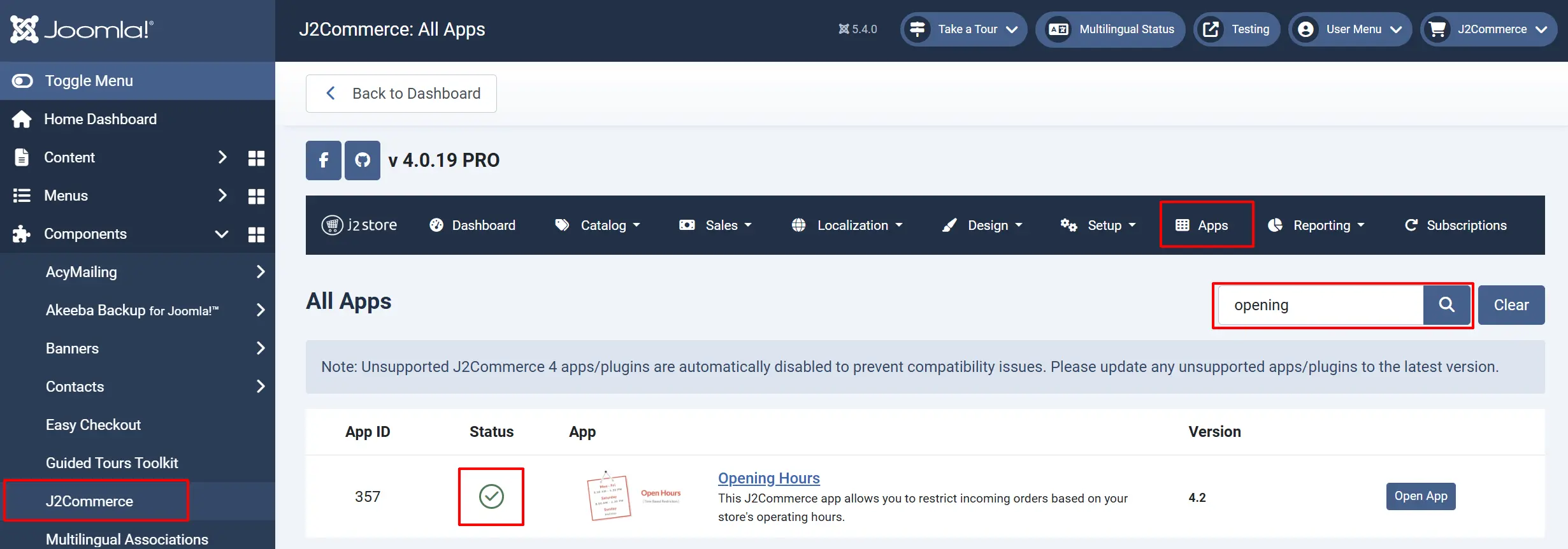
Go to J2Commerce > Apps > search for the Open Hours app
Click on the 'X' under Status to enable it.
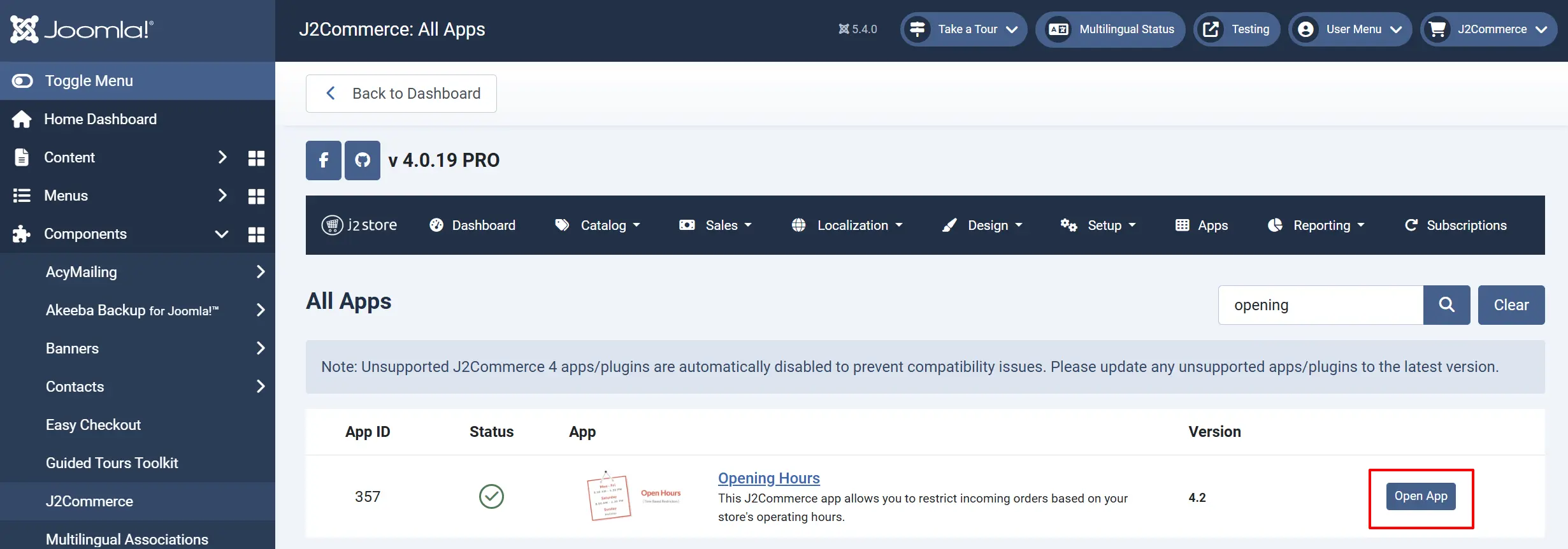
Click on "Open App" or the Title to start setting up the app
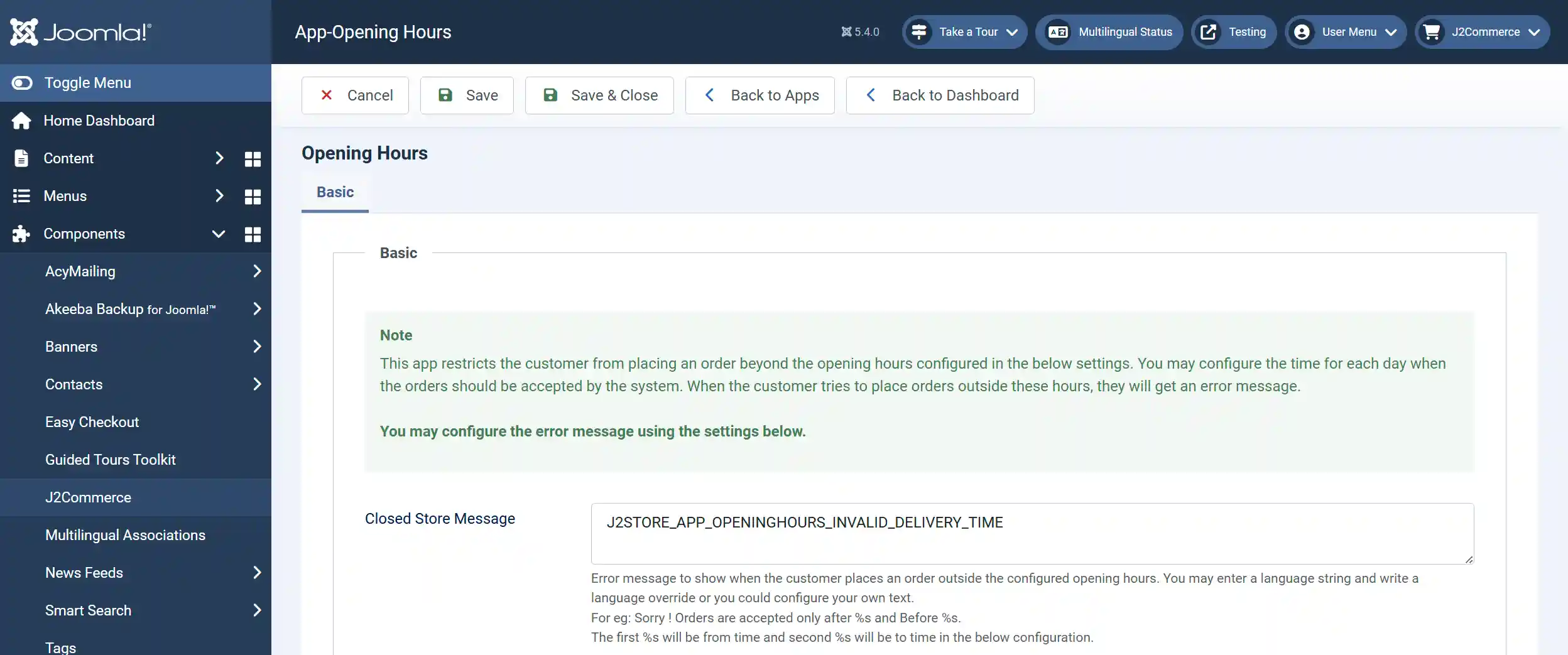
Setting up Store Hours:
Error Message
This is the place to show an error message when the customer places an order outside the store’s operational hours.
Enter your custom error message here. You may also enter a language string and write a language override.
For eg: Sorry! Orders are accepted only after %s and before %s. The first %s will be from time and the second %s will be to time in the below configuration.
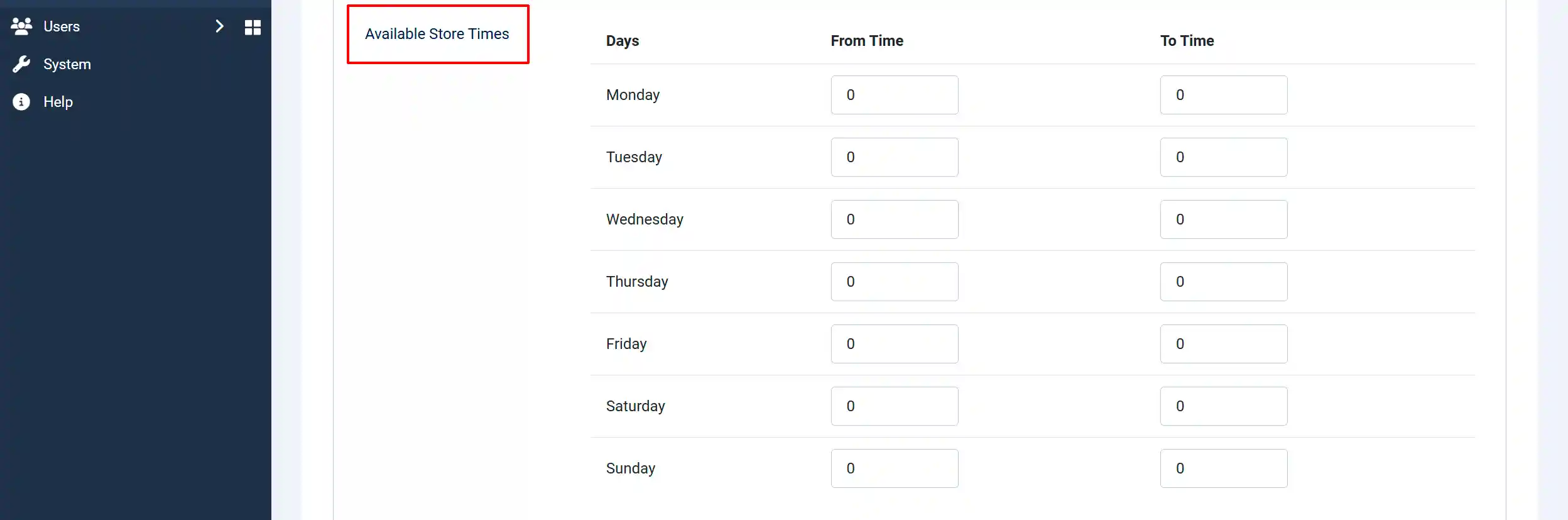
Available Store Hours
For instance, if your store’s operational timing is from 10.00 am to 11.00 pm on weekdays and closed on weekends (Saturday and Sunday), you will have to configure your store timing like below.
Note: The above time is configured in a 24 hrs time format. Which means, 11:00 AM is considered as 11:00 and 2:00 PM is considered as 14:00 (12+2). Please make sure you enter the time in a 24-hour format.
The Timezone this app works in is the timezone you have selected in your Joomla Global configurations.
On weekdays
From time 10.00
To time - 23.00
Now, if a customer tries to place an order before opening time or after closing time on weekdays, the customer will be displayed with a message informing them that orders cannot be placed right now.
On weekends
To set the shop closed on weekends (Saturday and Sunday), you will have to set just 1 minute for Saturday and Sunday. Refer image below,

If the customer tries to purchase on weekends, he will be informed that orders cannot be placed.