Product Search Module
Having hundreds of products? Wishing that your users get what they want easily? You could always help them with this search module.
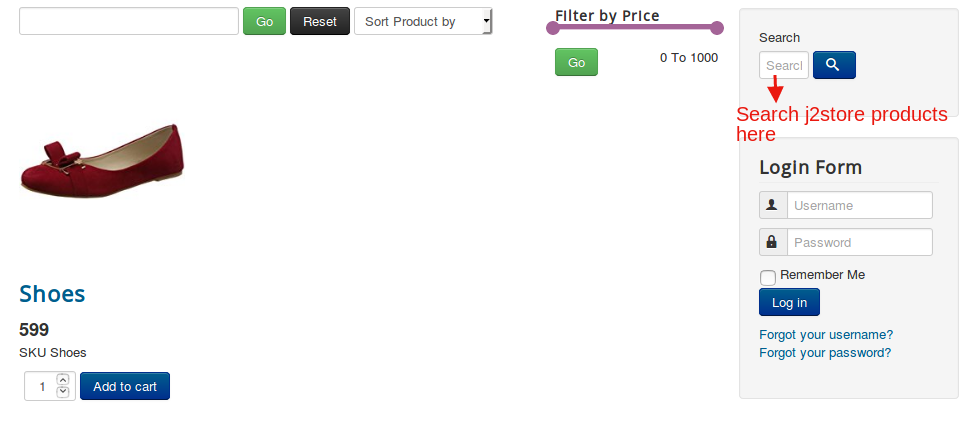
This module facilitates the search for products in J2Commerce. When the name of the product is typed in this search box, the products that have a part or whole of the keywords typed will get displayed.
I already have the Joomla! search box. Why would I add this module?
Is that your question? Then here is the answer:
This search box serves more or less like the Joomla! search box, but with a few differences. While the Joomla! The search box is capable of searching J2Commerce articles; there is one exception to its functionality.
Joomla! search box will not be able to search products if the products list view is used to display the products, but it is capable of finding those that are displayed using the article or category blog layout.
Whereas, J2Commerce search box is capable of picking products that are displayed using the products list view as well, thus overcoming the default Joomla! search box’s limitation.
J2Commerce search box will search the product’s title, SKU, and description.
Purchase Module
Step 1: Go to our J2Commerce website > Extensions > Modules
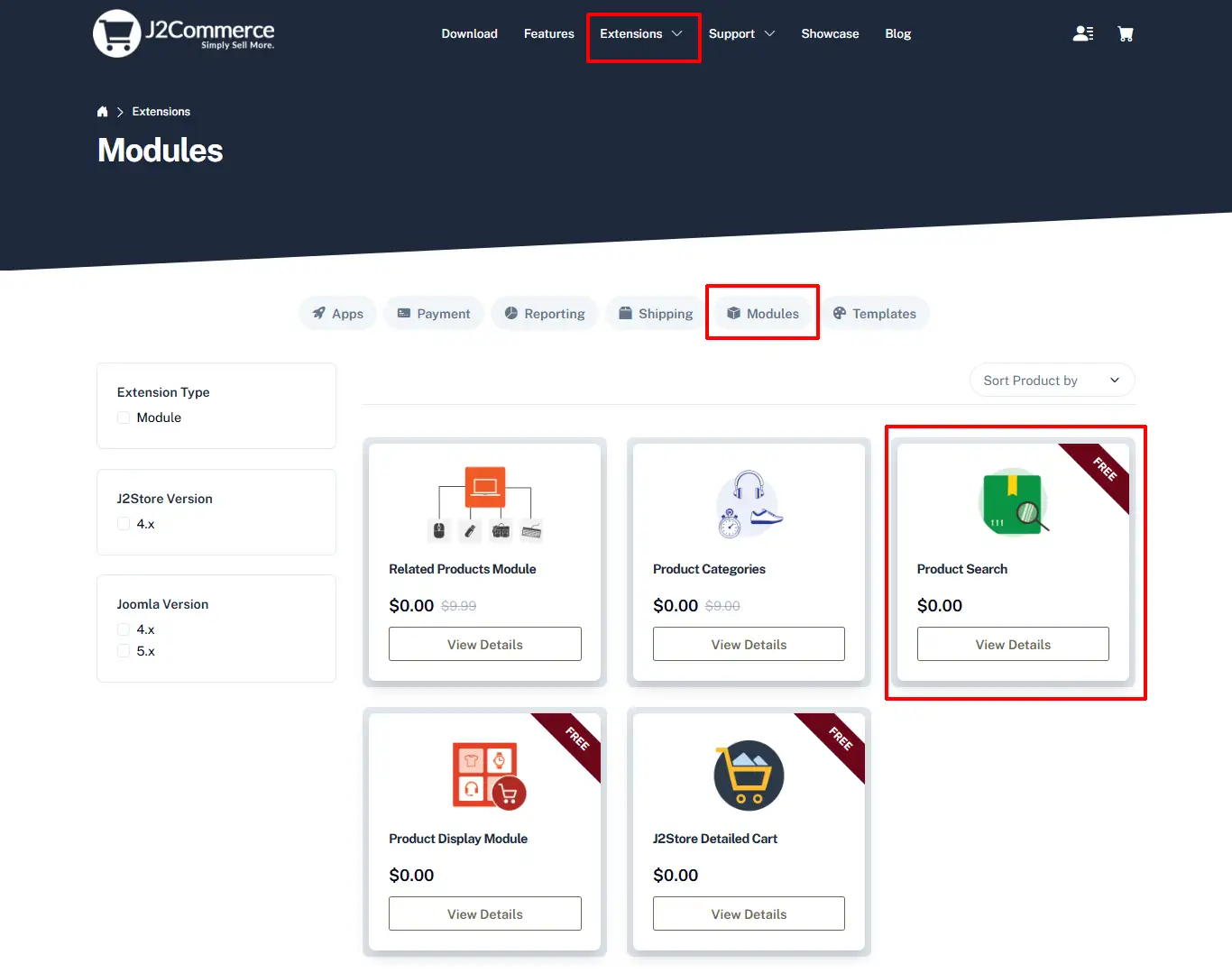
Step 2: Locate the Product Search module > click View Details > Add to cart > Checkout.
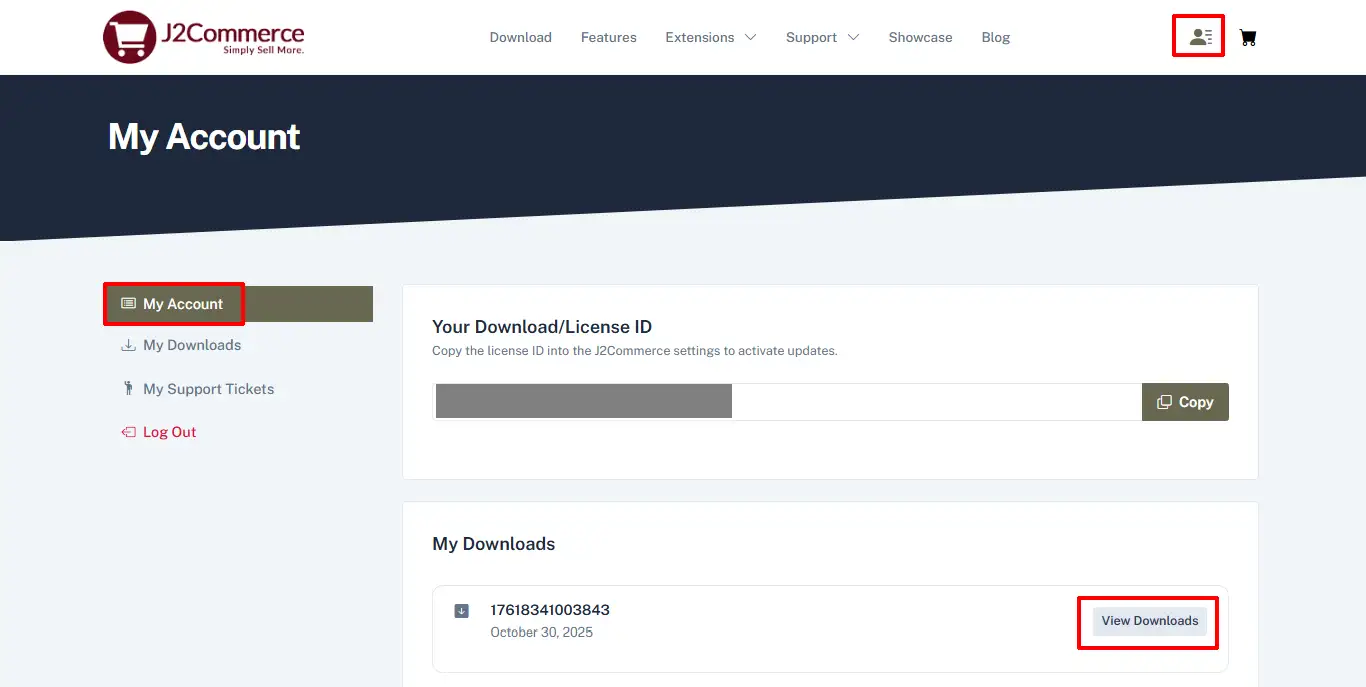
Step 3: Go to your My Downloads or My Account under your profile button at the top right corner and search for the app. Click Available Versions > View Files > Download Now
Installation: You can install this Product Search module using the Joomla installer. The following steps help you with a successful installation.
Step 1: In the Joomla admin, go to System > Install > Extensions
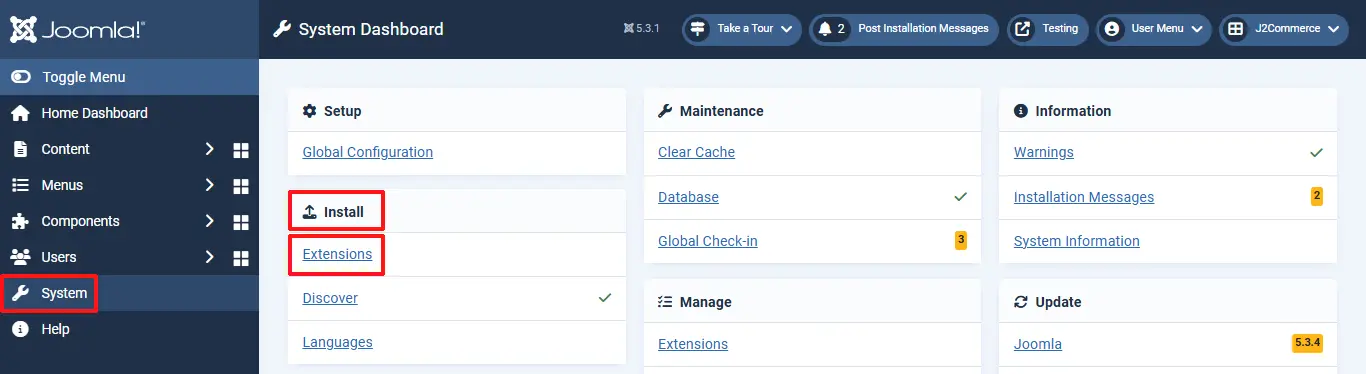
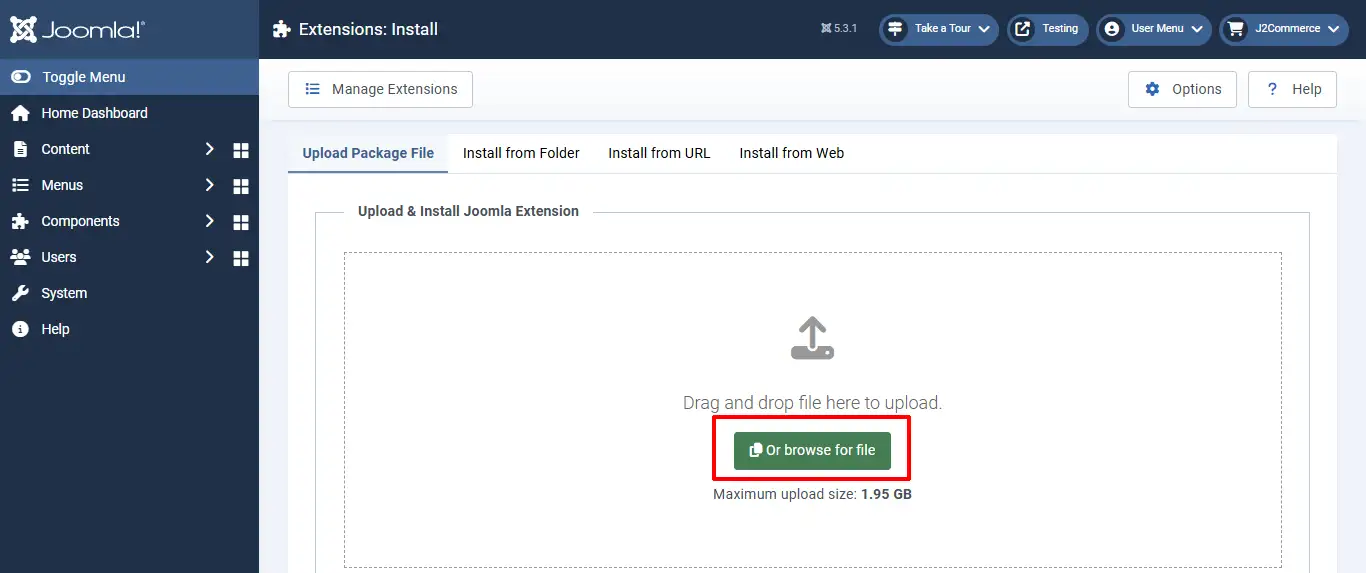
Step 2: Click on the Browse button and select the Product Search zip file you saved during the download process. You will receive a message of success once installed.
Step 3: Select Content > Site Modules > Product Search module
Step 4: Enable the plugin by clicking on the 'X'. It will turn into a checkmark.
Step 5: Once it's enabled, click on the module to open it
Module Parameters
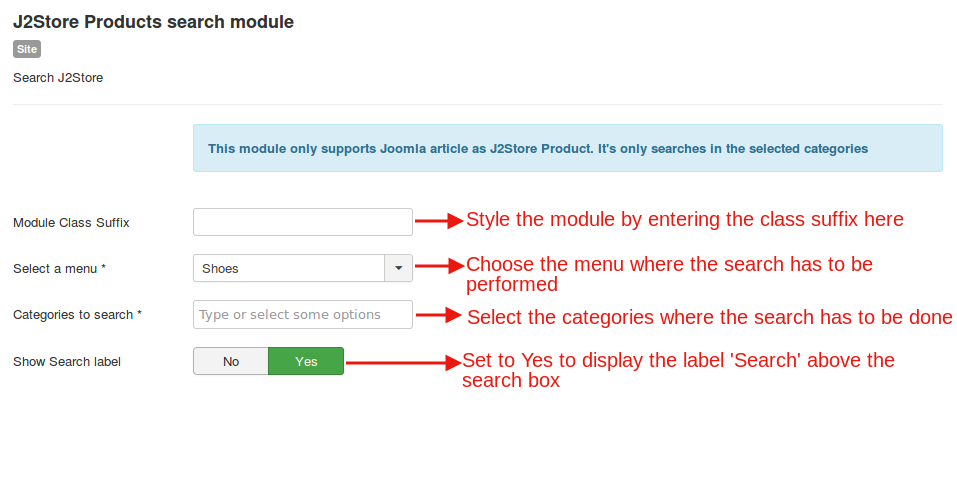
- Module Class Suffix: Enter the class suffix if you wish to style the module.
- Select a Menu: Select the menu items whose contents have to be searched when a keyword is specified in the search box.
- Categories to Search: Specify the categories where the search has to be done for the keywords typed in the search box.
- **Show Search label ** Set this to Yes if you wish to display the label Search on top of the search box.
Limitations
If you use other catalog sources such as K2, Zoo, Sobipro, please use native search functions of those extensions. This module will support ONLY products which are Joomla! articles. Please avoid requesting support for other CCKs as all the CCKs have excellent search functions and features.
Relevant Screenshots
Settings for the module can be configured here: