Klaviyo
Requirements
- with PHP 8.1.0 +
- Joomla! 4.x/ Joomla! 5.x +
- J2Commerce / J2Store 4.x +
Klaviyo is a marketing automation platform primarily used by e-commerce businesses to personalize customer experiences through email and SMS marketing.
If you don’t already have a Klaviyo account, you can sign up here.
Once you're logged in, you'll need to obtain your API key to set up Klaviyo on your Joomla! website.
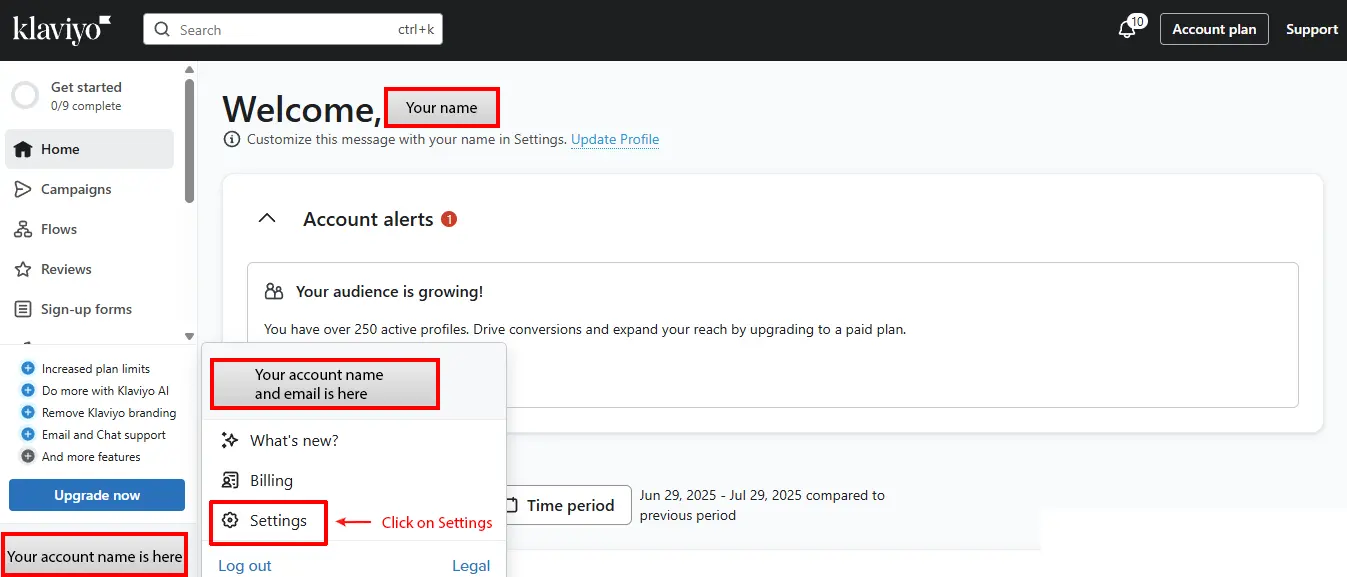
Step 1: After logging into Klaviyo, go to the bottom-left corner and click on your company name. Then, click Settings.
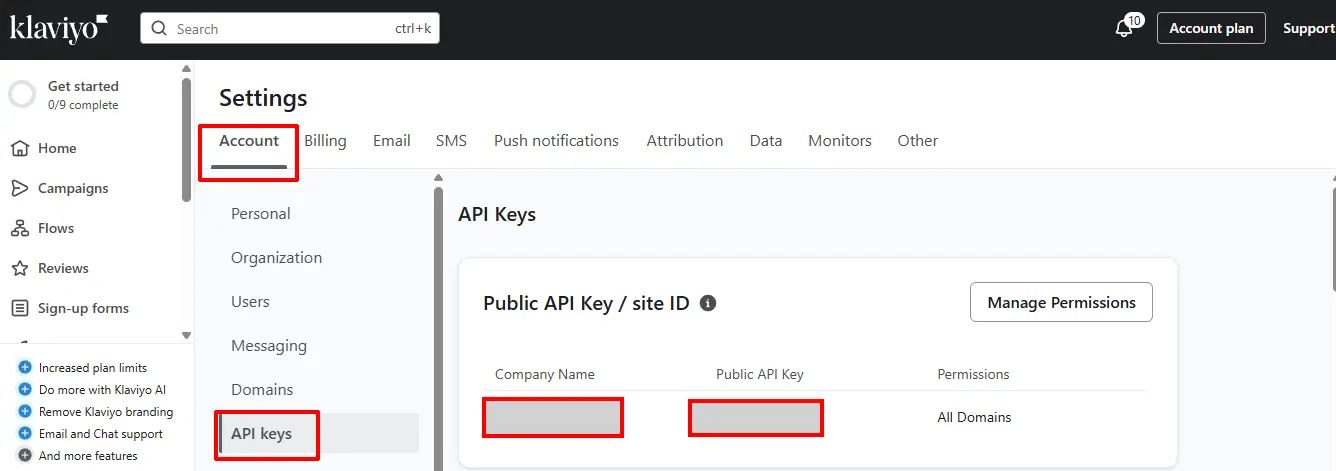
Step 2: In the Account tab, scroll down and click on API Keys.
Step 3: In the top section (Public API Key/Site ID), click Create Public API Key.
Step 4: Your new API key will be generated. You’ll need to enter this key after installing Klaviyo in J2Commerce.
Once you have your API Key, it's time to install it on your Joomla! website.
Purchase the Plugin
Step 1: Go to our J2Commerce website > Extensions > Integrations
Step 2: Locate the Klaviyo Plugin > click View Details > Add to cart > Checkout.
Step 3: Go to your My Downloads under your profile button at the top right corner and search for the app. Click Available Versions > View Files > Download Now
Install the Plugin
Go to System > Install > Extensions > Install the plugin
-e0515ef561b368cb4d5a053cacb4c525.webp)
Enable the Plugin
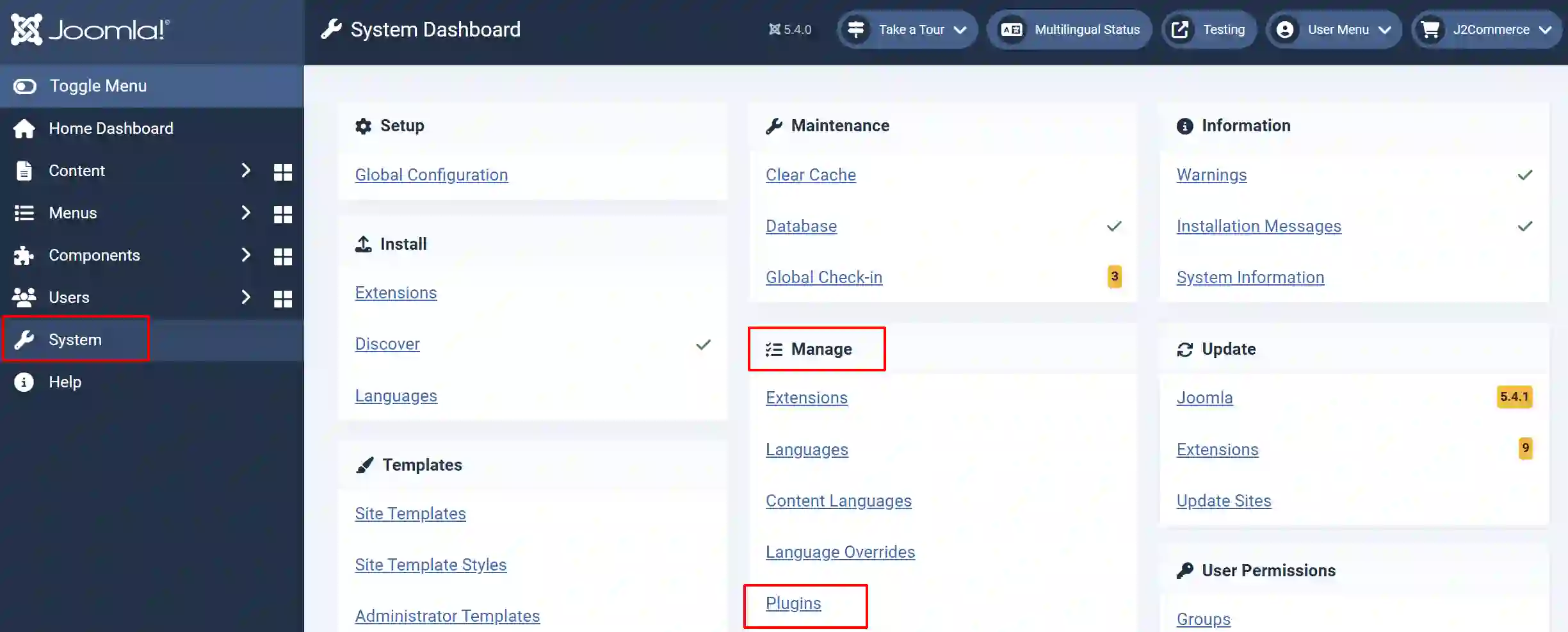
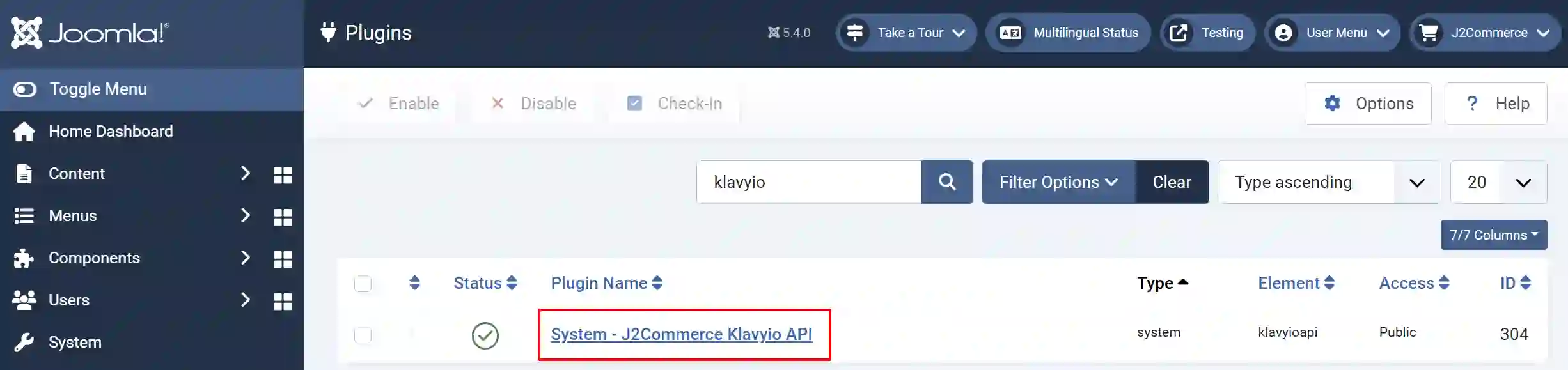
Go to System > Manage > Plugin
Search for the Klaviyo
Click on the 'X' under Status to enable it.
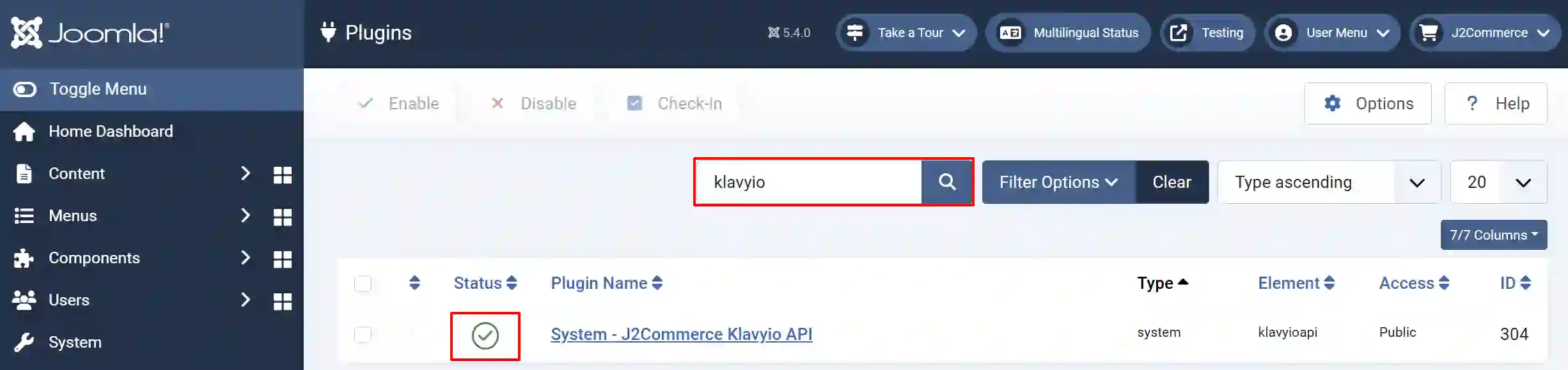
Click on the Title to start setting up the plugin
Setting up the Parameters
Enter the API key you received from the Klaviyo website. In the Category section, you can click on each category you want to attach to. This way, it won’t be applied to every single article on the website.
-025176f47a9fdd20b2a47726c2731276.webp)
What this plugin does.
1: It adds the Klaviyo tracking code to the website.
2: Whichever categories you select, Klavio will scan all of the products in those categories and add the products to your Klaviyo account.