Checkout Redirect
The app will redirect the customer directly to checkout when they add an item to the cart, skipping the cart page.
Requirements
- PHP 8.1.0 +
- Joomla! 4.x/ Joomla! 5.x +
- J2Commerce / J2Store 4.x +
Purchase the App
Step 1: Go to our J2Commerce website > Extensions > Apps
Step 2: Locate the Checkout Redirect App > click View Details > Add to cart > Checkout.
Step 3: Go to your My Downloads under your profile button at the top right corner and search for the app. Click Available Versions > View Files > Download Now
Install the App
Go to System > Install > Extensions > Install the app
-e0515ef561b368cb4d5a053cacb4c525.webp)
Enable the App
Go to J2Commerce > Apps > search for the Checkout Redirect app
Click on the 'X' under Status to enable it.
Setting the Cart behavior to Redirect
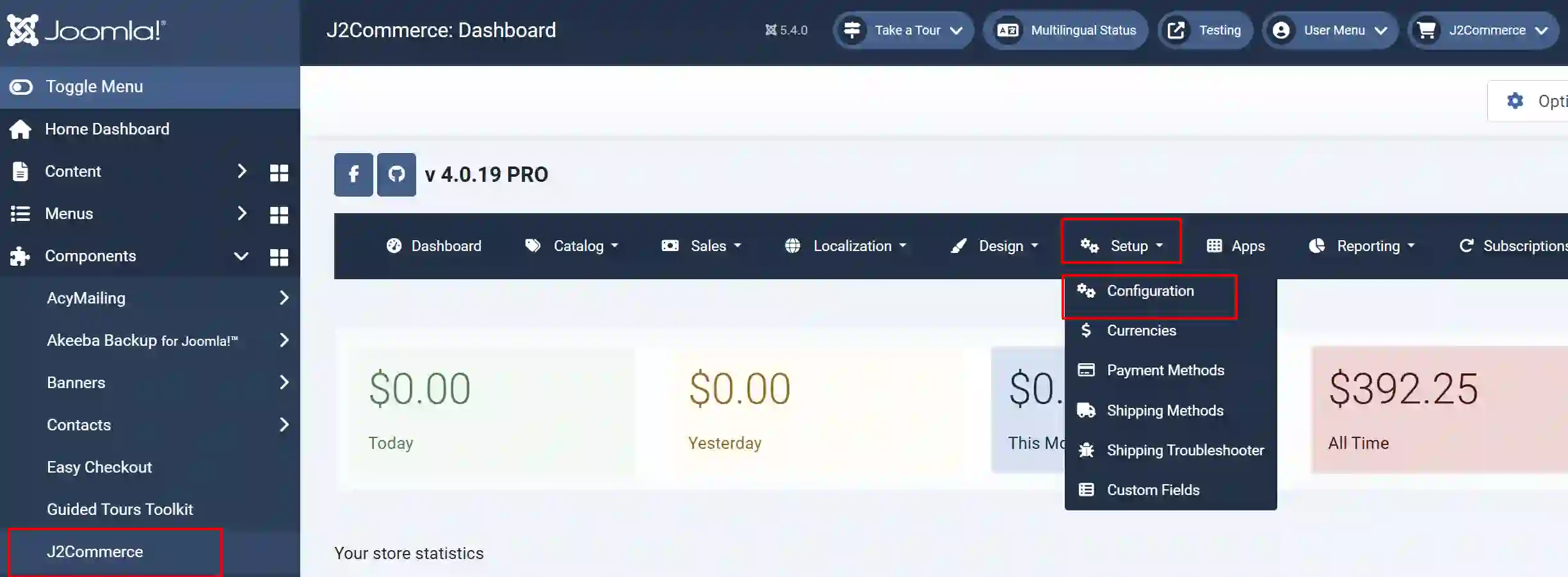
Go to J2Commerce > Set up > Configuration
Cart tab
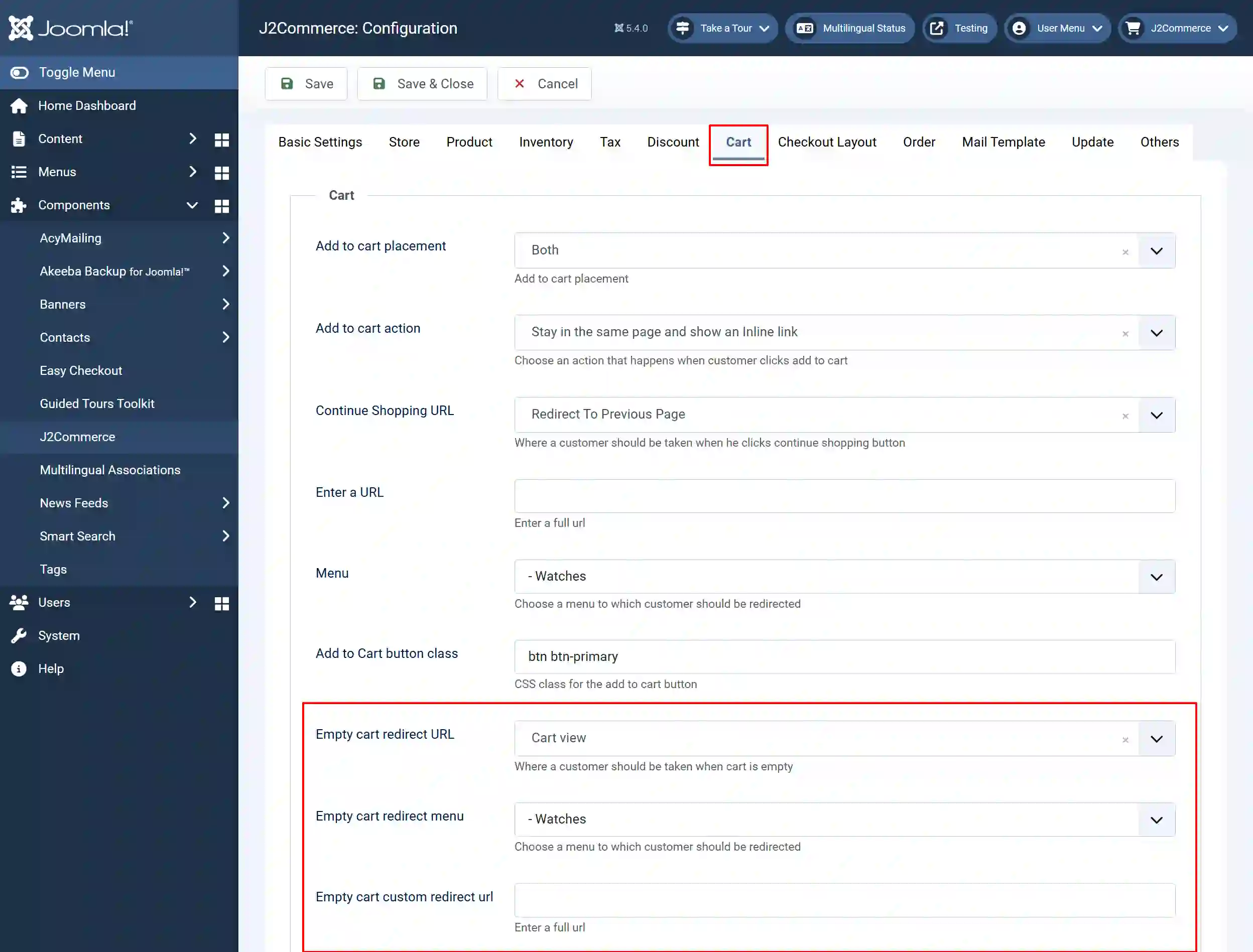
Empty cart redirect URL: Where a customer should be taken when the cart is empty
Empty cart redirect menu: Choose a menu to which the customer should be redirected
Empty cart custom redirect URL: Enter a full URL
When you add an item to the cart, the store will redirect you to the Checkout page and thus hide the Cart page from customer view.