Adding Specifications to your Products
Steps to be followed:
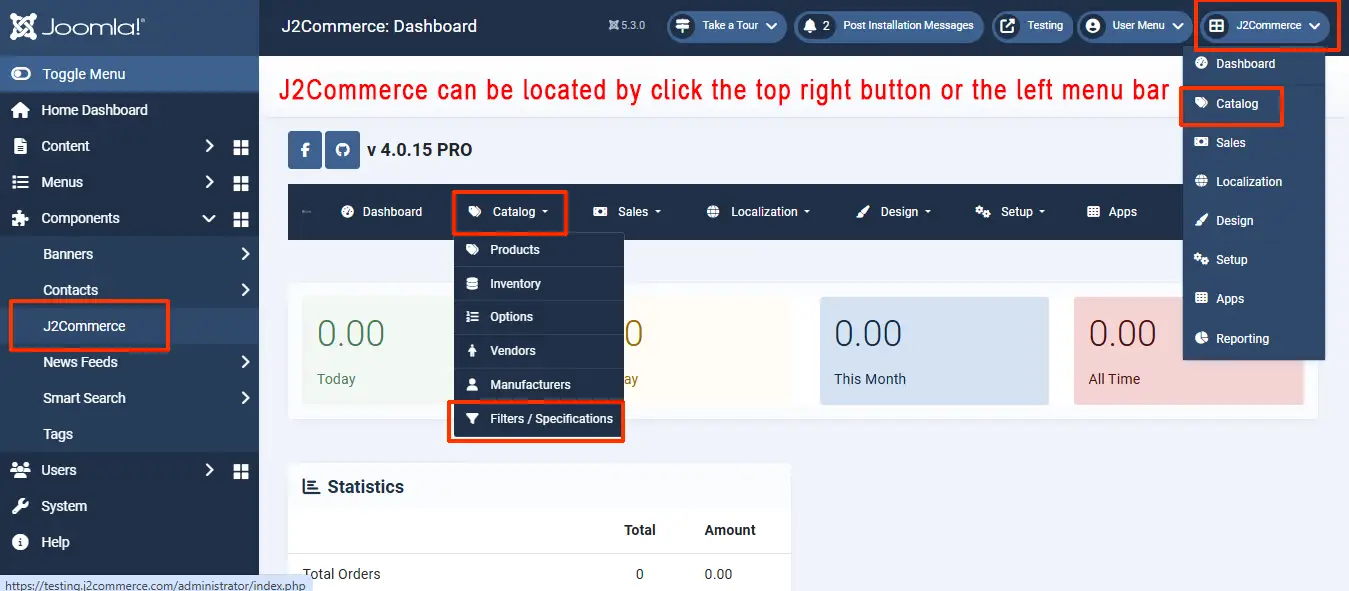
- Navigate to J2Commerce > Catalog > Filters/ Specifications.
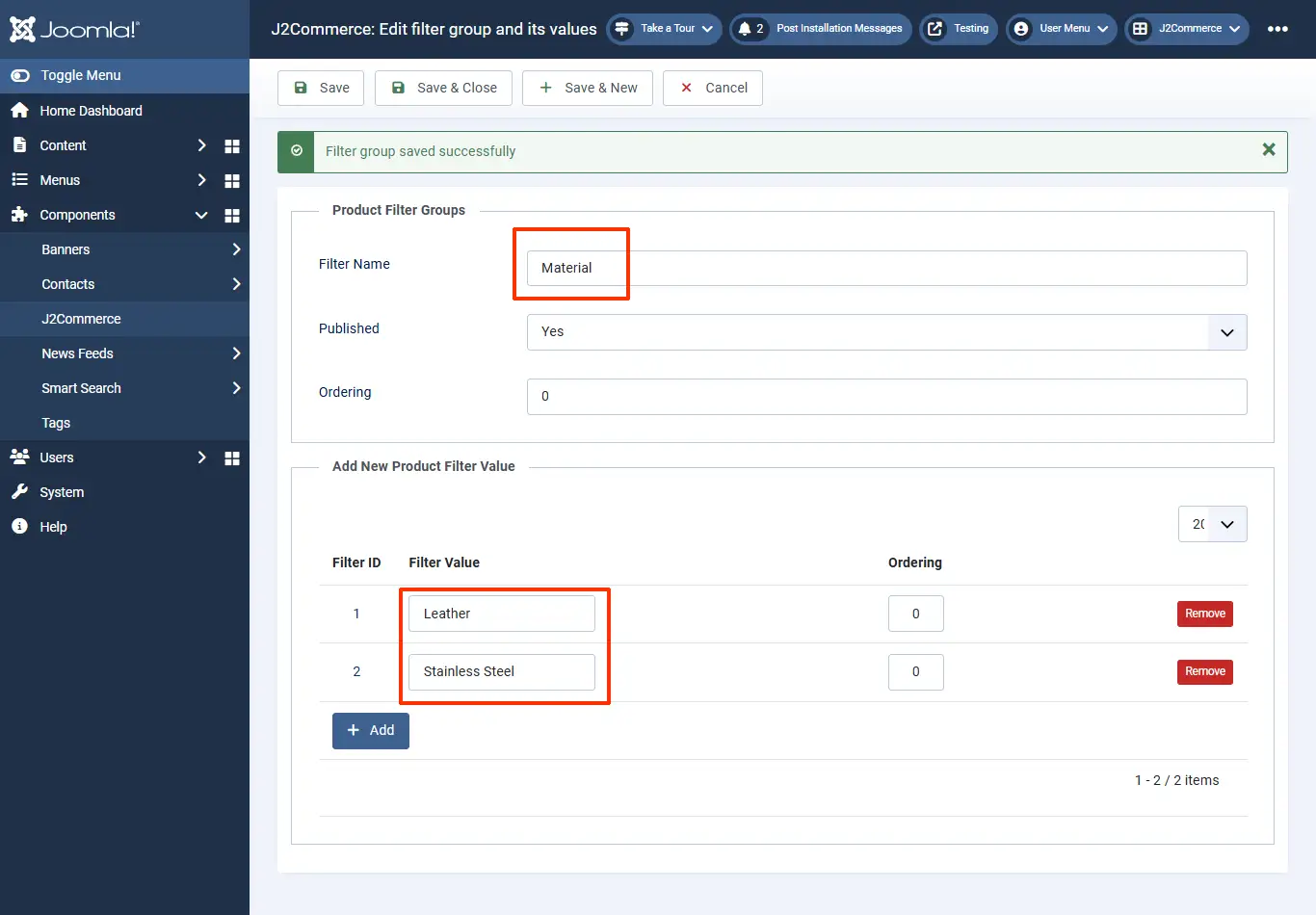
- Create a filter named Material and add values Leather and Stainless steel to the filter.
- Create another filter named Dial Color and add values to it accordingly.
- Move to the product’s article page and click on the filters section under the J2Commerce (J2Store Cart) tab.
- Type in the name of the filter’s value created and save the article post, adding the filter values.
-24151cb5ef5f1a4f19b5228e305583a2.webp)
- Navigate to Menu > Manager > Choose your product’s menu item > Product view options > Show specifications > Show > Save
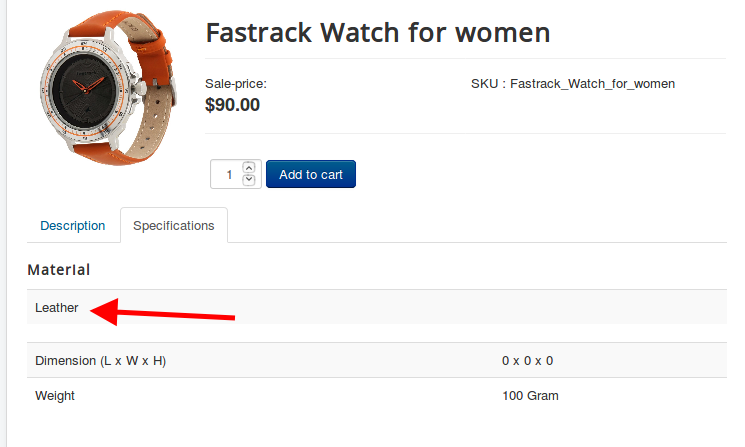
- Now the product’s item view would have the Specifications listed in a separate tab named Specifications.
-a0f2932b328012e6ed351efe3bbaa239.webp)
Video Tutorial:
